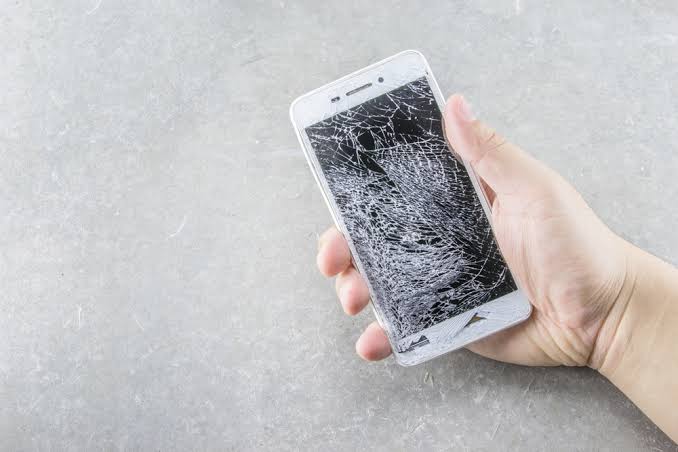
OPPO, Vivo & Redmi Screen Repair Singapore — Complete Guide 2026

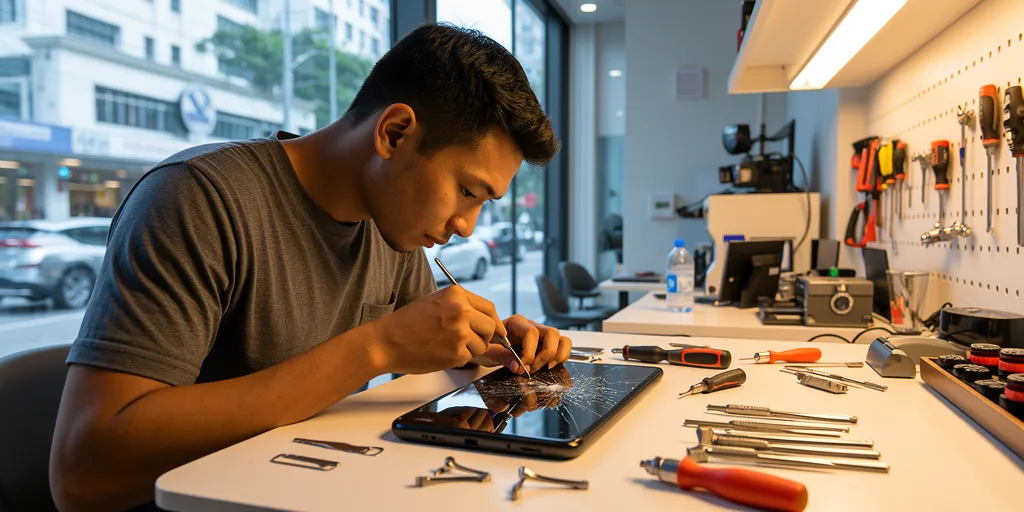
OPPO Vivo Redmi Screen Repair Singapore - Phone Technician at Work
Android Repair Guide · 10 min read · Updated April 2026

OPPO, Vivo & Redmi Screen Repair Singapore — Complete Guide 2026

Everything you need to know about repairing OPPO, Vivo and Redmi phones in Singapore — AMOLED vs LCD displays, in-display fingerprint sensors, fast charging after repair, model-by-model pricing and exactly what to expect at the shop.

OPPO, Vivo or Redmi — What’s the Difference?

All three brands are part of the same BBK Electronics group and dominate the mid-range Android market in Singapore. Despite sharing a parent company, they are separate brands with distinct designs, software and repair considerations.

OPPO
Reno · Find X · A-series

Known for SUPERVOOC ultra-fast charging, Hasselblad camera partnerships and the Reno series. Find X is OPPO’s flagship with 2K curved AMOLED.

See OPPO repairs →
Vivo
X-series · V-series · Y-series

Known for slim designs, ZEISS optics on the X-series and FlashCharge fast charging. The V-series is Singapore’s most repaired Vivo line.

See Vivo repairs →
Redmi
Note series · Xiaomi sub-brand

Xiaomi’s value-focused brand. The Redmi Note series is one of Singapore’s most popular Android lines for its large AMOLED display and competitive price.

See Redmi repairs →

AMOLED vs LCD — Why It Matters for Your Repair

The single biggest factor in your screen repair cost is whether your phone has an AMOLED or LCD display.

Display TypeFound OnFingerprintRepair Cost
AMOLED (curved)OPPO Find X, Reno Pro, Vivo X/V ProIn-displayHigher
AMOLED (flat)OPPO Reno, Vivo V-series, Redmi Note ProIn-displayMid
IPS LCDOPPO A-series, Vivo Y budget, Redmi standardSide-mountedLower
Not sure which display your phone has?

Look at your screen in a dark room. AMOLED blacks are completely dark. LCD blacks appear as a dim glow. Or WhatsApp us your model number and we’ll confirm immediately.

In-Display Fingerprint — Will It Work After Repair?

OPPO, Vivo and Redmi mid-range and flagship phones use optical in-display fingerprint sensors that work by shining light through the AMOLED panel. When we replace the screen with a Grade A AMOLED panel, the in-display fingerprint sensor continues to work normally. You may be prompted to re-register your fingerprints after repair.

Important

The in-display fingerprint sensor only works on AMOLED panels. If your phone has a side-mounted fingerprint sensor, it is part of the power button and completely unaffected by screen replacement.

Fast Charging After Battery Replacement

OPPO, Vivo and Redmi all use proprietary fast charging. Our Grade A batteries are rated for each model’s original charging spec.

BrandStandardMax Speed
OPPOSUPERVOOCUp to 100W+ (Find X)
VivoFlashChargeUp to 120W (X-series)
RedmiHyperChargeUp to 120W (Note 13 Pro+)

Screen Repair Prices

Model TypeDisplayApprox. Price
OPPO Find X / Vivo X flagship2K Curved AMOLED$120–$160
OPPO Reno Pro / Vivo V ProCurved AMOLED 120Hz$90–$120
OPPO Reno / Vivo V / Redmi Note ProFlat AMOLED 120Hz$70–$100
OPPO Reno older / Redmi NoteFlat AMOLED 90Hz$60–$80
OPPO A-series / Vivo Y / RedmiIPS LCD$50–$70
Get an exact quote

WhatsApp us your model name at +65 9678 0203. All prices include labour, parts and 60-day warranty.

What to Expect at the Shop

  • Walk in, no appointment needed — 4 outlets island-wide, open 11am–9pm daily
  • Free assessment first — screen, touch, fingerprint and charging checked before quoting
  • Fixed price upfront — what you’re quoted is what you pay
  • 45–90 minutes repair time — flat AMOLED 45–60 mins, curved 60–90 mins
  • Post-repair testing — full touch, fingerprint, camera and charging test before handback
  • 60-day warranty — covers any defect in the replacement screen

Common Questions

My OPPO Reno screen is cracked but touch still works — should I replace it?

Yes. A cracked screen has compromised structural integrity and can fail suddenly from a second impact. Cracks also let dust and moisture in. Replacing sooner is cheaper than waiting for the display to fail completely.

Will my Vivo V40 Pro curved display look the same after repair?

Grade A curved AMOLED panels match the original spec closely — same resolution, brightness and colour profile. In side-by-side comparison the difference is minimal.

My Redmi Note 13 Pro+ flickers after a drop — screen or board?

Flickering after a drop is almost always the screen or connector, not the board. Bring it in for a free assessment — we confirm the fault before any work is done.

Can you repair models not listed on your website?

Yes — WhatsApp us your exact model number. We stock parts for all common models from 2021 onwards.

Book a repair today

Westgate · AMK Hub · Bugis Village · Bedok Mall
Open daily 11am – 9pm · No appointment needed
💬 WhatsApp +65 9678 0203

Top 10 Phone Repair Mistakes People Make (And How to Avoid Them)

Top 10 phone repair mistakes to avoid Singapore
.cprs-blog-wrap{font-family:-apple-system,BlinkMacSystemFont,’Segoe UI’,Helvetica,Arial,sans-serif;color:#1a1a1a;max-width:1100px;margin:0 auto;padding:0 16px} .cprs-blog-wrap *{box-sizing:border-box} .cprs-blog-header{border-left:4px solid #da291c;padding:24px 0 24px 24px;margin-bottom:40px} .cprs-blog-header .cprs-meta{font-family:’Courier New’,monospace;font-size:11px;letter-spacing:2px;text-transform:uppercase;color:#da291c;margin-bottom:10px} .cprs-blog-header h1{font-size:clamp(24px,4vw,36px);font-weight:700;line-height:1.2;margin:0 0 12px;color:#111} .cprs-blog-header .cprs-intro{font-size:17px;color:#555;line-height:1.8;margin:0;font-style:italic} .cprs-blog-layout{display:grid;grid-template-columns:1fr 240px;gap:48px;align-items:start} @media(max-width:860px){.cprs-blog-layout{grid-template-columns:1fr}.cprs-toc-sidebar{display:none}} .cprs-article h2{font-size:22px;font-weight:700;color:#111;margin:40px 0 14px;padding-bottom:8px;border-bottom:2px solid #f0f0f0} .cprs-article h3{font-size:17px;font-weight:700;color:#111;margin:24px 0 10px} .cprs-article h2:first-child{margin-top:0} .cprs-article p{font-size:16px;line-height:1.8;color:#333;margin:0 0 16px} .cprs-article ul,.cprs-article ol{padding-left:22px;margin:0 0 16px} .cprs-article li{font-size:16px;line-height:1.8;color:#333;margin-bottom:6px} .cprs-article strong{color:#111;font-weight:600} .cprs-tip{background:#f0f7ff;border-left:4px solid #2563eb;border-radius:0 8px 8px 0;padding:16px 20px;margin:24px 0} .cprs-tip .cprs-tip-label{font-family:’Courier New’,monospace;font-size:10px;letter-spacing:2px;text-transform:uppercase;color:#2563eb;font-weight:700;margin-bottom:6px} .cprs-tip p{margin:0;font-size:14px;color:#1e3a6e;line-height:1.6} .cprs-warn{background:#fff7ed;border-left:4px solid #f97316;border-radius:0 8px 8px 0;padding:16px 20px;margin:24px 0} .cprs-warn .cprs-warn-label{font-family:’Courier New’,monospace;font-size:10px;letter-spacing:2px;text-transform:uppercase;color:#c2410c;font-weight:700;margin-bottom:6px} .cprs-warn p{margin:0;font-size:14px;color:#7c2d12;line-height:1.6} .cprs-toc-sidebar{position:sticky;top:24px} .cprs-toc{background:#fafafa;border:1px solid #e5e7eb;border-radius:10px;padding:20px} .cprs-toc-title{font-family:’Courier New’,monospace;font-size:10px;letter-spacing:2px;text-transform:uppercase;color:#9ca3af;font-weight:700;margin:0 0 14px} .cprs-toc-list{list-style:none;padding:0;margin:0} .cprs-toc-list li{margin-bottom:2px} .cprs-toc-list a{display:block;font-size:13px;color:#6b7280;text-decoration:none;padding:6px 10px;border-radius:6px;border-left:2px solid transparent;line-height:1.4;transition:all 0.15s ease} .cprs-toc-list a:hover,.cprs-toc-list a.cprs-toc-active{color:#da291c;background:#fff5f5;border-left-color:#da291c;font-weight:600} .cprs-cta{background:#111;color:#fff;border-radius:12px;padding:32px;margin-top:48px;display:flex;justify-content:space-between;align-items:center;gap:24px;flex-wrap:wrap} .cprs-cta h3{margin:0 0 6px;font-size:20px;color:#fff} .cprs-cta p{margin:0;font-size:14px;color:#9ca3af;line-height:1.5} .cprs-cta a{flex-shrink:0;background:#25d366;color:#000;text-decoration:none;font-weight:700;font-size:14px;padding:12px 24px;border-radius:50px;white-space:nowrap}
Repair Guide · 7 min read · Updated April 2026

Top 10 Phone Repair Mistakes People Make — And How to Avoid Them

We see thousands of phones come through our shops. Many arrive in worse condition than they needed to be — because well-meaning owners made avoidable mistakes. Here’s what to avoid.

1. Waiting Too Long to Get Repairs

You crack your screen but think “I’ll wait until it gets worse.” Small problems become big, expensive ones.

  • Small screen cracks spread across the entire display
  • Singapore’s humidity causes moisture to seep through cracks and damage internals
  • Degraded batteries can swell — which is a safety risk
The rule

Get repairs done as soon as issues appear. A crack that takes 30 minutes and costs $80 to fix today could become a $300 display replacement next month.

2. DIY Repairs Without Proper Tools or Experience

You watch a YouTube video and order cheap parts from Shopee. What could go wrong?

  • Modern phones have delicate flex cables that tear with one wrong move
  • Face ID and Touch ID sensors are cryptographically paired to your phone — damage them and they’re permanently disabled, with no fix available
  • Adhesives require specific temperatures and techniques
  • Cheap replacement parts often fail within weeks
Real example

A customer bought an aftermarket iPhone screen online and damaged the Face ID connector during DIY installation. The repair that would have cost $150 became a $500 job — with Face ID permanently disabled.

3. Using a Hair Dryer on a Water-Damaged Phone

Your phone gets wet. Someone says “dry it with a hair dryer!” This is one of the worst things you can do.

  • Heat melts internal adhesives and damages components
  • Forced hot air pushes water deeper into the device
  • Can cause the battery to swell

What to do instead: Power off immediately. Don’t charge it. Don’t try to turn it on. Bring it to a repair shop as soon as possible for professional cleaning.

4. Choosing a Repair Shop Based on Price Alone

You see “$50 iPhone screen repair!” and assume a deal. Suspiciously cheap repairs usually come with poor-quality parts and no real warranty.

  • Cheap screens often have: dead pixels within weeks, dim display, ghost touches, washed-out colours
  • No warranty or a “90-day warranty” that’s never honoured
  • Inexperienced technicians who damage other components during repair
What to ask

Before any repair: “What grade of parts do you use?” and “What exactly does your warranty cover?” A shop that can’t answer clearly is a shop to avoid.

5. Not Backing Up Before Repair

You drop off your phone without backing up. During repair, something unexpected happens and data is lost.

Screen and battery repairs rarely affect data. But motherboard repairs carry real risk. Photos of family, business documents, years of messages — these are irreplaceable.

iPhone: Settings → [Your Name] → iCloud → iCloud Backup → Back Up Now.
Android: Settings → Google → Backup → Back up now. Takes 5 minutes and is always worth doing.

6. Continuing to Use a Visibly Damaged Phone

A cracked screen with tape over it. A battery that’s clearly swollen. These aren’t just cosmetic issues.

  • Cracked screens cut fingers and let moisture into the internals
  • Swollen batteries can catch fire — this is a genuine safety risk, not a remote possibility
  • Broken charging ports can cause electrical shorts when forcing a cable in

7. Trusting the Rice Method for Water Damage

Rice absorbs moisture from the air. It does not absorb water from inside a phone. The rice myth wastes 24–48 critical hours while corrosion progresses inside your device.

By the time you give up on rice and bring the phone in, corrosion has had two full days to spread across the logic board. Water damage treated within hours has a far higher success rate than water damage treated after a day of sitting in rice.

8. Not Asking About Warranty Before the Repair

You get your screen repaired. Two weeks later it develops issues. The shop says “sorry, no warranty.”

Always confirm before paying: how many days warranty, what’s covered (parts and workmanship), and what voids it. Get a receipt with warranty terms written on it. Any reputable shop will have no problem providing this.

9. Ignoring a Failing Battery

Battery drains fast, phone overheats, shuts off randomly. You think “it’s just old” and carry a power bank everywhere.

A degraded battery isn’t just inconvenient — iOS and Android actively throttle CPU speed to prevent unexpected shutdowns caused by weak batteries. Your phone feels slow because of the battery, not because of the processor. A battery replacement restores both battery life and performance.

10. Accepting Repairs Without Understanding What’s Wrong

You bring your phone in for a screen repair. The technician says you also need a charging port replacement and motherboard cleaning for $300 more. You agree without questioning.

  • Ask: “Can you show me what’s wrong?”
  • Ask: “What happens if I don’t fix this other issue now?”
  • Ask: “Can I just do the screen first?”

A trustworthy shop will give clear answers. If a shop pressures you to agree to extra repairs on the spot without explanation, get a second opinion.

Red Flags at Repair Shops

  • No upfront price estimate — quote only given after they “open it up”
  • Needs 5–7 days for repairs that take 60 minutes everywhere else
  • No warranty offered
  • Only accepts cash, no receipt
  • Significantly cheaper than all other shops
  • Pressures you to agree to additional repairs immediately

Need an honest repair?

Free diagnostics, Grade A parts, 60-day warranty. We tell you exactly what’s wrong before any work starts.
Westgate · AMK Hub · Bugis Village · Bedok Mall · 11am–9pm daily

💬 WhatsApp +65 9678 0203
(function(){var links=document.querySelectorAll(‘.cprs-toc-list a’),headings=[];links.forEach(function(a){var id=a.getAttribute(‘href’).replace(‘#’,”),el=document.getElementById(id);if(el)headings.push({el:el,a:a})});function onScroll(){var y=window.scrollY+140,cur=headings[0];headings.forEach(function(h){if(h.el.offsetTop<=y)cur=h});links.forEach(function(a){a.classList.remove('cprs-toc-active')});if(cur)cur.a.classList.add('cprs-toc-active')}window.addEventListener('scroll',onScroll,{passive:true});onScroll()})();

Is iPhone Repair Worth It? Complete Cost vs Replace Guide Singapore 2026

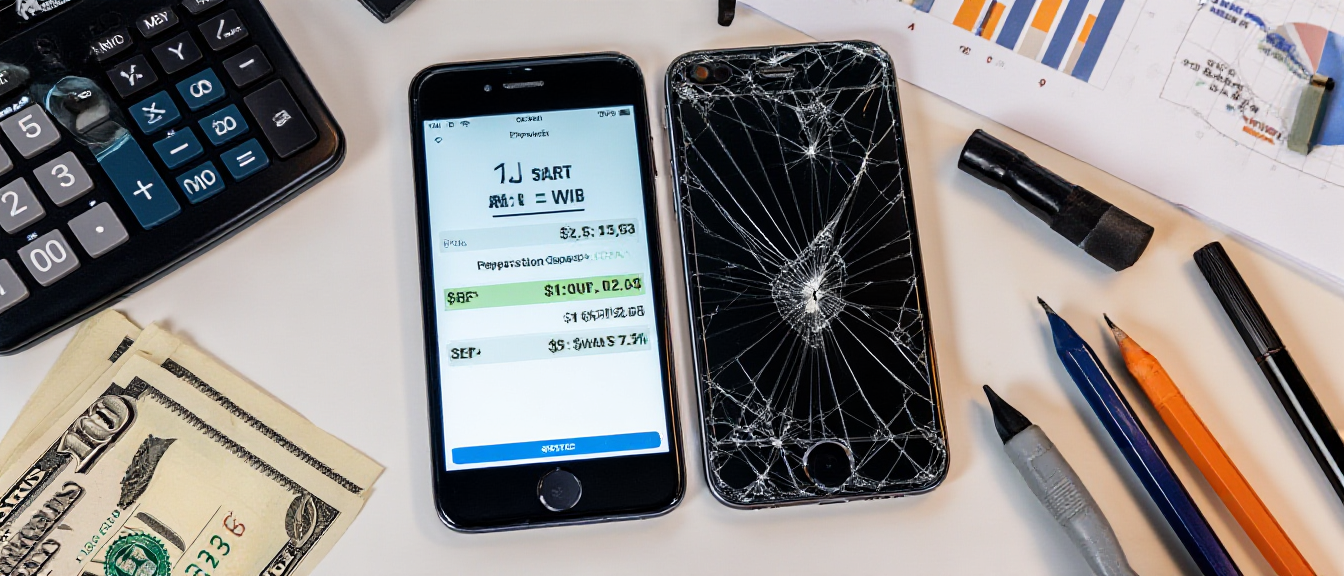
Broken iPhone with calculator showing repair costs

📸 Featured Image: Broken iPhone with calculator

You’ve cracked your iPhone screen. Or maybe the battery dies by noon. Perhaps it won’t charge anymore. Now you’re facing the big question: should you repair it or just buy a new phone?

This is a genuine financial dilemma. iPhones aren’t cheap in Singapore—a new iPhone 15 Pro Max costs $2,199. But repairs aren’t free either. This complete guide will help you make the right decision with clear cost breakdowns, decision frameworks, and expert advice.

The Quick Decision Framework

Before diving into details, here’s the TL;DR decision framework:

✅ Repair Makes Sense When:

  • Phone is less than 3 years old
  • Single issue only (just battery OR just screen)
  • Repair cost under 30% of current phone value
  • Everything else works perfectly
  • You’re happy with current phone performance

❌ Replace Makes Sense When:

  • Phone is 4+ years old
  • Multiple issues (battery + screen + other problems)
  • Repair costs exceed 50% of phone’s current value
  • Performance is sluggish even before the issue
  • Model no longer gets iOS updates

Common iPhone Repairs: Costs vs Value

Screen Repair

Apple Official: $258-$598 depending on model
Third-Party: $150-400 for most models

Worth repairing? Yes, for most iPhones less than 4 years old. Screen repair is usually the most cost-effective repair.

Battery Replacement

Apple Official: $119
Third-Party: $60-120

Worth repairing? Absolutely yes! Battery replacement is one of the best value repairs. Makes phone feel brand new.

Charging Port Repair

Third-Party: $60-100

Worth repairing? Yes, simple and affordable fix.

Motherboard/Logic Board Repair

Third-Party: $200-500+ depending on issue

Worth repairing? Depends on phone age and issue complexity. Get free diagnostics first.

iPhone Model-Specific Repair Decisions

Let’s get specific. Here’s repair advice for each iPhone generation:

iPhone 15 / 15 Pro (2023) – Current Flagship

  • Current value: $1,400-2,200
  • Repair decision: Repair almost always worth it
  • Typical repairs: Screen $300-500, Battery $80-120
  • Verdict: Your phone is too new and valuable to not repair

iPhone 14 / 14 Pro (2022)

  • Current value: $1,000-1,800
  • Repair decision: Repair makes sense for single issues
  • Typical repairs: Screen $280-450, Battery $70-100
  • Verdict: Phone has years of life left, repair is smart

iPhone 13 / 13 Pro (2021)

  • Current value: $700-1,400
  • Repair decision: Repair worth it unless multiple issues
  • Typical repairs: Screen $250-380, Battery $60-90
  • Verdict: Still very capable, worth repairing

iPhone 12 / 12 Pro (2020)

  • Current value: $500-1,000
  • Repair decision: Depends on repair cost vs upgrade desire
  • Typical repairs: Screen $200-320, Battery $60-80
  • Verdict: Still solid phone, repair makes sense if you’re not itching to upgrade

iPhone 11 / 11 Pro (2019)

  • Current value: $300-600
  • Repair decision: Borderline—depends on issue
  • Typical repairs: Screen $150-250, Battery $60-80
  • Verdict: Battery replacement absolutely yes. Screen repair maybe. Motherboard repair probably not.

iPhone XS / XR / X (2017-2018)

  • Current value: $200-400
  • Repair decision: Only for cheap repairs
  • Typical repairs: Screen $150-220, Battery $50-70
  • Verdict: Battery replacement okay. Screen repair questionable. Consider upgrading instead.

iPhone 8 and Older (2017 and before)

  • Current value: $100-250
  • Repair decision: Not worth it unless minimal cost
  • Verdict: These iPhones are reaching end of life. Save money for an upgrade.

The Real Cost of “Just Buying New”

Let’s talk about what “buying new” actually costs in Singapore 2026:

  • iPhone 15 Pro Max: $2,199
  • iPhone 15 Pro: $1,849
  • iPhone 15: $1,299
  • iPhone 14: $1,149
  • iPhone SE: $719

Even the “budget” iPhone SE costs $719. That’s about what the iPhone 13 costs used in excellent condition. Would you rather:

  • Pay $150 to fix your iPhone 13’s screen and keep using it for 2 more years?
  • Pay $1,299 for a new iPhone 15 that offers only incremental improvements?

The math often favors repair—unless you genuinely want/need the new features.

Should You Trade In vs Repair?

Apple and phone shops offer trade-in programs. But damaged phones get drastically reduced trade-in values:

Example: iPhone 13 Pro Trade-In Value

  • Perfect condition: $700
  • Cracked screen: $200-300
  • Battery issues: $150-250
  • Multiple issues: $100 or rejected

Better strategy: Repair the screen for $250, then trade in for $700 instead of $250. You net $200 more.

The “Hidden” Benefits of Repairing

Beyond cost savings, repairing has advantages:

  1. Keep your data/setup: No transfer needed
  2. Familiar with your phone: Don’t need to relearn new interface
  3. Environmental: Less e-waste
  4. No setup hassle: Avoid hours of restoring from backup
  5. Keep accessories: Cases, screen protectors, MagSafe accessories all still fit

When You Should Definitely Upgrade Instead

Some situations clearly favor buying new:

  • Your iPhone is 5+ years old (iPhone 8 or older in 2026)
  • Multiple expensive repairs needed simultaneously (screen + battery + charging port = $400+)
  • Phone is getting iOS updates but runs slowly even after repair
  • You’ve already had the same part replaced twice
  • Repair cost exceeds 50% of phone’s current value
  • You genuinely need/want new features (better camera, 5G, etc.)

The Smart Middle Ground: Certified Used/Refurbished

There’s a third option: buy a certified used iPhone instead of brand new. In Singapore, you can get:

  • iPhone 14 Pro: $1,200-1,400 vs $1,849 new
  • iPhone 13: $600-800 vs $1,149 new
  • iPhone 12: $500-650 vs discontinued new

This can make sense if:

  • Your current phone is beyond economical repair
  • You want to upgrade but don’t need the absolute latest
  • You buy from reputable sellers with warranty

Final Decision Calculator

Use this simple formula:

Repair Cost ÷ Current Phone Value = Decision Factor

  • Under 30%: Repair is a no-brainer
  • 30-50%: Repair makes sense if you like your current phone
  • Over 50%: Consider upgrading instead

Example: iPhone 13 screen repair costs $250. Phone worth $800. That’s 31%—borderline but still reasonable to repair.

Conclusion: Repair Usually Wins for iPhones Under 4 Years

For most people with iPhones made in the last 4 years (iPhone 12 and newer in 2026), repair is the smart financial choice. The exceptions are when you face multiple expensive repairs simultaneously, or when you genuinely want to upgrade anyway.

Not Sure If Repair Is Worth It?

Get free diagnostics and an honest assessment. We’ll tell you if repair makes sense or if upgrading is smarter.

Screen Repair Info📱 WhatsApp: 9678 0203

Phone Won’t Turn On? 7 Things to Try Before Visiting a Repair Shop

Dead phone black screen - phone won't turn on troubleshooting Singapore
.cprs-blog-wrap{font-family:-apple-system,BlinkMacSystemFont,’Segoe UI’,Helvetica,Arial,sans-serif;color:#1a1a1a;max-width:1100px;margin:0 auto;padding:0 16px} .cprs-blog-wrap *{box-sizing:border-box} .cprs-blog-header{border-left:4px solid #da291c;padding:24px 0 24px 24px;margin-bottom:40px} .cprs-blog-header .cprs-meta{font-family:’Courier New’,monospace;font-size:11px;letter-spacing:2px;text-transform:uppercase;color:#da291c;margin-bottom:10px} .cprs-blog-header h1{font-size:clamp(24px,4vw,36px);font-weight:700;line-height:1.2;margin:0 0 12px;color:#111} .cprs-blog-header .cprs-intro{font-size:17px;color:#555;line-height:1.8;margin:0;font-style:italic} .cprs-blog-layout{display:grid;grid-template-columns:1fr 240px;gap:48px;align-items:start} @media(max-width:860px){.cprs-blog-layout{grid-template-columns:1fr}.cprs-toc-sidebar{display:none}} .cprs-article h2{font-size:22px;font-weight:700;color:#111;margin:40px 0 14px;padding-bottom:8px;border-bottom:2px solid #f0f0f0} .cprs-article h3{font-size:17px;font-weight:700;color:#111;margin:24px 0 10px} .cprs-article h2:first-child{margin-top:0} .cprs-article p{font-size:16px;line-height:1.8;color:#333;margin:0 0 16px} .cprs-article ul,.cprs-article ol{padding-left:22px;margin:0 0 16px} .cprs-article li{font-size:16px;line-height:1.8;color:#333;margin-bottom:6px} .cprs-article strong{color:#111;font-weight:600} .cprs-tip{background:#f0f7ff;border-left:4px solid #2563eb;border-radius:0 8px 8px 0;padding:16px 20px;margin:24px 0} .cprs-tip .cprs-tip-label{font-family:’Courier New’,monospace;font-size:10px;letter-spacing:2px;text-transform:uppercase;color:#2563eb;font-weight:700;margin-bottom:6px} .cprs-tip p{margin:0;font-size:14px;color:#1e3a6e;line-height:1.6} .cprs-warn{background:#fff7ed;border-left:4px solid #f97316;border-radius:0 8px 8px 0;padding:16px 20px;margin:24px 0} .cprs-warn .cprs-warn-label{font-family:’Courier New’,monospace;font-size:10px;letter-spacing:2px;text-transform:uppercase;color:#c2410c;font-weight:700;margin-bottom:6px} .cprs-warn p{margin:0;font-size:14px;color:#7c2d12;line-height:1.6} .cprs-steps{margin:20px 0 24px} .cprs-step{display:flex;gap:16px;margin-bottom:16px;align-items:flex-start} .cprs-step-num{flex-shrink:0;width:32px;height:32px;background:#da291c;color:#fff;border-radius:50%;display:flex;align-items:center;justify-content:center;font-weight:700;font-size:14px;margin-top:2px} .cprs-step-body strong{display:block;font-size:15px;color:#111;margin-bottom:4px} .cprs-step-body p{margin:0;font-size:14px;color:#555;line-height:1.6} .cprs-toc-sidebar{position:sticky;top:24px} .cprs-toc{background:#fafafa;border:1px solid #e5e7eb;border-radius:10px;padding:20px} .cprs-toc-title{font-family:’Courier New’,monospace;font-size:10px;letter-spacing:2px;text-transform:uppercase;color:#9ca3af;font-weight:700;margin:0 0 14px} .cprs-toc-list{list-style:none;padding:0;margin:0} .cprs-toc-list li{margin-bottom:2px} .cprs-toc-list a{display:block;font-size:13px;color:#6b7280;text-decoration:none;padding:6px 10px;border-radius:6px;border-left:2px solid transparent;line-height:1.4;transition:all 0.15s ease} .cprs-toc-list a:hover,.cprs-toc-list a.cprs-toc-active{color:#da291c;background:#fff5f5;border-left-color:#da291c;font-weight:600} .cprs-cta{background:#111;color:#fff;border-radius:12px;padding:32px;margin-top:48px;display:flex;justify-content:space-between;align-items:center;gap:24px;flex-wrap:wrap} .cprs-cta h3{margin:0 0 6px;font-size:20px;color:#fff} .cprs-cta p{margin:0;font-size:14px;color:#9ca3af;line-height:1.5} .cprs-cta a{flex-shrink:0;background:#25d366;color:#000;text-decoration:none;font-weight:700;font-size:14px;padding:12px 24px;border-radius:50px;white-space:nowrap}
Repair Guide · 6 min read · Updated April 2026

Phone Won’t Turn On? 7 Things to Try Before Visiting a Repair Shop

Before you rush to a repair shop, try these 7 steps. In many cases a “dead” phone can be revived in minutes — for free.

Step 1: Force Charge for 30 Minutes

The most common reason a phone won’t turn on is a completely drained battery. If the battery hits 0%, it may need time to gather enough charge before it can even show the charging indicator.

1
Plug into a wall charger

Not a computer USB port — wall chargers provide more power. Use the original charger if possible.

2
Wait 30 minutes without touching it

Look for a charging indicator — even a brief flash of a battery icon is a good sign.

3
Try the power button

After 30 minutes, press and hold the power button for 10 seconds.

Singapore tip

If your phone got too hot (left in a car or direct sunlight), it may refuse to charge until it cools. Let it sit in an air-conditioned room for 15–20 minutes before charging.

Step 2: Try a Different Charger and Cable

Faulty cables are extremely common. A damaged cable may look fine outside but have broken internal wires that prevent charging.

  • Borrow a friend’s charger of the same type
  • Try multiple wall outlets — sometimes the outlet is the problem
  • Check the cable for fraying, bent connector or loose fit

Step 3: Clean the Charging Port

Lint and dust accumulate in the charging port over time, preventing the cable from making proper contact.

Important

Use a wooden or plastic toothpick only — never metal. Metal objects can short-circuit the pins inside the port and cause permanent damage.

Gently scrape around the inside of the port with a toothpick. Use a flashlight — you may be surprised how much debris is there. Try charging again after cleaning.

Step 4: Force Restart

Phones can freeze so badly they appear completely dead. A force restart reboots the phone without needing the touchscreen.

iPhone 8 and newer (iPhone 11, 12, 13, 14, 15, 16):

Press and release Volume Up → press and release Volume Down → press and hold the Side button until the Apple logo appears (10–20 seconds).

Samsung:

Press and hold Power + Volume Down for 10–20 seconds until the phone restarts.

OPPO, Vivo, Redmi, Xiaomi:

Press and hold the Power button for 10–30 seconds. Some models use Power + Volume Up.

Step 5: Check for Physical Damage

If your phone recently dropped, got wet, or suffered physical damage, the issue may be hardware-related.

  • Water exposure — did it get wet recently? Check for moisture in the SIM tray slot
  • Swollen battery — is the back cover lifting or the phone thicker than usual? This is a safety issue, bring it in immediately
  • Cracked screen — the phone may be on but the screen connection is broken
  • Bent frame — subtle bending from a drop can damage internal connections

Step 6: Let It Cool Down

In Singapore’s heat, phones can shut down as a safety measure when overheated. If the phone was left in a hot car or direct sun:

  • Move to a cool, air-conditioned room
  • Remove the case to help it cool faster
  • Do NOT put it in the fridge — condensation causes water damage
  • Wait 20–30 minutes, then try charging and turning on

Step 7: Boot Into Recovery Mode

If the phone powers on but won’t boot into the OS (stuck on logo), recovery mode may help.

iPhone:

Connect to a computer with iTunes/Finder. Follow the force restart sequence until you see the recovery screen (cable + computer icon). Choose Update first — this keeps your data.

Android:

Power off completely. Hold Power + Volume Up until recovery menu appears. Try Wipe Cache Partition first — this doesn’t delete data. Factory Reset only as a last resort.

When It’s a Hardware Problem

If all 7 steps fail, the issue is likely hardware. Common causes:

  • Dead battery — a failed (not just drained) battery won’t charge at all. Battery replacement takes 30–45 minutes.
  • Faulty charging port — bent pins, broken connector or corrosion means the phone can’t charge.
  • Broken display connection — your phone may actually be on, but the screen isn’t lighting up. You may hear notifications or feel vibrations.
  • Motherboard fault — power management chip or other board-level issue. Requires diagnosis under magnification.
How to tell

If the phone responds to force restart or shows a charging indicator when plugged in — it’s likely software. If completely unresponsive with no charging indicator after trying multiple chargers — it’s likely hardware.

Still not turning on?

Free diagnostics at any outlet — we’ll identify the problem before any work starts.
Westgate · AMK Hub · Bugis Village · Bedok Mall · 11am–9pm daily

💬 WhatsApp +65 9678 0203
(function(){var links=document.querySelectorAll(‘.cprs-toc-list a’),headings=[];links.forEach(function(a){var id=a.getAttribute(‘href’).replace(‘#’,”),el=document.getElementById(id);if(el)headings.push({el:el,a:a})});function onScroll(){var y=window.scrollY+140,cur=headings[0];headings.forEach(function(h){if(h.el.offsetTop<=y)cur=h});links.forEach(function(a){a.classList.remove('cprs-toc-active')});if(cur)cur.a.classList.add('cprs-toc-active')}window.addEventListener('scroll',onScroll,{passive:true});onScroll()})();

Phone Screen Cracked? Here’s What You Need to Know Before Getting It Fixed

Cracked phone screen spider web fracture - screen repair Singapore
.cprs-blog-wrap{font-family:-apple-system,BlinkMacSystemFont,’Segoe UI’,Helvetica,Arial,sans-serif;color:#1a1a1a;max-width:1100px;margin:0 auto;padding:0 16px} .cprs-blog-wrap *{box-sizing:border-box} .cprs-blog-header{border-left:4px solid #da291c;padding:24px 0 24px 24px;margin-bottom:40px} .cprs-blog-header .cprs-meta{font-family:’Courier New’,monospace;font-size:11px;letter-spacing:2px;text-transform:uppercase;color:#da291c;margin-bottom:10px} .cprs-blog-header h1{font-size:clamp(24px,4vw,36px);font-weight:700;line-height:1.2;margin:0 0 12px;color:#111} .cprs-blog-header .cprs-intro{font-size:17px;color:#555;line-height:1.8;margin:0;font-style:italic} .cprs-blog-layout{display:grid;grid-template-columns:1fr 240px;gap:48px;align-items:start} @media(max-width:860px){.cprs-blog-layout{grid-template-columns:1fr}.cprs-toc-sidebar{display:none}} .cprs-article h2{font-size:22px;font-weight:700;color:#111;margin:40px 0 14px;padding-bottom:8px;border-bottom:2px solid #f0f0f0} .cprs-article h3{font-size:17px;font-weight:700;color:#111;margin:24px 0 10px} .cprs-article h2:first-child{margin-top:0} .cprs-article p{font-size:16px;line-height:1.8;color:#333;margin:0 0 16px} .cprs-article ul,.cprs-article ol{padding-left:22px;margin:0 0 16px} .cprs-article li{font-size:16px;line-height:1.8;color:#333;margin-bottom:6px} .cprs-article strong{color:#111;font-weight:600} .cprs-tip{background:#f0f7ff;border-left:4px solid #2563eb;border-radius:0 8px 8px 0;padding:16px 20px;margin:24px 0} .cprs-tip .cprs-tip-label{font-family:’Courier New’,monospace;font-size:10px;letter-spacing:2px;text-transform:uppercase;color:#2563eb;font-weight:700;margin-bottom:6px} .cprs-tip p{margin:0;font-size:14px;color:#1e3a6e;line-height:1.6} .cprs-warn{background:#fff7ed;border-left:4px solid #f97316;border-radius:0 8px 8px 0;padding:16px 20px;margin:24px 0} .cprs-warn .cprs-warn-label{font-family:’Courier New’,monospace;font-size:10px;letter-spacing:2px;text-transform:uppercase;color:#c2410c;font-weight:700;margin-bottom:6px} .cprs-warn p{margin:0;font-size:14px;color:#7c2d12;line-height:1.6} .cprs-steps{margin:20px 0 24px} .cprs-step{display:flex;gap:16px;margin-bottom:16px;align-items:flex-start} .cprs-step-num{flex-shrink:0;width:32px;height:32px;background:#da291c;color:#fff;border-radius:50%;display:flex;align-items:center;justify-content:center;font-weight:700;font-size:14px;margin-top:2px} .cprs-step-body strong{display:block;font-size:15px;color:#111;margin-bottom:4px} .cprs-step-body p{margin:0;font-size:14px;color:#555;line-height:1.6} .cprs-toc-sidebar{position:sticky;top:24px} .cprs-toc{background:#fafafa;border:1px solid #e5e7eb;border-radius:10px;padding:20px} .cprs-toc-title{font-family:’Courier New’,monospace;font-size:10px;letter-spacing:2px;text-transform:uppercase;color:#9ca3af;font-weight:700;margin:0 0 14px} .cprs-toc-list{list-style:none;padding:0;margin:0} .cprs-toc-list li{margin-bottom:2px} .cprs-toc-list a{display:block;font-size:13px;color:#6b7280;text-decoration:none;padding:6px 10px;border-radius:6px;border-left:2px solid transparent;line-height:1.4;transition:all 0.15s ease} .cprs-toc-list a:hover,.cprs-toc-list a.cprs-toc-active{color:#da291c;background:#fff5f5;border-left-color:#da291c;font-weight:600} .cprs-cta{background:#111;color:#fff;border-radius:12px;padding:32px;margin-top:48px;display:flex;justify-content:space-between;align-items:center;gap:24px;flex-wrap:wrap} .cprs-cta h3{margin:0 0 6px;font-size:20px;color:#fff} .cprs-cta p{margin:0;font-size:14px;color:#9ca3af;line-height:1.5} .cprs-cta a{flex-shrink:0;background:#25d366;color:#000;text-decoration:none;font-weight:700;font-size:14px;padding:12px 24px;border-radius:50px;white-space:nowrap}
Screen Repair Guide · 5 min read · Updated April 2026

Phone Screen Cracked? Here’s What You Need to Know Before Getting It Fixed

That sickening sound of your phone hitting concrete. The slow flip to see if the screen survived. Here’s exactly what to do next — and what to watch out for.

What to Do Immediately After Cracking Your Screen

Don’t wait

Cracks spread. Moisture enters through the crack and corrodes the internals. Touch may fail in cracked areas. A small crack that costs $80 to fix today can become a $300+ repair within days.

1
Apply clear tape or a screen protector over the crack

This prevents glass fragments from cutting your finger and slows moisture ingress until you can get it repaired.

2
Back up your data immediately

If touch is failing in areas, back up via iCloud or Google before it gets worse. Settings → [Your Name] → iCloud Backup → Back Up Now.

3
Avoid moisture

Don’t use the phone in rain or bathrooms — moisture entering through the crack can damage the display and logic board.

4
Get it repaired within 24–48 hours

Walk in to any of our 4 outlets — no appointment needed. Free assessment before any work starts.

Is It Just the Glass or Is the Display Broken?

Your screen has two layers — the outer protective glass and the display panel underneath (LCD or AMOLED). Understanding which is damaged changes your repair.

Signs it’s just the outer glass: spider web cracks visible but the image is clear, touch still works normally, no black patches or colour bleed.

Signs the display is broken: black patch spreading from the crack, coloured lines across the screen, half the display is dark, touch unresponsive in certain areas.

Quick test

Turn brightness all the way up and look at the screen in a dark room. If the image is clear and uniform with no dark patches, only the outer glass is cracked — the display is likely intact.

Can You Just Repair the Glass?

On older phones with non-laminated displays, glass-only repair was possible and cheaper. On all modern smartphones from 2019 onwards, the glass and display are fused together — a full assembly replacement is required even if only the glass is visibly cracked.

If a shop quotes you a “glass-only repair” on a modern iPhone or Samsung at a suspiciously low price, ask what exactly they’re replacing. Some shops use non-laminated aftermarket assemblies that result in a visible gap between glass and display, reduced colour accuracy and worse touch response.

Should You Repair or Replace?

A general rule: repair makes sense if the phone is less than 3 years old, everything else works, and the rest of the phone is in good condition. Replace makes more sense if the phone is 4+ years old with multiple issues, or the repair approaches the cost of a newer second-hand device.

Screen repair is almost always the more cost-effective option for phones under 3 years old. The savings vs. buying a replacement are significant, and you keep all your data, apps and settings.

What to Expect at the Shop

  • Free assessment — we check the screen, touch, display and any secondary damage before quoting
  • Fixed price upfront — no surprises, what you’re quoted is what you pay
  • 60–90 minutes repair time — most screen replacements done while you wait
  • Post-repair check — you inspect the repair before paying
  • 60-day warranty — covers any defect in the replacement screen

Common Questions

My screen is cracked but everything still works. Do I need to repair it urgently?

Yes — sooner is better. A working cracked screen has no structural integrity. A second minor drop is far more likely to destroy the display completely. Singapore’s humidity also means moisture can enter through the crack over days, causing internal damage that’s invisible until it’s too late.

Will the repair look exactly like before?

Grade A OLED and LCD replacement panels match the original display spec closely — same resolution, brightness and colour accuracy. In side-by-side comparison the difference is minimal.

Does screen repair affect Face ID or Touch ID?

When done correctly, no. Face ID module and Touch ID sensors are transferred intact from the original screen to the new one. We test both before handing your phone back.

How long does a screen repair take?

60–90 minutes for most models. Walk in to any outlet — no appointment needed.

Walk in for a free screen assessment

We check your screen before any work starts — no commitment required.
Westgate · AMK Hub · Bugis Village · Bedok Mall · 11am–9pm daily

💬 WhatsApp +65 9678 0203
(function(){var links=document.querySelectorAll(‘.cprs-toc-list a’),headings=[];links.forEach(function(a){var id=a.getAttribute(‘href’).replace(‘#’,”),el=document.getElementById(id);if(el)headings.push({el:el,a:a})});function onScroll(){var y=window.scrollY+140,cur=headings[0];headings.forEach(function(h){if(h.el.offsetTop<=y)cur=h});links.forEach(function(a){a.classList.remove('cprs-toc-active')});if(cur)cur.a.classList.add('cprs-toc-active')}window.addEventListener('scroll',onScroll,{passive:true});onScroll()})();

5 Signs Your Phone Battery Needs Replacement (And What to Do About It)

Phone battery low warning - signs your battery needs replacement Singapore
.cprs-blog-wrap{font-family:-apple-system,BlinkMacSystemFont,’Segoe UI’,Helvetica,Arial,sans-serif;color:#1a1a1a;max-width:1100px;margin:0 auto;padding:0 16px} .cprs-blog-wrap *{box-sizing:border-box} .cprs-blog-header{border-left:4px solid #da291c;padding:24px 0 24px 24px;margin-bottom:40px} .cprs-blog-header .cprs-meta{font-family:’Courier New’,monospace;font-size:11px;letter-spacing:2px;text-transform:uppercase;color:#da291c;margin-bottom:10px} .cprs-blog-header h1{font-size:clamp(24px,4vw,36px);font-weight:700;line-height:1.2;margin:0 0 12px;color:#111} .cprs-blog-header .cprs-intro{font-size:17px;color:#555;line-height:1.8;margin:0;font-style:italic} .cprs-blog-layout{display:grid;grid-template-columns:1fr 240px;gap:48px;align-items:start} @media(max-width:860px){.cprs-blog-layout{grid-template-columns:1fr}.cprs-toc-sidebar{display:none}} .cprs-article h2{font-size:22px;font-weight:700;color:#111;margin:40px 0 14px;padding-bottom:8px;border-bottom:2px solid #f0f0f0} .cprs-article h2:first-child{margin-top:0} .cprs-article p{font-size:16px;line-height:1.8;color:#333;margin:0 0 16px} .cprs-article ul,.cprs-article ol{padding-left:22px;margin:0 0 16px} .cprs-article li{font-size:16px;line-height:1.8;color:#333;margin-bottom:6px} .cprs-article strong{color:#111;font-weight:600} .cprs-tip{background:#f0f7ff;border-left:4px solid #2563eb;border-radius:0 8px 8px 0;padding:16px 20px;margin:24px 0} .cprs-tip .cprs-tip-label{font-family:’Courier New’,monospace;font-size:10px;letter-spacing:2px;text-transform:uppercase;color:#2563eb;font-weight:700;margin-bottom:6px} .cprs-tip p{margin:0;font-size:14px;color:#1e3a6e;line-height:1.6} .cprs-warn{background:#fff7ed;border-left:4px solid #f97316;border-radius:0 8px 8px 0;padding:16px 20px;margin:24px 0} .cprs-warn .cprs-warn-label{font-family:’Courier New’,monospace;font-size:10px;letter-spacing:2px;text-transform:uppercase;color:#c2410c;font-weight:700;margin-bottom:6px} .cprs-warn p{margin:0;font-size:14px;color:#7c2d12;line-height:1.6} .cprs-checklist{list-style:none;padding:0;margin:16px 0 24px} .cprs-checklist li{display:flex;align-items:flex-start;gap:10px;font-size:15px;color:#333;margin-bottom:10px;line-height:1.6;padding-left:0} .cprs-checklist li::before{content:’✓’;flex-shrink:0;width:20px;height:20px;background:#da291c;color:#fff;border-radius:4px;display:flex;align-items:center;justify-content:center;font-size:11px;font-weight:700;margin-top:2px} .cprs-toc-sidebar{position:sticky;top:24px} .cprs-toc{background:#fafafa;border:1px solid #e5e7eb;border-radius:10px;padding:20px} .cprs-toc-title{font-family:’Courier New’,monospace;font-size:10px;letter-spacing:2px;text-transform:uppercase;color:#9ca3af;font-weight:700;margin:0 0 14px} .cprs-toc-list{list-style:none;padding:0;margin:0} .cprs-toc-list li{margin-bottom:2px} .cprs-toc-list a{display:block;font-size:13px;color:#6b7280;text-decoration:none;padding:6px 10px;border-radius:6px;border-left:2px solid transparent;line-height:1.4;transition:all 0.15s ease} .cprs-toc-list a:hover,.cprs-toc-list a.cprs-toc-active{color:#da291c;background:#fff5f5;border-left-color:#da291c;font-weight:600} .cprs-cta{background:#111;color:#fff;border-radius:12px;padding:32px;margin-top:48px;display:flex;justify-content:space-between;align-items:center;gap:24px;flex-wrap:wrap} .cprs-cta h3{margin:0 0 6px;font-size:20px;color:#fff} .cprs-cta p{margin:0;font-size:14px;color:#9ca3af;line-height:1.5} .cprs-cta a{flex-shrink:0;background:#25d366;color:#000;text-decoration:none;font-weight:700;font-size:14px;padding:12px 24px;border-radius:50px;white-space:nowrap}
Battery Guide · 4 min read · Updated April 2026

5 Signs Your Phone Battery Needs Replacement

Is your phone dying before the end of the day? Here are 5 clear signs your battery needs replacing — and a simple test to confirm it.

Sign 1: Phone Doesn’t Last Through the Day

The most obvious sign. If your phone used to last 12 hours and now struggles to reach 6, the battery has degraded significantly. All lithium-ion batteries lose capacity with every charge cycle — after 300 to 500 cycles (roughly 1 to 2 years of daily charging), most batteries are at 80% capacity or below.

Check your battery health now

iPhone: Settings → Battery → Battery Health & Charging. Below 80% — replace it.
Android: Dial *#*#4636#*#* → Battery Information, or use the AccuBattery app.

Sign 2: Percentage Jumps Suddenly

Your phone shows 40% battery, then without warning drops to 10% or shuts off. This is a classic sign of battery cell degradation — the battery can no longer accurately hold or report its charge level. The battery management system loses the ability to track capacity correctly.

If your phone shuts down before reaching 0%, or the percentage jumps erratically throughout the day, the battery needs replacing.

Sign 3: Phone Gets Unusually Warm

Phones warm up slightly during heavy use — gaming, video calls, charging. But if your phone gets warm during normal activities like browsing or WhatsApp, the battery is struggling to supply power efficiently and generating excess heat as a result.

Consistent warmth during light use is a sign of a degraded battery working harder than it should. In Singapore’s climate, this is also accelerated by ambient heat — a degraded battery in Singapore heat ages faster than in cooler climates.

Sign 4: Phone Charges Very Slowly or Stops at a Percentage

A degraded battery often struggles to accept a full charge. Signs include: charging stops at 80–90% and won’t go higher, charging takes significantly longer than when the phone was new, or the battery percentage moves very slowly despite being plugged in.

These symptoms can also indicate a charging port or cable issue — try a different cable and charger first to rule that out.

Sign 5: The Back Panel or Screen Is Lifting

If the back cover is lifting from the frame, or the screen appears to be pushing outwards slightly, the battery has swollen. This is a physical expansion caused by a chemical reaction inside the battery cell.

Safety issue — act immediately

A swollen battery is not just a performance issue — it’s a safety hazard. Stop using the phone, stop charging it overnight, and bring it in for replacement as soon as possible. Do not apply pressure to the swollen area.

Quick Self-Check

  • Phone battery health below 80% (check in Settings)
  • Phone doesn’t last through a full working day
  • Battery percentage drops suddenly or jumps erratically
  • Phone shuts off before reaching 0%
  • Phone gets warm during normal use
  • Any sign of physical swelling or lifting panels

If two or more of these apply, your battery needs replacing.

Common Questions

Will a new battery make my phone feel faster?

Yes — both iOS and Android throttle CPU speed when battery health is low to prevent unexpected shutdowns. A new battery often restores the phone’s original performance speed, not just battery life.

How long does battery replacement take?

30–45 minutes at any of our 4 outlets. Walk in — no appointment needed.

Is it worth replacing the battery on an older phone?

Generally yes, if the rest of the phone works well. A battery replacement extends the useful life of your device by 1 to 2 years at a fraction of a new phone’s cost.

Get your battery replaced today

30–45 minutes. Grade A battery. 60-day warranty.
Westgate · AMK Hub · Bugis Village · Bedok Mall · 11am–9pm daily

💬 WhatsApp +65 9678 0203
(function(){var links=document.querySelectorAll(‘.cprs-toc-list a’),headings=[];links.forEach(function(a){var id=a.getAttribute(‘href’).replace(‘#’,”),el=document.getElementById(id);if(el)headings.push({el:el,a:a})});function onScroll(){var y=window.scrollY+140,cur=headings[0];headings.forEach(function(h){if(h.el.offsetTop<=y)cur=h});links.forEach(function(a){a.classList.remove('cprs-toc-active')});if(cur)cur.a.classList.add('cprs-toc-active')}window.addEventListener('scroll',onScroll,{passive:true});onScroll()})();

iPhone Screen Repair

iPhone Screen Repair

Get the best and cheap iPhone screen repair

If you have been using an iPhone for a long while now, then you need iPhone screen repair as you should know about the way that your valuable little gadget is very touchy and weak. Being made of delicate materials that can break at the scarcest effect against a hard surface, your iPhone is profoundly inclined to damage. Truth be told, your iPhone’s glass screen is the touchiest part and consequently, it should be dealt with.

Much of the cases of iPhone damage, it is the glass screen of the iPhone that gets harmed or broke. The perfect answer for this is to go for a prompt iPhone repair fix at a decent, solid iPhone fix store. Things being what they are, presently the primary inquiry is the reason precisely the Apple iPhone screen fix is required and for what reason is it an absolute necessity for the eventual fate of your iPhone?

There are different sorts of an accident that may cause iPhone screen harm. That would require a quick fix of the crushed or broken iPhone screen by experienced phone screen repair pros that are ensured to deal with iPhone damage fixes.

Mostly, individuals harm the glass screen of their iPhone by dropping it on another hard surface accidentally. In such a case, the screen either creates web-like splits on its surface or gets crushed totally. The little bits of broken glass, whenever disregarded, typically get inside the gadget and cause harm to the whole interior hardware of the iPhone.

This may prompt changeless harm over the long haul. Subsequently, when the screen of your iPhone gets harmed because of any explanation, it gets basic to connect with an iPhone repair authority quickly for prompt split iPhone screen fix.

Why choose to repair over buying a new one?

Certified Phone Repair SG knows the brand iPhone is a status symbol too as it is a costly cellphone available in the market. Too much money is invested in buying a new phone and then if it screen gets to break it’s not possible for most people to buy another brand new iPhone as soon as possible.

The solution to such a problem is repairing it with an iPhone repair Singapore service in way less than the price you would be paying to buy a new one for the same. Repairing or replacing your iPhone screen is a quick and economical method of fixing your broken screen problem of your iPhone.

And moreover, if you went to an Apple store for this problem they would probably charge you more and maybe also recommend you to buy a new phone for the problem. On the other hand, if you ask yourself where to fix iPhone? Then they will not recommend a new one until it’s beyond repair and you don’t need to worry about many things. Contact certifiedphonerepairsg for such services.

Get easy iPhone screen repair service

Have you just dropped your new iPhone and shattered the “helicopter glass” screen? Don’t worry, you are not alone. Apple has created an even more fragile unit than before, with glass screens ‘s/surfaces on both. This article will go through some of the common issues with replacement and why you might not want to attempt this one on your own.

The disassembly is far more complicated than simply removing two screws and using a suction cup to repair the glass screen. This model requires many components including the battery, microphone, camera, etc. to be detached from the motherboard prior to accessing the connection screws for the glass screen and LCD. Once those are successfully removed, you must still remove 10 screws, 8 of which have washers, and then carefully pry out the glass screen/LCD unit.

In this process, several users have already reported that they have broken the cables connecting the glass screen to the motherboard.

The above description along with many more to come is one reason why the novice DIY should refrain from attempting this iPhone screen repair on their own. Contact certifiedphonerepairsg Singapore repairing services.

iPhone repair near me

Conclusion

There are various reasons why you ought to go for iPhone screen substitution instead of buying another iPhone. Be that as it may, the most important reason is the overwhelming cost engaged with obtaining another gadget. Purchasing another iPhone is a lot costlier than getting its screen replaced at a solid fix store.

These days, the greater part of the iPhone fixes stores in significant towns and urban areas offer iPhone LCD screen fix and substitution administrations at sensible costs. In this way, on the off chance that you have any issue with the screen of your iPhone, you can get it fixed. All you have to know is the ideal spot to go for screen substitution or learn more from certifiedphonerepairsg site.

iPhone Repair

iPhone Repair

iPhone repair in Singapore for cracked screen repair/replacement

iPhone repair helps you in maintaining the device which wakes you up, kicks you into the day’s tune, and keeps you updated. It catches your ideal minutes, associates you to the web, and keeps your preferred music library a catch away. That is all that an iPhone does which is more than most telephones out there can do. This is the reason an iPhone is a hot decision among all its opposition.

On the off chance that an iPhone has begun to give indications of failing or on the off chance that it has stopped working, again and again, that is the point at which the ball is in your court to spoil your iPhone. It is vital to take it to the iPhone repair Singapore. However, that doesn’t mean you have to spend a fortune on the fix. You can contact https://certifiedphonerepairsg.com iPhone fix which can give a quick and reasonable arrangement.

The main choice that rings a bell for phone repair may be the authentic Apple store. An Apple Store is a costly alternative as the experts there would settle on a substitution instead of a fix, and you would wind up paying for that. There are some Apple stores that even attempt to make you purchase another model rather than fixing the current one.

The extras that the Apple store gives are additionally valued exceptionally high. In the event that your iPhone isn’t under guarantee, the bill sum for the fix could cost you a great deal as the replacement at the Apple Store is fantastically overrated.

Why choose iPhone repair services

Where to fix iPhone? For a financially stable arrangement, picking a decent iPhone repair is beneficial. These spots rather than the Apple stores don’t endeavor to sell new demonstrate iPhones or shred proprietors off their cash. Rather, they attempt to cut down the fix bill by fixing any place conceivable as opposed to replacing aimlessly.

A few issues that a damaged iPhone may have can go from Volume controls to a product breakdown. Give certifiedphonerepairsg Singapore a chance in the event that your iPhone LCD is broken or harmed or spilling hues, you should surge it to the closest iPhone screen repair. They can rapidly supplant your LCD or simply the outside iPhone screen.

Why not repair the iPhone yourself?

You will discover instructional recordings on the internet. If you don’t mind being cautious. By and large, the individual who made the video of the fix might want to sell you the parts for significantly more than they are worth. For instance, the glass for the new version iPhone is less than what you can pay, likely not. On account of the iPhone, a few people are selling the glass alone.

Not many individuals can fix the iPhone by viewing a video. Professionals learn while being viewed by an accomplished expert for about two months. The iPhone inside is stuffed with fragile connectors.

Make one wrong move and you never again have a cellphone – you’ll have a paperweight since it is so natural to harm the motherboard, which is the core of the telephone. There are 18 screws to evacuate. Each must return in the ideal spot. In the event that one screw is set wrong, the telephone won’t work. Got to certifiedphonerepairsg tutorial for I phone repairs.

Conclusion

At last, we can say that buying and maintaining an iPhone is a tough task but it gets easy with certifiedphonerepairsg guide repair services which will help you in any kind of damage your cell phone has occurred. Whether its water damage, broken screen, or internal problem Contact Certified Phone Repair SG for best service regarding repairing of your iPhone.

Phone Screen Repair

Phone Screen Repair

CPRSG phone screen repair services come with a warranty

Phone screen repair services help you in maintaining your Samsung cell phone screens, which are not any exception, and are made to last. Anyway, numerous individuals run into this problem as cell phone screens, similar to all electronic gear are, tend to be dropped and broken or to drop out of pockets frequently.

However, imagine a scenario where you’ve quite recently got yourself a fresh out of a new phone and you can’t bear the cost of an altogether new cellphone when all you truly need is a screen. Then it’s when Certified Phone Repair SG comes handy.

There are many options for the mobile phone clients for phone screen repair

  • The first and most clear apply just to cell phones still under guarantee, is to go into a neighborhood shop and have the telephone’s screen fixed for free.
  • In the event that this isn’t a possibility for you, you could consider glancing around online for phone repair Singapore. You won’t discover brand name ones, yet on the off chance that you look on eBay and discover a vendor with a great deal of positive input, you can feel moderately sure about getting one there.
  • If this isn’t an option for you, you could consider looking around online for phone repair Singapore. You won’t find brand name ones, but if you look on eBay and find a dealer with a lot of positive feedback you can feel relatively confident in buying one there.
  • The next step is to look at one of the certifiedphonerepairsg tutorials providing detailed instructions on replacing your particular phone model’s screen.
  • Your third option is also brought to you by the internet; there are a lot of Samsung phone repair shops around you who will fix your phone for a very reasonable rate even if it isn’t under warranty. Although this might not inspire confidence, your cell phone is useless with a broken screen and provided you pick a shop that has been in business for at least a year, they will be able to repair it for you.

Reasons why to prefer fixing your cellphone over buying a new one

Nowadays and age individuals will in general discard things that have gotten broken than to fix them. We assume that supplanting this thing will by one way or another is less expensive, and simpler than fixing it. Truly supplanting your gadget is much more costly than having it fixed.  certifiedphonerepairsg advice tells you some reasons for it:

The Environment:

Cell phones, in general, are not bio-degradable. This isn’t good for the environment or the animals that live in the landfills. Lithium-ion batteries can explode causing fires, and cause even more damage to our environment. It is always a good idea to take your unwanted cell phone to someone who recycles them, or will re purpose your cell phone.

Cost:

If you ever thought of buying a new phone instead of fixing it when it got broke then think again because buying a new cell phone will cost u 10 times more than the cost of phone screen repairing. And it’s a fact which many don’t realize and make a bad decision for themselves.

Speed:

If you’re in a rush to have that hand-held gadget of yours fixed most nearby shops can have your telephone back to you inside 60 minutes. This is extraordinary for those of us who are consistently in a hurry to complete things. Regardless of whether there is no mechanics shop in your general locality.

Being without your phone is unpleasant, yet it will in any case set aside your cash over the long haul. You can come with a Samsung phone screen repair problems.

Handphone Repair

Why chose us?

Resourcefulness:

We will go the additional mile to discover the items and parts expected to fix your device. The organization might not have the particular parts required for your phone’s fix, however, that shouldn’t be motivated to dismiss you. A dependable organization will even now make a point to get them for you with the goal that the fixed employment should be possible as quickly as time permits.

Knowledge and expertise:

Our experienced certifiedphonerepairsg Singapore employees can take a shot at an assortment of gadgets. It’s disappointing to move between different companies since they don’t have the apparatuses or mastery to fix the specific model that you possess. A fixed group that can take a shot at various gadgets is constantly an incredible pick.

Time-conscious:

We will get the job done quickly, each time. Finally, the certifiedphonerepairsg right repair technicians will understand that time is of the essence. You have a full day and a long list of tasks to get back to, so they waste no time in getting your device repaired and back in excellent condition in the soonest time possible.

Conclusion

The cell phone is an important and expensive investment and needs to be taken care of properly but the common damage people suffer are problems with broken screens. Get certifiedphonerepairsg advice for the best phone screen repair solutions.

Samsung Screen Repair

Samsung Screen Repair

Samsung phone repair in Singapore for your broken devices

Samsung screen repair helps you in maintaining your Samsung cell phone screens, which are not any exception, and are made to last. Anyway, numerous individuals run into this issue since cell phone screens, similar to all little electronic gear are, tend to be dropped and broken or to drop out of pockets frequently.

However, imagine a scenario where you’ve quite recently got yourself a fresh out of the plastic new Samsung phone and you can’t bear the cost of an altogether new telephone when all you truly need is a screen. Then it’s when
Certified Phone Repair SG comes handy.

Why hire a Samsung screen repair shop instead of buying a new one? 

Nowadays any age individuals will in general discard things that have gotten broken than to fix them. We assume that replacing this thing will be one way or another is less expensive, and simpler than fixing it. Truly replacing your gadget is much more costly than having it fixed. certifiedphonerepairsg explains to you some reasons for it:

Cost:

If you ever thought of buying a new Samsung phone instead of fixing it when it got broke then think again because buying a new cell phone will cost u 10 times more than the cost of repairing it. And it’s a fact which many don’t realize and make a bad decision for themselves.

The Environment:

Cell phones, in general, are not bio-degradable. This isn’t good for the environment or the animals that live in the landfills. Lithium-ion batteries can explode causing fires, and cause even more damage to our environment. It is always a good idea to take your unwanted cell phone to someone who recycles them, or will re purpose your cell phone.

Speed:

If you’re in a rush to have that hand-held gadget of yours fixed most nearby shops can have your telephone back to you inside 60 minutes. This is extraordinary for those of us who are consistently in a hurry to complete things. Regardless of whether there is no mechanics shop in your general locality.

Being without your telephone is unpleasant, yet it will in any case set aside your cash over the long haul. You can come with Samsung phone repair problems. Contact us to learn more from the certifiedphonerepairsg site.

Fortunately, there are many choices accessible for phone screen repair

  • The first and most clear apply just to cell phones still under guarantee, is to go into a neighborhood shop and have the telephone’s screen fixed for free.
  • In the event that this isn’t a possibility for you, you could consider glancing around online for Samsung phone repair. You won’t discover brand name ones, yet on the off chance that you look on eBay and discover a vendor with a great deal of positive input, you can feel moderately sure about getting one there.
  • If this isn’t an option for you, you could consider looking around online for replacement screens Samsung repair. You won’t find brand name ones, but if you look on eBay and find a dealer with a lot of positive feedback you can feel relatively confident in buying one there.
  • The next step is to look at one of the certifiedphonerepairsg tutorials providing detailed instructions on replacing your particular phone model’s screen. For almost every phone model released in the past five years, there will be multiple detailed guides available to you, along with pictures and a list of tools.
  • Your third option is also brought to you by the internet; there are a lot of best Samsung screen repair shops around you who will fix your phone for a very reasonable rate even if it isn’t under warranty. Although this might not inspire confidence, your cell phone is useless with a broken screen and provided you pick a shop that has been in business for at least a year, they will be able to Samsung screen repair it for you.


Samsung Phone Repair

Why choose us?

Knowledge and expertise:

Our certifiedphonerepairsg Singapore employees can take a shot at an assortment of gadgets. It’s disappointing to move between different companies since they don’t have the apparatuses or mastery to fix the specific model that you possess. A fixed group that can take a shot at various gadgets is constantly an incredible pick.

Resourcefulness:

We will go the additional mile to discover the items and parts expected to fix your device. The organization might not have the particular parts required for your telephone’s fix, however, that shouldn’t be motivated to dismiss you.

A dependable organization will even now make a point to get them for you with the goal that the fixed employment should be possible as quickly as time permits.

Time-conscious

We will get the job done quickly, each time. Finally, the certifiedphonerepairsg right repair technicians will understand that time is of the essence. You have a full day and a long list of tasks to get back to, so they waste no time in getting your device repaired and back in excellent condition in the soonest time possible.

Conclusion

The cell phone is an important and expensive investment and needs to be taken care of properly but the common damage people suffer is problems with broken screens. Contact http://certifiedphonerepairsg.com for our Samsung repair services.

Samsung Phone Repair

Samsung Phone Repair

Warrantied Samsung repair services for all models

Samsung phone repair helps you in maintaining your Samsung phones which are some of the most well-known brands in android phones and are also appreciated performance wise all over the world. It’s a popular android brand which is used by a lot of people in the world. As many people are using it also gets damaged like water damage, viruses, screen breakage, etc.

To deal with these issues certified phone repair SG brings you the best Samsung phone repair services which will help you with any issue you face with your phone.

You can get all the professional Samsung repair services with half the price which you would have paid in the service center of the company. Thus we can say that repairing the phone from outside is more economical than giving it any service center. It will not only save you a lot of money but also helps you in doing a trusted work which will benefit you in all the ways.

We realize that you feel that having a cell phone insurance protection is a rip-off, and it very well may be contingent upon your perspective on the circumstance. These telephone insurance agencies purchase broken telephones in mass and fix them.

With handheld gadgets fix getting increasingly visible in bigger urban communities, it will get simpler for you to discover a certifiedphonerepairsg close to you.

Why you need Samsung phone repair services?

Where to fix Samsung phone? For a financially sensible arrangement, picking a decent Samsung repair focus is vital. These spots rather than the Samsung stores don’t endeavor to sell new demonstrate cellphones or shred proprietors off their cash.

Rather, they attempt to cut down the fix bill by fixing any place conceivable as opposed to supplanting aimlessly. A few issues that a defective Samsung phone may have can go from Volume controls to a product breakdown.

Give certifiedphonerepairsg Singapore a chance in the event that your phone LCD is broken or harmed or spilling hues, you should surge it to the closest Samsung screen repair. They can rapidly supplant your LCD or simply the outside phone screen. If there should arise an occurrence of a battery disappointment, you can’t supplant the phone battery with another organization’s battery.

Despite the fact that your first idea will be to visit your closest Samsung store, it’s anything but a practical idea. Since, as long as the cell phone isn’t in the guarantee time frame, you will spend a fortune on phone fixes itself, as authentic Samsung parts are expensive. Some Samsung stores will even attempt to convince you to purchase the new phone, rather than fixing your present telephone.

Then again, certifiedphonerepairsg explains not purchasing another telephone, except if the cell phone is harmed unrecoverable. They have enough aptitude to deal with practically any kind of issue acted by the phone and like long as the phone stays to be a machine, you can anticipate that numerous things should turn out badly.

Samsung Phone Repair Singapore

Conclusion

The fact that there are so many advantages of phone repairing at a certified phone repair sg proves that it’s always worth to get your phone repaired from a Samsung fix shop rather than in a Samsung store because it will definitely cost you more.

And also all of these reasons tie together and really open your eyes to the importance of repairing your handheld devices. We are not saying that you should keep them forever, but technology isn’t moving that fast in the cell phone market.

Your camera, speed, and software on your device are not going to change much over the next year or two. Upgrading your cell phone whenever the newest and greatest model comes out will leave your pockets empty. Repairing your device is great for so many reasons besides saving you money. Think about CPRSG, the next time you break your cell phone!

Phone Repair Singapore

Phone Repair Singapore

Get the best and cheap phone repair shops in Singapore

Phone repair Singapore helps in maintaining your cell phones which have become an integral part of our life and our day to day life is affected by it as it helps to accomplish a lot of our daily tasks and helps to also connect with the people we know. If it’s an advanced smartphone then the applications that help us in many ways whether its navigation or entertainment cell phones have become an essential part of our life.

To take care of your cell phone if it is damaged or broken then you can use the service of a phone repair Singapore. Minor telephone fix occupations are not unreasonably hard to fix, for example, water harm, damaged earphone jacks or split LCD screens. A few occupations will require the administrations of a certifiedphonerepairsg.

Common reasons why people visit phone repair services in Singapore

Cell phones are used in every aspect of our life and have become really necessary for our daily work. If it gets damaged or broke then we need to get it repaired accordingly by visiting a headphone repair shop. Certified Phone Repair SG will tell you some reasons why people go for phone repair services. :

  • Phone screen repair:

Cell phones nowadays are really fragile and screen damage is a common incident that happens. Fortunately, certifiedphonerepairsg Singapore can without much of a stretch fix and replace broken or harmed screens.

  • Buttons that do not work:

Another basic explanation people need to visit telephone fix shops is because of buttons which stop working due to various reasons like – Water damage, or software issue, etc. Learn more from certifiedphonerepairsg site about your phone repair solutions.

  • Battery and charger problems:

With long usage and constant using of heavy apps and software pressure on battery also increase and it gets drained quickly. It needs to be replaced or repaired along with a charger which also sometimes creates a problem.

  • Dead phone:

Dead telephones are ordinarily brought about by infections or maybe harmed the board. With the assistance of our phone repair Singapore experts, we can assist you in fixing dead cell phones, which can assist you with chopping down your costs in purchasing another one.

There are many other problems which occur and can be repaired by the best phone repair services.

Tools You Need for Cell Phone Repair

Our certifiedphonerepairsg tutorials tell you common tools we need for phone repair.

  • Nylon Spudger

Nylon spudger, as the name proposes, is a nylon device. This instrument is hostile to static which settles on it a perfect decision to fix PDAs. As a matter of fact, it’s utilized to take a shot at the little parts on a handset circuit. Without this thing, you can’t take a shot at the gadget with your exposed hands. Likewise, the rear of this device is an extraordinary decision in the event that you need to snare wires.

  • Tweezers

To the extent taking care of the small parts of telephones is concerned, you have to get fine-tipped tweezers. The tweezers are bent that enable you to gain admittance to little places where different instruments may not work.

  • Screwdriver Kit

In order to repair a cell phone, make sure you know how to disassemble it first. In fact, you may have to open and close the device several times. Although a simple screwdriver is used to open a lot of electronic devices, you can’t do with this tool when working on a mobile phone.

You need a special toolkit instead. In fact, you have to get a full screwdriver kit to make sure you can open any type of screw on a phone.

  • Antistatic Brush

Since cell phones are not opened consistently, they may gather dust after some time. In this way, maybe within the telephone ought to be cleaned. When cleaning within a telephone, you can’t utilize an ordinary brush as it might make a great deal of harm to the circuit. Along these lines, it’s vastly improved to go with an enemy of the static brush. It tends to be utilized to clean the circuit in a protected way.

Phone Repair Singapore

Conclusion

By certifiedphonerepairsg advice, another cell phone will cost more than getting your harmed telephone fixed. While you can get it fixed for a cheaper price, while you may pay 10 times more for another one, contingent upon your sort and agreement.

Go for the most recent and become penniless! PDA fix is a financially savvy choice, however, it may take you additional time than getting another one. All things considered, it is smarter to get your messed up telephone fixed instead of paying a ton of cash for another gadget.