Top 10 Phone Repair Mistakes People Make (And How to Avoid Them)

Broken phone with warning signs showing common repair mistakes

📸 Featured Image: Broken phone with warning signs

We’ve seen thousands of phones come through our repair shops in Singapore, and unfortunately, many arrive in worse condition than they needed to be. Why? Because well-meaning owners made common mistakes that turned a simple repair into a complex (and expensive) problem.

This guide reveals the top 10 phone repair mistakes we see daily, so you can avoid them and save time, money, and stress.

Mistake #1: Waiting Too Long to Get Repairs

What happens: You crack your screen but think “I’ll wait until it gets worse.” Or your battery drains fast but you just carry a power bank everywhere. Small problems become big problems.

Why it’s bad:

  • Small screen cracks spread across entire screen
  • Singapore humidity causes moisture to seep through cracks, damaging internals
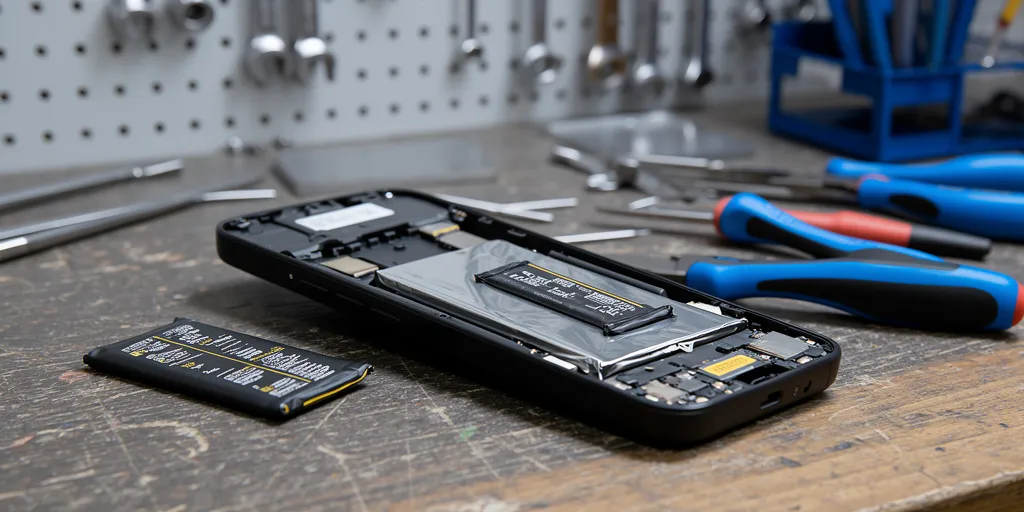
  • Degraded batteries can swell—which is dangerous
  • Problems that cost $80 today could cost $300 next month

Smart approach: Get repairs done as soon as issues appear. Most repairs take just 30-60 minutes.

Mistake #2: Attempting DIY Repairs Without Proper Knowledge

What happens: You watch a YouTube video and think “I can do this!” You order cheap parts from Shopee/Lazada and start disassembling your phone.

Why it’s bad:

  • Modern phones have delicate ribbon cables that tear easily
  • Face ID/Touch ID sensors are paired to your phone—damage them and they’re permanently disabled
  • Adhesives require specific temperatures and techniques
  • Cheap replacement parts often fail within weeks
  • You void warranty (if still under warranty)
  • Repair shops charge MORE to fix DIY disasters

Real example: Customer bought $30 iPhone screen online, damaged Face ID connector during DIY installation. Repair quote went from $150 (screen) to $500 (screen + Face ID module, which can’t be replaced).

Smart approach: Unless you have experience and proper tools, leave it to professionals. The $80-150 you “save” isn’t worth the risk.

Mistake #3: Using Hair Dryers on Water-Damaged Phones

What happens: Your phone gets wet. Someone says “use a hair dryer to dry it!” You blast it with hot air.

Why it’s terrible:

  • Heat melts internal adhesives and damages components
  • Forced air pushes water DEEPER into the phone
  • Can cause battery to swell or catch fire
  • Creates hot spots that damage circuits

Smart approach: Turn off phone immediately. DON’T try to turn it on. DON’T charge it. Bring it to repair shop ASAP for professional ultrasonic cleaning. Read our complete water damage guide.

Mistake #4: Choosing Repair Shop Based on Price Alone

What happens: You see “$50 iPhone screen repair!” and rush to the cheapest shop without checking reviews or quality.

Why it’s risky:

  • Cheapest shops often use Grade C or fake parts
  • Poor-quality screens have: dead pixels, dim display, ghost touches, inaccurate colors
  • No warranty or “90-day warranty” that’s never honored
  • Inexperienced technicians who damage other components
  • You end up paying twice: once for cheap repair, again for proper repair

Smart approach: Check reviews, ask about parts quality (Grade A?), verify warranty terms. A repair that costs $120 and lasts vs $60 that fails in 2 months is a better deal.

Mistake #5: Not Backing Up Data Before Repair

What happens: You drop off your phone for repair without backing up. During repair, something goes wrong and data is lost.

Why it’s a problem:

  • While rare, accidents happen—data loss is possible
  • Screen repairs, battery replacements usually safe for data
  • Motherboard repairs carry higher data risk
  • Photos of kids, business documents, years of messages—irreplaceable

Smart approach:

  • iPhone: Settings > Your Name > iCloud > iCloud Backup > Back Up Now
  • Android: Settings > Google > Backup > Back up now
  • Take 5 minutes to backup before any repair

Mistake #6: Continuing to Use a Damaged Phone

What happens: Your screen is cracked, so you just put tape over it and keep using it for months. Or your battery swells but you ignore it.

Why it’s dangerous:

  • Cracked screens: Cuts on fingers, moisture damage to internals, spreads further
  • Swollen batteries: Can catch fire or explode (YES, really!)
  • Broken charging ports: Can cause electrical shorts
  • Loose components: Rattling parts can damage other components

Smart approach: If there’s visible damage or swelling, get it repaired ASAP. Don’t gamble with safety.

Mistake #7: Believing the “Rice Method” Fixes Water Damage

What happens: Phone gets wet. Everyone says “put it in rice!” You bury your phone in rice for 2 days, then try turning it on.

Why it’s inadequate:

  • Rice absorbs moisture from AIR, not from inside your phone
  • Rice dust gets inside phone openings
  • Water leaves mineral deposits that cause corrosion—rice doesn’t fix this
  • Corrosion develops quickly in Singapore’s humidity
  • By the time you “try” rice for 48 hours, corrosion has set in

Smart approach: Skip rice entirely. Bring wet phone to repair shop immediately for ultrasonic cleaning and proper drying. Every hour you wait makes damage worse.

Mistake #8: Not Asking About Warranty Before Repair

What happens: You get your screen repaired. Two weeks later, it develops issues. Shop says “sorry, no warranty.”

Why it matters:

  • Reputable shops offer 30-90 day warranty
  • No warranty = no confidence in their work
  • Warranty should cover parts AND workmanship
  • Get warranty terms in writing

Smart approach: Before paying, confirm: (1) How many days warranty? (2) What’s covered? (3) What voids warranty? Get receipt with warranty terms.

Mistake #9: Ignoring Warning Signs of Failing Batteries

What happens: Your phone battery drains fast, overheats, or shuts down randomly. You think “it’s just old” and keep using it.

Why it’s problematic:

  • Degraded batteries affect phone performance (iOS/Android throttle CPU to prevent shutdowns)
  • Can cause unexpected shutdowns when you need phone most
  • Risk of swelling and fire if left too long
  • You’re carrying power banks constantly when $50-80 battery replacement would solve it

Smart approach: If battery health below 80% or you notice these warning signs, get it replaced. Don’t wait.

Mistake #10: Accepting Repair Without Understanding What’s Wrong

What happens: You bring phone for screen repair. Technician says “you also need to replace the charging port and clean the motherboard for $300 more.” You accept without questioning.

Why it’s risky:

  • Some shops upsell unnecessary repairs
  • You might be paying for problems that don’t exist
  • Should understand exactly what’s being fixed and why

Smart approach:

  • Ask: “Can you show me what’s wrong?”
  • Ask: “What happens if I don’t fix this extra issue?”
  • Ask: “Can I just do the screen first and decide on other repairs later?”
  • Get itemized quote in writing
  • Get second opinion if quote seems excessive

Red Flags to Watch For at Repair Shops

Avoid shops that:

  • Won’t give you a price estimate upfront
  • Say they need to keep your phone for 5-7 days (most repairs take hours, not days)
  • Don’t offer any warranty
  • Have terrible reviews online
  • Pressure you to agree to extra repairs immediately
  • Won’t show you the problem or explain what they’re fixing
  • Only accept cash (no receipts)
  • Are significantly cheaper than all other shops (suspiciously cheap)

What to Look For in a Good Repair Shop

  • 4.5+ stars on Google Reviews with hundreds of reviews
  • Clear pricing listed or quoted upfront
  • 30-90 day warranty on repairs
  • Physical storefronts (not just mobile service)
  • Experienced technicians (ask how long they’ve been repairing)
  • Proper receipts with warranty terms
  • Free diagnostics offered
  • Reasonable turnaround (30-60 minutes for simple repairs)

Conclusion: Learn from Others’ Mistakes

Phone repairs don’t have to be stressful or expensive if you avoid these common mistakes. The key principles:

  1. Act quickly when problems arise
  2. Don’t DIY unless you really know what you’re doing
  3. Choose repair shops based on quality, not just price
  4. Back up your data before any repair
  5. Ask questions and understand what’s being fixed
  6. Get warranty terms in writing
  7. Don’t ignore warning signs

Need Honest, Quality Phone Repair?

We won’t upsell you, we use quality parts, and we back our work with 90-day warranty. Free diagnostics at all 4 locations.

Our Repair Services📱 WhatsApp: 9678 0203

Is iPhone Repair Worth It? Complete Cost vs Replace Guide Singapore 2026

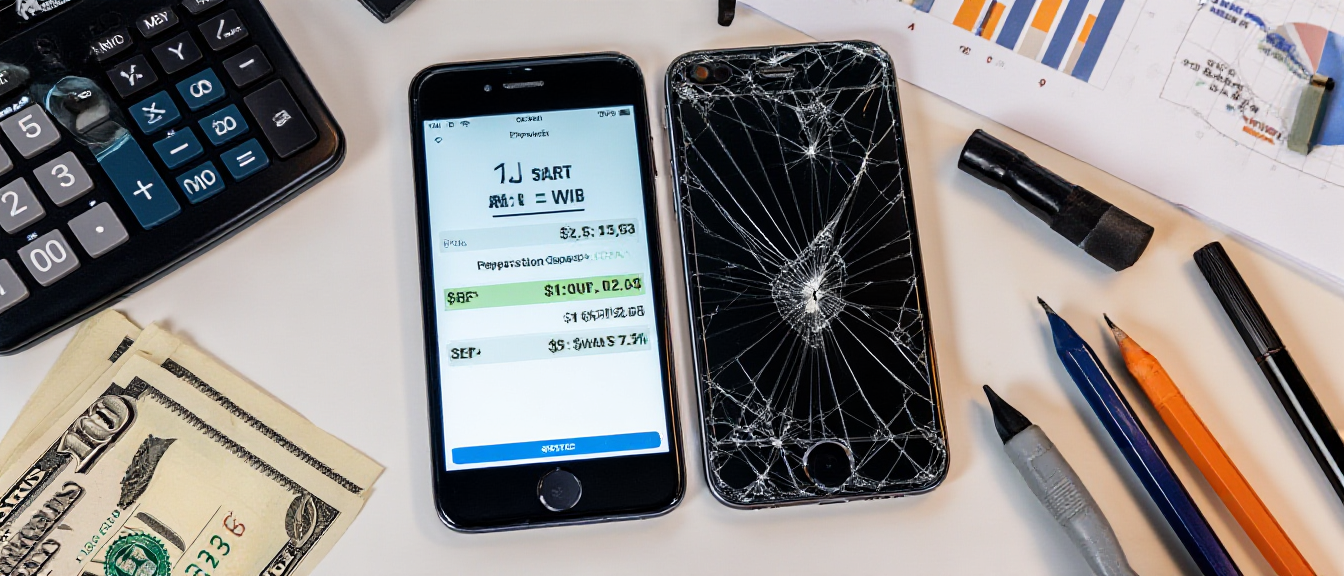
Broken iPhone with calculator showing repair costs

📸 Featured Image: Broken iPhone with calculator

You’ve cracked your iPhone screen. Or maybe the battery dies by noon. Perhaps it won’t charge anymore. Now you’re facing the big question: should you repair it or just buy a new phone?

This is a genuine financial dilemma. iPhones aren’t cheap in Singapore—a new iPhone 15 Pro Max costs $2,199. But repairs aren’t free either. This complete guide will help you make the right decision with clear cost breakdowns, decision frameworks, and expert advice.

The Quick Decision Framework

Before diving into details, here’s the TL;DR decision framework:

✅ Repair Makes Sense When:

  • Phone is less than 3 years old
  • Single issue only (just battery OR just screen)
  • Repair cost under 30% of current phone value
  • Everything else works perfectly
  • You’re happy with current phone performance

❌ Replace Makes Sense When:

  • Phone is 4+ years old
  • Multiple issues (battery + screen + other problems)
  • Repair costs exceed 50% of phone’s current value
  • Performance is sluggish even before the issue
  • Model no longer gets iOS updates

Common iPhone Repairs: Costs vs Value

Screen Repair

Apple Official: $258-$598 depending on model
Third-Party: $150-400 for most models

Worth repairing? Yes, for most iPhones less than 4 years old. Screen repair is usually the most cost-effective repair.

Battery Replacement

Apple Official: $119
Third-Party: $60-120

Worth repairing? Absolutely yes! Battery replacement is one of the best value repairs. Makes phone feel brand new.

Charging Port Repair

Third-Party: $60-100

Worth repairing? Yes, simple and affordable fix.

Motherboard/Logic Board Repair

Third-Party: $200-500+ depending on issue

Worth repairing? Depends on phone age and issue complexity. Get free diagnostics first.

iPhone Model-Specific Repair Decisions

Let’s get specific. Here’s repair advice for each iPhone generation:

iPhone 15 / 15 Pro (2023) – Current Flagship

  • Current value: $1,400-2,200
  • Repair decision: Repair almost always worth it
  • Typical repairs: Screen $300-500, Battery $80-120
  • Verdict: Your phone is too new and valuable to not repair

iPhone 14 / 14 Pro (2022)

  • Current value: $1,000-1,800
  • Repair decision: Repair makes sense for single issues
  • Typical repairs: Screen $280-450, Battery $70-100
  • Verdict: Phone has years of life left, repair is smart

iPhone 13 / 13 Pro (2021)

  • Current value: $700-1,400
  • Repair decision: Repair worth it unless multiple issues
  • Typical repairs: Screen $250-380, Battery $60-90
  • Verdict: Still very capable, worth repairing

iPhone 12 / 12 Pro (2020)

  • Current value: $500-1,000
  • Repair decision: Depends on repair cost vs upgrade desire
  • Typical repairs: Screen $200-320, Battery $60-80
  • Verdict: Still solid phone, repair makes sense if you’re not itching to upgrade

iPhone 11 / 11 Pro (2019)

  • Current value: $300-600
  • Repair decision: Borderline—depends on issue
  • Typical repairs: Screen $150-250, Battery $60-80
  • Verdict: Battery replacement absolutely yes. Screen repair maybe. Motherboard repair probably not.

iPhone XS / XR / X (2017-2018)

  • Current value: $200-400
  • Repair decision: Only for cheap repairs
  • Typical repairs: Screen $150-220, Battery $50-70
  • Verdict: Battery replacement okay. Screen repair questionable. Consider upgrading instead.

iPhone 8 and Older (2017 and before)

  • Current value: $100-250
  • Repair decision: Not worth it unless minimal cost
  • Verdict: These iPhones are reaching end of life. Save money for an upgrade.

The Real Cost of “Just Buying New”

Let’s talk about what “buying new” actually costs in Singapore 2026:

  • iPhone 15 Pro Max: $2,199
  • iPhone 15 Pro: $1,849
  • iPhone 15: $1,299
  • iPhone 14: $1,149
  • iPhone SE: $719

Even the “budget” iPhone SE costs $719. That’s about what the iPhone 13 costs used in excellent condition. Would you rather:

  • Pay $150 to fix your iPhone 13’s screen and keep using it for 2 more years?
  • Pay $1,299 for a new iPhone 15 that offers only incremental improvements?

The math often favors repair—unless you genuinely want/need the new features.

Should You Trade In vs Repair?

Apple and phone shops offer trade-in programs. But damaged phones get drastically reduced trade-in values:

Example: iPhone 13 Pro Trade-In Value

  • Perfect condition: $700
  • Cracked screen: $200-300
  • Battery issues: $150-250
  • Multiple issues: $100 or rejected

Better strategy: Repair the screen for $250, then trade in for $700 instead of $250. You net $200 more.

The “Hidden” Benefits of Repairing

Beyond cost savings, repairing has advantages:

  1. Keep your data/setup: No transfer needed
  2. Familiar with your phone: Don’t need to relearn new interface
  3. Environmental: Less e-waste
  4. No setup hassle: Avoid hours of restoring from backup
  5. Keep accessories: Cases, screen protectors, MagSafe accessories all still fit

When You Should Definitely Upgrade Instead

Some situations clearly favor buying new:

  • Your iPhone is 5+ years old (iPhone 8 or older in 2026)
  • Multiple expensive repairs needed simultaneously (screen + battery + charging port = $400+)
  • Phone is getting iOS updates but runs slowly even after repair
  • You’ve already had the same part replaced twice
  • Repair cost exceeds 50% of phone’s current value
  • You genuinely need/want new features (better camera, 5G, etc.)

The Smart Middle Ground: Certified Used/Refurbished

There’s a third option: buy a certified used iPhone instead of brand new. In Singapore, you can get:

  • iPhone 14 Pro: $1,200-1,400 vs $1,849 new
  • iPhone 13: $600-800 vs $1,149 new
  • iPhone 12: $500-650 vs discontinued new

This can make sense if:

  • Your current phone is beyond economical repair
  • You want to upgrade but don’t need the absolute latest
  • You buy from reputable sellers with warranty

Final Decision Calculator

Use this simple formula:

Repair Cost ÷ Current Phone Value = Decision Factor

  • Under 30%: Repair is a no-brainer
  • 30-50%: Repair makes sense if you like your current phone
  • Over 50%: Consider upgrading instead

Example: iPhone 13 screen repair costs $250. Phone worth $800. That’s 31%—borderline but still reasonable to repair.

Conclusion: Repair Usually Wins for iPhones Under 4 Years

For most people with iPhones made in the last 4 years (iPhone 12 and newer in 2026), repair is the smart financial choice. The exceptions are when you face multiple expensive repairs simultaneously, or when you genuinely want to upgrade anyway.

Not Sure If Repair Is Worth It?

Get free diagnostics and an honest assessment. We’ll tell you if repair makes sense or if upgrading is smarter.

Screen Repair Info📱 WhatsApp: 9678 0203

How to Make Your Phone Battery Last All Day: 15 Proven Tips

Smartphone battery replacement service

Phone battery life optimization guide

How to Make Your Phone Battery Last All Day: 15 Proven Tips

Battery anxiety is real. Checking your percentage obsessively, panic at 20%, desperately searching for outlets before your phone dies.

In Singapore where we use phones for everything from WhatsApp to PayNow to TraceTogether, running out of battery isn’t just inconvenient—it’s stressful.

This guide shares 15 proven tips to extend your phone’s battery life, explained simply with practical advice for Singapore users.

Last updated: February 2026

💡 Quick Tip: The #1 battery killer in Singapore? Screen brightness + air-conditioning indoor/outdoor temperature swings. Reduce screen brightness to 40-60% and your battery life instantly improves by 20-30%.

Tip #1: Lower Screen Brightness

The Problem: Your screen is set to 80-100% brightness all day. This single setting drains 30-40% of your battery unnecessarily.

What’s Happening: Smartphone screens are the biggest power consumers. Higher brightness = more power needed to light millions of pixels. Singapore’s bright outdoors makes people crank brightness up, then forget to turn it down indoors.

Real-World Example: You set brightness to 100% outdoors in Singapore’s sun. You go indoors to an air-conditioned mall but forget to reduce it. Your phone drains from 80% to 20% in just 3 hours of normal use. Simply reducing to 50% would have doubled that time.

What to Do: iPhone: Settings > Display & Brightness > Auto-Brightness ON. Manually set to 40-60% indoors. Android: Settings > Display > Adaptive brightness ON. Quick tip: Swipe down control center, adjust brightness slider to 40-60% for daily use.

Tip #2: Use Dark Mode (OLED Screens Only)

The Problem: If you have an OLED screen (iPhone 12+, Samsung S series), using light mode wastes significant battery displaying white backgrounds.

What’s Happening: OLED pixels emit their own light. Black pixels = completely OFF = zero power used. White pixels = maximum power. Dark mode reduces power consumption by 15-30% on OLED screens.

Real-World Example: You use your iPhone 15 Pro with bright white backgrounds all day. Battery dies by 6 PM. Switch to dark mode, and the same usage gets you to 9 PM with 20% remaining—that’s 3 extra hours.

What to Do: iPhone: Settings > Display & Brightness > Dark. Android: Settings > Display > Dark theme. Note: This only saves battery on OLED screens (iPhone 12+, Samsung flagships). LCD screens (iPhone 11, budget phones) see minimal benefit.

Tip #3: Turn Off Background App Refresh

The Problem: Apps refresh content in the background even when you’re not using them, draining battery constantly throughout the day.

What’s Happening: Facebook, Instagram, email apps, news apps all update in the background. This means constant data usage, processor activity, and battery drain—even when your phone is in your pocket.

Real-World Example: You have 40 apps on your phone. 35 of them have background refresh enabled. They’re constantly checking for updates, pulling data, using battery. Disable background refresh for non-essential apps, and your battery life improves by 10-15%.

What to Do: iPhone: Settings > General > Background App Refresh > OFF (or select individual apps). Keep ON only for: WhatsApp, email, maps. Turn OFF for: social media, games, shopping apps. Android: Settings > Apps > Select app > Battery > Background restriction.

More Quick Battery-Saving Tips

Tip #4: Disable Push Email

Change from “Push” to “Fetch every 15-30 minutes.” Saves 5-10% battery. You don’t need instant email updates.

Tip #5: Turn Off Location Services for Non-Essential Apps

Games and shopping apps don’t need your location. Settings > Privacy > Location > Set to “While Using” or “Never” for most apps. Keep “Always” only for: Maps, Grab, food delivery.

Tip #6: Disable Live Wallpapers and Widgets

Animated wallpapers and constantly-updating widgets drain battery. Use static wallpapers. Remove widgets you don’t check hourly.

Tip #7: Use Wi-Fi Instead of Mobile Data

Wi-Fi uses significantly less battery than 4G/5G. At home, office, cafes—connect to Wi-Fi. Saves 10-15% battery daily.

Singapore-Specific Battery Tips

The Problem: Singapore’s climate and lifestyle create unique battery challenges—heat, air-conditioning swings, constant app usage for payments and check-ins.

What’s Happening: Heat accelerates battery degradation. Indoor/outdoor temperature swings (35°C outside, 20°C inside) stress batteries. Constant TraceTogether, PayNow, SafeEntry usage adds up.

Real-World Example: You leave your phone on your car dashboard in Singapore sun (50°C+). The battery overheats, permanently losing 5-10% maximum capacity. Do this repeatedly, and your “100%” is actually 80% within months.

What to Do: Avoid heat: Never leave phone in hot cars, direct sunlight, or on dashboard. Temperature swings: Let phone gradually adjust when moving indoor/outdoor. Payment apps: Close PayNow, Grab, food apps after use—don’t leave running in background.

When Tips Don’t Work: Time for Battery Replacement

Even with perfect habits, batteries degrade. Consider replacement if:

  • Battery health below 80% (iPhone: Settings > Battery > Battery Health)
  • Phone dies at 20-30% remaining
  • Charging 2-3 times per day
  • Battery drains rapidly even in standby
  • Phone overheats during normal use

Battery replacement cost: iPhone $80-150 | Samsung $60-120 | Takes 30-45 minutes

Need Battery Replacement?

Certified Phone Repairs SG – Battery Replacement Specialists

  • 30-45 minute replacement
  • 90-day warranty on all batteries
  • High-capacity batteries (restore to like-new)
  • 3 locations: Ang Mo Kio, Bugis, WestGate
  • From $60 (Samsung) | From $80 (iPhone)

📱 Get quote: WhatsApp +65 9678 0203

Open Daily: 11:00 AM – 9:00 PM

Phone Won’t Turn On? 7 Things to Try Before Visiting a Repair Shop

Phone diagnostic and troubleshooting service

📸 Featured Image: Black phone screen / dead phone

Few things are more frustrating than a phone that won’t turn on. You press the power button, and… nothing. Black screen. No response. Is it dead? Is it broken? Should you panic?

Before you rush to a repair shop in Singapore, try these 7 troubleshooting steps. In many cases, a “dead” phone can be revived with simple fixes that take just a few minutes. We’ll walk you through each solution, from the most common to the more technical.

Step 1: Force Charge Your Phone for 30 Minutes

Why this works: The most common reason a phone won’t turn on is a completely drained battery. If your battery drops to 0%, it may need time to gather enough charge before it can even display the charging indicator.

What to do:

  1. Plug your phone into a wall charger (not a computer USB port—wall chargers provide more power)
  2. Use the original charger if possible, or a high-quality certified charger
  3. Wait at least 30 minutes without touching it
  4. Look for a charging indicator—even a brief flash of a battery icon is a good sign
  5. After 30 minutes, try pressing the power button

💡 Pro Tip: In Singapore’s hot climate, if your phone got too hot (left in a car, direct sunlight), it may refuse to charge until it cools down. Let it sit in an air-conditioned room for 15-20 minutes before trying to charge.

Step 2: Try a Different Charger and Cable

Why this works: Faulty charging cables and adapters are extremely common. A damaged cable might look fine on the outside but have broken wires inside that prevent charging.

What to do:

  • Borrow a friend’s charger (make sure it’s the right type for your phone)
  • Try multiple wall outlets in your home—sometimes the outlet is the problem
  • Check your charging cable for visible damage: fraying, bent connector, loose fit
  • Try charging from a different power source: different room, different building

How to test if it’s the cable: If you have another device that uses the same charging cable (like a tablet or second phone), test the cable with that device. If that device also won’t charge with the cable, you’ve found your problem.

Step 3: Clean Your Charging Port

Why this works: Lint, dust, and pocket debris accumulate in your phone’s charging port over time. This buildup can prevent the charging cable from making proper contact, stopping your phone from charging even though everything else works fine.

What to do:

  1. Turn off your phone (if it’s still responsive enough to turn off)
  2. Get a wooden or plastic toothpick (NEVER use metal—it can cause shorts)
  3. Gently scrape around the inside of the charging port
  4. Use a flashlight to look inside—you might be surprised how much debris is there
  5. Remove any visible lint, dust, or debris
  6. Try compressed air if you have it (short bursts, not too close)
  7. Let it sit for a minute, then try charging again

⚠️ Warning: Do NOT use metal objects (paperclips, needles, pins) to clean your charging port. This can damage the delicate pins inside and cause permanent damage. Stick to wooden toothpicks or plastic tools.

Step 4: Force Restart Your Phone

Why this works: Sometimes phones freeze or crash so badly that they appear completely dead. A force restart (also called hard reset) forces your phone to reboot without needing the touchscreen, which can bring it back to life.

How to force restart (varies by phone):

For iPhone 8 and newer (including iPhone 15, 14, 13, 12, 11, X, XS, XR):

  1. Press and quickly release the Volume Up button
  2. Press and quickly release the Volume Down button
  3. Press and HOLD the Side button (power button)
  4. Keep holding until you see the Apple logo (10-20 seconds)
  5. Release and wait for the phone to restart

For iPhone 7 / 7 Plus:

  • Press and hold both Volume Down + Side button
  • Hold for 10-20 seconds until Apple logo appears

For iPhone 6s and older:

  • Press and hold Home button + Power button
  • Hold until Apple logo appears

For Samsung Phones:

  • Press and hold Power button + Volume Down button
  • Hold for 10-20 seconds
  • Wait for the phone to restart

For Most Android Phones (Oppo, Xiaomi, Vivo, Huawei):

  • Press and hold Power button for 10-30 seconds
  • Some models: Power + Volume Up or Power + Volume Down
  • Keep holding until the phone vibrates or shows logo

Step 5: Check for Physical Damage

Why this matters: If your phone recently took a hard fall, got wet, or suffered physical damage, the problem might be hardware-related and require professional repair.

What to check:

  • Screen damage: Cracks, chips, or shattered glass (see our screen repair guide)
  • Water exposure: Did your phone get wet recently? Check water damage indicators
  • Swollen battery: Is the back cover bulging or lifted? This is dangerous—get battery replacement immediately
  • Bent or warped frame: Sometimes dropped phones have subtle bending
  • Loose buttons: Power button feels broken or unresponsive

Water damage indicators: Most phones have small stickers that turn red or pink when exposed to water. On iPhones, look in the SIM card tray. On Android phones, they’re often near the charging port or under the battery (if removable).

Step 6: Let It Cool Down or Warm Up

Why this works: Extreme temperatures (both hot and cold) can prevent phones from turning on. Phones have built-in safety features that shut them down to protect the battery and components.

If Your Phone Got Too Hot:

In Singapore’s climate, this is common. If you left your phone in a hot car, direct sunlight, or it overheated during heavy use:

  • Move it to a cool, air-conditioned room
  • Remove the case to help it cool faster
  • DO NOT put it in the fridge or freezer (condensation can cause water damage)
  • Wait 20-30 minutes for it to reach room temperature
  • Then try charging and turning it on

If Your Phone Got Too Cold:

Less common in Singapore, but possible in heavily air-conditioned environments:

  • Let it warm up naturally to room temperature
  • Don’t try to heat it up artificially (no hairdryer, no heater)
  • Wait 15-20 minutes

Step 7: Boot Into Recovery Mode

Why this works: If your phone powers on but won’t boot into the operating system (stuck on logo screen), booting into recovery mode can help you troubleshoot software issues.

For iPhones (Recovery Mode):

  1. Connect your iPhone to a computer with iTunes/Finder installed
  2. For iPhone 8+: Volume Up (quick press), Volume Down (quick press), then hold Side button
  3. Keep holding until you see the recovery mode screen (cable + computer icon)
  4. iTunes will give you options to Update or Restore
  5. Try “Update” first (keeps your data)

For Android Phones (Recovery Mode):

  1. Turn off the phone completely
  2. Press and hold Power + Volume Up (some models use Volume Down)
  3. Hold until you see the recovery menu
  4. Use volume buttons to navigate, power button to select
  5. Try “Wipe Cache Partition” first (doesn’t delete data)
  6. Last resort: “Factory Reset” (erases everything)

⚠️ Important: Factory reset will erase ALL your data (photos, contacts, apps, messages). Only do this as a last resort if you have a backup or your data isn’t important.

When DIY Troubleshooting Isn’t Enough: Hardware Issues

If you’ve tried all 7 steps and your phone still won’t turn on, the problem is likely hardware-related. Here are the most common hardware failures:

Dead Battery

If your battery is completely dead (failed, not just drained), your phone won’t turn on even when plugged in. This is especially common in phones 2+ years old. Battery replacement takes just 30 minutes and costs from $30.

Faulty Charging Port

If the charging port is damaged (bent pins, broken connector, corrosion from water), your phone can’t charge at all. Charging port repairs are relatively simple and affordable.

Motherboard Issues

This is more serious. Problems with the power management IC, CPU, or other chips on the motherboard can prevent your phone from turning on. Motherboard repair requires chip-level diagnostics and specialized equipment.

Display/Screen Connection

Sometimes your phone IS turning on, but the screen isn’t lighting up. This could be a faulty display or loose screen connector. You might hear notification sounds or feel vibrations even though you see nothing.

How to Know If It’s Hardware or Software

Here’s a quick guide to help you determine if you need professional repair:

✅ Probably Software (Can Fix Yourself):

  • Phone responds to force restart
  • Can boot into recovery mode
  • Shows charging indicator when plugged in
  • No physical damage or water exposure
  • Happened after a software update

❌ Probably Hardware (Needs Repair):

  • Completely unresponsive to all button combinations
  • No charging indicator at all
  • Recently dropped, damaged, or water-exposed
  • Visible physical damage (cracked screen, bent frame)
  • Battery swelling
  • Force restart doesn’t work

What to Expect at a Repair Shop

If you’ve exhausted all DIY options, it’s time for professional help. Here’s what happens when you bring your dead phone to a repair shop in Singapore:

Free Diagnostics

Reputable shops offer free diagnostics. The technician will test your phone’s components to identify the exact problem. This typically takes 15-30 minutes.

Common Diagnoses & Costs:

  • Battery replacement: $30-$150 depending on model
  • Charging port repair: $40-$100
  • Screen replacement: $80-$400 (if display connection is the issue)
  • Motherboard repair: $80-$500 depending on complexity

Repair Time

  • Battery replacement: 30-45 minutes
  • Charging port: 30-60 minutes
  • Screen replacement: 30-60 minutes
  • Motherboard repair: 1-3 days

Preventing Future “Dead Phone” Situations

Once you get your phone working again, here’s how to prevent it from happening again:

  1. Never let battery drain to 0%: Charge when you hit 20-30%
  2. Use quality chargers: Stick with original or certified accessories
  3. Clean charging port monthly: Prevent dust buildup
  4. Protect from physical damage: Use a good case and screen protector
  5. Keep phone cool: Avoid direct sunlight and hot cars in Singapore
  6. Update software regularly: Updates often fix bugs that cause crashes
  7. Back up your data: So you’re not stressed if you need a reset

Conclusion: Don’t Panic, Troubleshoot First

A phone that won’t turn on feels like a disaster, but it’s often fixable with simple troubleshooting. Work through these 7 steps systematically:

  1. Charge for 30 minutes
  2. Try different charger/cable
  3. Clean charging port
  4. Force restart
  5. Check for physical damage
  6. Let it cool/warm up
  7. Boot into recovery mode

If none of these work, it’s time for professional diagnostics. The good news? Most hardware issues are repairable, and you’ll have your phone back within a few hours or days.

Phone Still Won’t Turn On?

Get free diagnostics at any of our 4 outlets across Singapore. We’ll identify the problem and provide an honest quote.

📱 WhatsApp: 9678 0203
Learn About Motherboard Repair

Phone Won’t Turn On? 7 Reasons Why and How to Fix It

Phone diagnostic and troubleshooting service

📸 Featured Image: Phone won’t turn on

Few things are more frustrating than a phone that suddenly won’t turn on. No vibration, no lights, no response—just a black screen staring back at you. Whether it happened after a drop, overnight, or seemingly out of nowhere, a dead phone can feel like losing a limb in our hyperconnected Singapore life.

But before you panic and rush to buy a new phone, there are several things you can try yourself—and several professional fixes that might bring your phone back to life. This comprehensive guide covers the 7 most common reasons why phones won’t turn on, troubleshooting steps you can take yourself, and when professional repair is needed.

Reason #1: Completely Dead Battery

Likelihood: Very High (40% of cases)

This is the most common reason and the easiest to fix. If your phone battery is completely drained, it might not respond immediately when you plug it in to charge.

How to Fix It:

  1. Plug phone into charger using ORIGINAL cable and adapter
  2. Wait 15-30 minutes (yes, really—deeply drained batteries need time)
  3. Look for charging indicator (LED light, screen showing battery icon)
  4. If still nothing after 30 minutes, try a different cable/adapter
  5. Try plugging into computer USB port as alternative power source

Why This Happens: Lithium batteries have protection circuits that prevent deep discharge damage. When completely drained, these circuits need time to “wake up” before charging begins. Singapore’s heat can also cause faster battery drain if phone was left in hot car or direct sunlight.

💡 Pro Tip: If your phone frequently dies completely (0%), consider battery replacement. Healthy batteries shouldn’t drain this quickly.

Reason #2: Faulty or Damaged Charging Port

Likelihood: High (25% of cases)

Your phone won’t charge if the charging port is damaged, dirty, or corroded. Common in Singapore due to humidity causing port corrosion, or pocket lint accumulation.

How to Check and Fix:

  1. Visual Inspection: Shine light into charging port—look for lint, debris, or corrosion
  2. Gentle Cleaning: Use toothpick (wooden, not metal!) to gently remove lint
  3. Compressed Air: Blow out dust and debris
  4. Check Cable Connection: Cable should fit snugly—if loose, port may be damaged
  5. Try Wireless Charging: If your phone supports it, try a wireless charger

When to Get Professional Help: If cleaning doesn’t help, charging port replacement costs $40-80 and takes 30 minutes at most repair shops.

Reason #3: Software Crash or System Freeze

Likelihood: Medium (15% of cases)

Sometimes phones appear dead but are actually frozen due to software issues. The screen is black but the phone is technically “on.”

How to Force Restart:

iPhone 8 or newer:

  1. Press and quickly release Volume Up button
  2. Press and quickly release Volume Down button
  3. Press and hold Side button until Apple logo appears (10-20 seconds)

iPhone 7/7 Plus:

Hold Volume Down + Sleep/Wake buttons for 10 seconds

iPhone 6s or older:

Hold Home + Sleep/Wake buttons for 10 seconds

Samsung/Android:

Hold Power + Volume Down buttons for 10-20 seconds

Reason #4: Motherboard Failure (Most Serious)

Likelihood: Medium (10-15% of cases)

The motherboard (logic board) is your phone’s brain. If it fails, your phone won’t power on at all.

Common Motherboard Failure Causes:

  • Water Damage: Even old water damage causes delayed motherboard failure
  • Physical Impact: Hard drops can crack solder joints or damage chips
  • Power Surge: Using wrong charger or power surge during charging
  • Component Failure: Power management IC or CPU failure
  • Age: Phones 4+ years old may experience component failures

Signs It’s a Motherboard Issue:

  • Phone doesn’t respond to anything (charging, buttons, nothing)
  • No heat during charging (working phones generate slight warmth)
  • Computer doesn’t detect phone when plugged in
  • Phone was fine before a drop or water exposure

Repair Options: Motherboard repair costs $150-500 depending on the issue. Free diagnostics can determine if it’s fixable. Sometimes just a power IC replacement ($100-200) solves it.

Reason #5: Damaged Display (Phone is On, Screen is Dead)

Likelihood: Low (5% of cases)

Sometimes your phone IS working, but the screen is completely black due to LCD or backlight failure.

How to Tell If This Is the Problem:

  • Phone vibrates when you press buttons
  • You hear notification sounds
  • Phone gets warm during charging
  • Someone can call you and phone rings
  • You shine bright light on screen and see VERY faint image

Fix: Screen replacement typically costs $80-400 depending on phone model. Takes 30-60 minutes.

Reason #6: Damaged Power Button

Likelihood: Low (3-5% of cases)

If power button is broken or stuck, you can’t turn the phone on even if everything else works fine.

Quick Tests:

  • Does power button click normally or feel stuck/mushy?
  • Try pressing very hard or from different angles
  • Plug in charger—if phone vibrates or shows charging, power button is the issue

Fix: Power button replacement costs $40-80 at repair shops.

Reason #7: Extreme Temperature Damage

Likelihood: Rare but possible in Singapore (2% of cases)

Extreme heat (like leaving phone in car under Singapore sun, 50-60°C) or extreme cold can temporarily or permanently disable phones.

What to Do:

  1. Move phone to room temperature environment
  2. Wait 30-60 minutes for phone to normalize temperature
  3. DO NOT try to charge while phone is hot/cold
  4. After temperature normalizes, try charging and turning on

Step-by-Step Troubleshooting Guide

Follow these steps in order before going to a repair shop:

Step 1: Charge It (30 Minutes)

Use original charger and cable. Wait 30 full minutes even if nothing appears to happen.

Step 2: Try Different Charger/Cable

Borrow a friend’s charger to rule out faulty charging accessories.

Step 3: Clean Charging Port

Remove any lint or debris with wooden toothpick.

Step 4: Force Restart

Use the specific button combination for your phone model (listed above).

Step 5: Check for Physical Damage

Look for cracks, dents, water damage indicators in SIM tray.

Step 6: Professional Diagnosis

If nothing works, bring to repair shop for free diagnostics. They have tools to test battery, charging port, and motherboard.

Should You Repair or Replace?

Here’s a realistic decision framework:

✅ Repair Makes Sense When:

  • Phone is less than 3 years old
  • Repair cost under $300
  • Issue is simple (battery, charging port, screen)
  • You have important data you can’t lose
  • Phone was expensive when new ($800+)

❌ Replace Makes Sense When:

  • Phone is 4+ years old
  • Motherboard repair costs $400+
  • Multiple issues (battery + screen + motherboard)
  • Phone was budget model ($200-300 new)
  • No important data (backed up to cloud)

Repair Costs in Singapore (2026)

Here’s what to expect:

  • Free Diagnostics: Most shops offer free testing
  • Battery Replacement: $30-150
  • Charging Port: $40-80
  • Screen Replacement: $80-400
  • Power Button: $40-80
  • Motherboard Repair: $150-500

Prevention Tips

Prevent “phone won’t turn on” issues:

  1. Replace battery when health drops below 80%
  2. Use quality chargers and cables
  3. Protect from water and humidity
  4. Use protective case to prevent drop damage
  5. Keep software updated
  6. Don’t let phone overheat (avoid direct sun in Singapore)
  7. Clean charging port monthly

Final Thoughts

A phone that won’t turn on isn’t always dead forever. Simple issues like dead battery or dirty charging port are easily fixable. Even motherboard problems can often be repaired for less than buying a new phone.

The key is proper diagnosis. Don’t assume your phone is toast—get free diagnostics from a reputable repair shop to know exactly what’s wrong and make an informed decision about repair vs replacement.

Phone Won’t Turn On?

Get free diagnostics at any of our 4 Singapore outlets. We’ll tell you exactly what’s wrong and give you repair options.

Motherboard Repair Info
📱 WhatsApp: 9678 0203

Dropped Phone in Water? Here’s Exactly What to Do in the First 24 Hours

Water damaged phone repair service

Phone water damage guide

Dropped Phone in Water? Here’s Exactly What to Do in the First 24 Hours

The moment your phone hits water, time becomes your enemy. Whether it’s dropped in the toilet, knocked into a pool, caught in Singapore rain, or dunked in your kopi, how you react in the next few minutes can mean the difference between a working phone and expensive repairs.

This guide gives you the exact steps to take—and critical mistakes to avoid.

Last updated: February 2026

🚨 URGENT WARNING: Do NOT turn on your phone. Do NOT charge it. Do NOT press buttons repeatedly. Do NOT use a hairdryer. These actions cause SHORT CIRCUITS that permanently destroy your phone.

First 60 Seconds: Critical Actions

The Problem: Your phone just fell in water. Every second it stays wet increases damage. You need to act FAST but CORRECTLY.

What’s Happening: Water conducts electricity, creating short circuits between components. The longer water stays inside, the more corrosion builds up. Turning it on while wet= instant permanent damage.

Real-World Example: Your phone falls in the sink. You immediately fish it out and try to turn it on “to see if it still works.” The screen flickers, then goes black forever. The power-on attempt caused a short circuit across the motherboard. What could have been a $80 cleaning is now a $400 motherboard replacement.

What to Do: Second 1-5: Remove from water immediately. Second 6-10: Turn OFF phone (if still on). Do NOT turn ON if already off. Second 11-30: Remove case, SIM tray, any accessories. Second 31-60: Shake gently to remove water from ports, pat dry with towel.

NEVER Do These Things (They Destroy Your Phone)

The Problem: Panic makes people try “quick fixes” that actually cause MORE damage than the water itself.

What’s Happening: Rice doesn’t absorb internal moisture effectively. Hairdryers blow water DEEPER into the phone. Charging while wet causes immediate short circuits. Pressing buttons pumps water into internal components.

Real-World Example: Your phone falls in water. You put it in rice overnight. The next day, you charge it. It charges for 2 minutes then dies completely. The rice did nothing, and charging while internal moisture remained killed the charging circuit. Now you need a $250 board repair instead of a $80 cleaning.

What to Do (NEVER Do These): DON’T: Put in rice (doesn’t work, wastes time). DON’T: Use hairdryer/heat (pushes water deeper). DON’T: Charge phone (instant short circuit). DON’T: Press buttons (pumps water inside). DON’T: Turn on to “test” it.

Proper Drying Method (First 24 Hours)

The Problem: You’ve removed your phone from water but don’t know how to dry it properly without causing more damage.

What’s Happening: Internal moisture takes 24-48 hours to evaporate naturally. Forced heat causes thermal damage. Only proper passive drying works safely.

Real-World Example: You place your wet phone in a warm, dry area (not hot). After 24 hours, you bring it to a repair shop. They open it, find minimal corrosion, clean and dry the internals for $80, and your phone works perfectly. Proper passive drying saved your phone.

What to Do: Best method: Remove SIM tray (creates ventilation). Place phone in warm (NOT hot) dry area. Position upright or at angle (lets water drain out ports). Leave untouched for 24-48 hours. Then: Bring to professional repair shop for internal cleaning (DO NOT turn on yourself).

“Water-Resistant” Doesn’t Mean Waterproof

The Problem: You thought your iPhone 15 Pro or Galaxy S24 was “waterproof” because of the IP68 rating. But it still got water damage.

What’s Happening: IP68 means water-resistant under specific conditions: 1.5m depth, fresh water, new phone with intact seals. Saltwater, soap, hot water, drops, and age all compromise seals. Water resistance degrades over time.

Real-World Example: Your iPhone 15 Pro (IP68 rated) falls in a Singapore pool with chlorine. Water seeps in because: 1) chlorine degrades seals, 2) phone is 1 year old (seals worn), 3) impact from drop cracked internal seals. The phone dies. IP68 doesn’t cover this.

What to Do: Never rely on water resistance. IP68 doesn’t protect from: Saltwater, chlorine pools, hot water, soap/shampoo, drops before submersion (cracks seals), phones over 1 year old. Always treat water exposure as an emergency regardless of rating.

When to Get Professional Help

Bring your phone to a repair shop if:

  • It was submerged for more than 5 seconds
  • It fell in saltwater, chlorine pool, or toilet
  • It won’t turn on after 48 hours of drying
  • Screen shows discoloration or moisture spots
  • Speakers/microphone sound muffled
  • Charging port doesn’t work

Professional water damage treatment:

  • Ultrasonic cleaning (removes internal corrosion)
  • Isopropyl alcohol bath (displaces water)
  • Component-level inspection
  • Circuit board cleaning and drying

Cost: $80 – $150 for cleaning | Success rate: 60-80% if treated within 48 hours

Water Damage? We Can Help

Certified Phone Repairs SG – Water Damage Specialists

  • Ultrasonic cleaning removes internal corrosion
  • Same-day service (bring it in immediately)
  • Free diagnosis (we test before repair)
  • 60-80% success rate if treated within 48 hours
  • 3 locations: Ang Mo Kio, Bugis, WestGate

📱 Emergency: WhatsApp +65 9678 0203

Open Daily: 11:00 AM – 9:00 PM

The faster you bring it in, the better the chances of recovery. Don’t wait.

Phone Screen Cracked? Here’s What You Need to Know Before Getting It Fixed

Cracked phone screen repair service

Cracked phone screen repair guide

Phone Screen Cracked? Here’s What You Need to Know

That sickening sound of your phone hitting concrete. The slow flip to see if the screen survived. The spider web cracks spreading across the glass. We’ve all been there.

In Singapore, where we use our phones for everything from PayNow to TraceTogether, a cracked screen isn’t just inconvenient—it’s a daily frustration. This guide tells you exactly what to do.

Last updated: February 2026

⚠️ Warning: Continuing to use a phone with a cracked screen can cause cuts, worsen the damage, and let moisture into your device. Get it repaired within 24-48 hours.

Should You Repair or Replace Your Phone?

The Problem: You’re torn between paying $200-400 for screen repair or buying a new phone for $800-1500. Which makes financial sense?

What’s Happening: Screen repair costs vary drastically. iPhone 15 Pro Max: $350-450. Samsung S24 Ultra: $250-350. Budget phones: $80-150. Meanwhile, the same cracked phone loses 20-40% resale value.

Real-World Example: Your iPhone 14 Pro (2 years old) screen cracks. Repair costs $280. The phone is worth $950 working, $600 cracked. If you sell it broken and buy used iPhone 15: total cost $900. If you repair and keep: $280. Repairing makes sense.

What to Do: Repair if: Phone less than 3 years old, repair costs under 30% of phone’s value, everything else works. Replace if: Phone 4+ years old, multiple issues (battery + screen + performance), repair costs exceed 50% of replacement cost.

Screen Repair Costs in Singapore

iPhone Screen Repair

Model Screen Type Repair Cost
iPhone 15 Pro Max OLED $350 – $450
iPhone 14 Pro OLED $280 – $350
iPhone 13 OLED $200 – $280
iPhone 11 LCD $100 – $150

Samsung Screen Repair

Model Screen Type Repair Cost
Galaxy S24 Ultra AMOLED $250 – $350
Galaxy Z Fold 5 Foldable AMOLED $600 – $800
Galaxy S23 AMOLED $180 – $250
Galaxy A54 AMOLED $80 – $120

Repair time: 30-60 minutes for most models

What to Do Immediately After Cracking Your Screen

The Problem: You dropped your phone and the screen cracked. You’re worried about glass shards, further damage, and whether the phone still works properly.

What’s Happening: Even small cracks weaken the entire glass panel. Moisture can seep in through cracks, causing corrosion. Touch sensitivity may fail in cracked areas. Continued use spreads cracks wider.

Real-World Example: You crack your phone screen but keep using it “for now.” Three days later, the crack has spread across the entire screen, touch stops working in the bottom half, and moisture has seeped in causing display discoloration. What was a $200 repair is now $400+.

What to Do: Step 1: Apply clear tape over cracks to prevent cuts and stop spreading. Step 2: Back up your data immediately (in case touch fails). Step 3: Get a repair quote within 24 hours. Step 4: Avoid moisture—don’t use phone in rain or bathrooms.

Official Repair vs Third-Party Repair

Apple Official Service

  • Pros: Genuine parts, maintains warranty (if under warranty)
  • Cons: Most expensive ($400-600), 3-7 day turnaround, strict requirements
  • Cost Example: iPhone 15 Pro Max screen: $550-600

Certified Third-Party (Recommended)

  • Pros: High-quality parts, 30-60 min repair, 50% cheaper, 90-day warranty
  • Cons: Voids manufacturer warranty (if still under warranty)
  • Cost Example: iPhone 15 Pro Max screen: $350-400

Our Recommendation: If out of warranty (most phones 1+ years old), certified third-party saves you $200-300 with same-day service.

Get Your Screen Fixed Today

Certified Phone Repairs SG – Screen Repair Specialists

  • 30-60 minute repair time
  • 90-day warranty on all screen repairs
  • High-quality OLED/LCD displays
  • 3 locations: Ang Mo Kio, Bugis, WestGate
  • Walk-in service (no appointment needed)

📱 Get instant quote: WhatsApp +65 9678 0203

Open Daily: 11:00 AM – 9:00 PM

5 Signs Your Phone Battery Needs Replacement (And What to Do About It)

Smartphone battery replacement service

📸 Featured Image: Phone with low battery icon

Is your phone dying before the end of the day? Do you find yourself constantly hunting for charging cables? You’re not alone. Battery degradation is one of the most common phone problems in Singapore, and recognizing the warning signs early can save you from unexpected shutdowns and frustration.

In this guide, we’ll walk you through the 5 clear signs that indicate your phone battery needs replacement, plus practical advice on what to do about it.

Understanding Phone Battery Degradation

Before we dive into the warning signs, it’s important to understand why phone batteries degrade. All smartphone batteries use lithium-ion technology, which naturally loses capacity over time. This isn’t a defect—it’s simply how the chemistry works.

Every time you charge your phone, it goes through one “charge cycle.” Most phone batteries are designed to retain about 80% of their original capacity after 300-500 charge cycles. For the average user in Singapore who charges daily, this means your battery will noticeably degrade after 1-2 years of use.

💡 Quick Tip: According to battery experts, a healthy phone battery should comfortably last a full day with normal use. If you’re charging 2-3 times per day, it’s time for a replacement.

Sign #1: Your Battery Drains Extremely Fast

The Problem: Your phone used to last all day, but now it barely makes it to lunch. Even when you’re not actively using it, the battery percentage drops rapidly.

What’s Happening: As lithium-ion batteries age, they lose their ability to hold a charge. A battery that originally held 3,000mAh of charge might now only hold 2,000mAh or less. This means your phone runs out of power much faster, even with the same usage patterns.

Real-World Example: You leave home at 8 AM with 100% battery. By 11 AM, without heavy use, you’re already down to 30%. This isn’t normal and indicates significant battery degradation.

What to Do: First, check if any apps are draining your battery excessively (Settings > Battery). If no apps are the culprit and the battery drains quickly regardless, it’s time for a battery replacement.

Sign #2: Battery Percentage Jumps Around Randomly

The Problem: Your battery shows 50%, then suddenly drops to 20%. Or it jumps from 10% back up to 30%. The percentage readings are completely unreliable.

What’s Happening: Your phone’s battery management system relies on accurate voltage readings to calculate remaining battery percentage. When a battery degrades, its voltage becomes unstable, causing erratic percentage readings. The battery’s internal resistance increases with age, making it impossible for your phone to accurately gauge how much charge remains.

Real-World Example: You’re watching a video with 35% battery remaining. Five minutes later, your phone shows 8% and displays the “low battery” warning. This sudden drop is a classic sign of battery failure.

What to Do: Try calibrating your battery by letting it drain to 0%, then charging to 100% without interruption. If the issue persists, the battery needs replacement.

Sign #3: Phone Shuts Down Unexpectedly

The Problem: Your phone turns off by itself even when it shows 20%, 30%, or even 50% battery remaining. It won’t turn back on until you plug it into a charger.

What’s Happening: A degraded battery can’t deliver the power surges required when you open apps or perform processor-intensive tasks. When your phone tries to draw power, the battery voltage drops too low, causing an immediate shutdown. Think of it like an old car battery that can’t start the engine even though it shows charge.

Real-World Example: You’re taking a photo at a friend’s birthday party. Your phone shows 40% battery, but the moment you tap the camera shutter, the screen goes black and the phone shuts down. This is dangerous because you can’t rely on your phone in emergencies.

What to Do: This is one of the most serious signs of battery failure. Get your battery replaced immediately—don’t wait. In Singapore’s hot climate, continuing to use a failing battery could lead to swelling or other safety issues.

⚠️ Safety Warning: If your phone shuts down unexpectedly multiple times per day, stop using it immediately and get the battery replaced. A failing battery in extreme cases can swell or overheat.

Sign #4: Your Phone Gets Very Hot

The Problem: Your phone becomes uncomfortably hot during normal use or charging. The back of the phone feels burning to the touch, especially around the battery area.

What’s Happening: As batteries degrade, their internal resistance increases. This resistance converts electrical energy into heat instead of stored charge. A healthy battery should only get slightly warm during heavy use or fast charging. Excessive heat indicates the battery is working much harder than it should.

Singapore’s tropical climate makes this worse—ambient temperatures of 30-35°C combined with a failing battery create a dangerous situation.

Real-World Example: You plug in your phone to charge overnight. In the morning, you wake up to find your phone is too hot to comfortably hold. The charging cable might even feel warm. This level of heat generation is not normal.

What to Do: Stop charging your phone immediately if it gets very hot. Let it cool down, then monitor the temperature during normal use. If the heating continues, get a professional battery diagnosis. Excessive heat can damage other phone components like the motherboard.

Sign #5: Visible Battery Swelling

The Problem: The most alarming sign—your phone’s back cover is lifting up, the screen is popping out, or the phone feels thicker than usual. You might see a visible bulge.

What’s Happening: Battery swelling occurs when gases build up inside the battery cells due to chemical breakdown. This is caused by overcharging, physical damage, manufacturing defects, or simply old age. The swelling puts pressure on your phone’s internal components and can crack the screen from the inside.

Real-World Example: You notice your phone case doesn’t fit as snugly as before. When you remove the case, you see the back panel has separated slightly from the phone body. This is battery swelling pushing the components apart.

What to Do: STOP USING THE PHONE IMMEDIATELY. Do not charge it, do not press on it, and do not try to force the battery back into place. A swollen battery can puncture, catch fire, or explode. Turn off the phone and bring it to a professional repair shop immediately.

🚨 URGENT – Swollen Battery Safety:

  • Do NOT charge the phone
  • Do NOT press or puncture the battery
  • Keep it away from heat sources
  • Store it in a cool, open area (not in a drawer or pocket)
  • Bring it to a repair shop ASAP

How to Check Your Battery Health

Before rushing to replace your battery, you can check its health yourself:

For iPhone Users:

  1. Go to SettingsBatteryBattery Health
  2. Check “Maximum Capacity” percentage
  3. If it shows below 80%, Apple recommends battery replacement
  4. Look for “Peak Performance Capability” message—if it says your phone has been “managing performance,” your battery is failing

For Android Users:

  1. Download a battery health app like AccuBattery or CPU-Z
  2. Let the app monitor your battery for a few charge cycles
  3. Check the “Battery Health” or “Capacity” reading
  4. If capacity is below 80% of the original, replacement is recommended
  5. Some Samsung phones: Dial *#0228# to see battery health

What Causes Fast Battery Degradation?

Understanding what damages batteries helps you prevent premature failure:

1. Singapore’s Hot Climate

Heat is battery enemy #1. Singapore’s average temperature of 30-35°C accelerates chemical degradation inside batteries. Leaving your phone in a hot car, direct sunlight, or using it outdoors during peak afternoon heat significantly shortens battery life.

2. Overnight Charging

Contrary to popular belief, leaving your phone plugged in all night isn’t great for battery health. While modern phones stop charging at 100%, keeping the battery at high charge (90-100%) for extended periods accelerates degradation. The ideal charging range is 20-80%.

3. Using Cheap Chargers

Low-quality, uncertified chargers from pasar malam or online marketplaces can deliver inconsistent voltage and current, damaging your battery over time. Always use original or certified chargers.

4. Complete Drain Cycles

Letting your phone die completely (0%) regularly is hard on lithium-ion batteries. Try to charge when you hit 20-30% instead.

Should You Replace Your Battery or Buy a New Phone?

This is the big question. Here’s a simple decision framework:

✅ Replace Battery If:

  • Your phone is less than 3 years old
  • Battery replacement costs less than 30% of phone’s current value
  • Everything else works perfectly (screen, camera, performance)
  • You’re happy with your current phone
  • Example: iPhone 13 battery replacement ($80) vs buying new ($1,200+)

❌ Consider New Phone If:

  • Phone is 4+ years old
  • Multiple issues (battery + cracked screen + slow performance)
  • Repair costs exceed 50% of replacement cost
  • Your phone model is outdated and doesn’t get software updates
  • Example: iPhone 7 battery + screen repair ($200) vs used iPhone 11 ($250)

Battery Replacement in Singapore: What to Expect

If you’ve decided to replace your battery, here’s what you should know:

Cost

Battery replacement in Singapore typically costs:

  • Budget phones: $30-$60 (Xiaomi, Oppo, Vivo, Samsung A series)
  • Mid-range phones: $60-$100 (older iPhones, Samsung S series)
  • Flagship phones: $80-$150 (iPhone 12-15, Samsung S23-24)

Time

Most repairs take 30-45 minutes. You can wait while it’s done or leave it for a few hours. Avoid shops that need to keep your phone overnight—battery replacement shouldn’t take that long.

Warranty

Reputable repair shops offer 90-day warranty on battery replacements. This covers battery defects and performance issues (but not physical damage you cause after the repair).

Official vs Third-Party Repair

Official Service Centers: More expensive ($150-$300), use genuine parts, maintain warranty (if still under warranty), longer wait times.

Third-Party Repair Shops: More affordable ($30-$150), faster turnaround, use quality aftermarket parts, may void warranty (if still under manufacturer warranty).

For most people whose phones are out of warranty, third-party repair makes the most sense.

Tips to Extend Your New Battery’s Life

Once you get a new battery, follow these tips to maximize its lifespan:

  1. Keep Your Phone Cool: In Singapore’s heat, avoid leaving your phone in direct sunlight or hot cars. Use air-con when possible.
  2. Charge Between 20-80%: You don’t need to fully charge to 100% every time. Partial charges are actually better for lithium-ion batteries.
  3. Avoid Overnight Charging: If possible, charge your phone before bed and unplug when it hits 80-90%.
  4. Use Original Chargers: Stick with genuine or certified charging accessories. That $5 cable from the market might be costing you hundreds in battery life.
  5. Enable Battery Optimization: Both iOS and Android have battery optimization features. Turn them on to reduce background drain.
  6. Update Your Software: Operating system updates often include battery optimization improvements.
  7. Lower Screen Brightness: Your screen is the biggest battery drain. Use auto-brightness or manually reduce brightness.

Conclusion: Don’t Ignore the Warning Signs

Battery degradation is inevitable, but you don’t have to live with a phone that dies by noon or shuts down unexpectedly. If you’re experiencing any of these 5 signs—especially battery swelling or unexpected shutdowns—it’s time to take action.

A new battery can make your phone feel brand new again, extending its useful life by another 1-2 years. At just $30-$150, it’s one of the most cost-effective upgrades you can make.

Remember: In Singapore’s hot climate, battery issues can escalate quickly. What starts as fast draining can lead to swelling or safety issues. Don’t wait until it’s too late.

Need a Battery Replacement?

Get your phone battery replaced in just 30 minutes at any of our 4 outlets across Singapore. From $30 with 90-day warranty.

Learn More About Battery Replacement
📱 WhatsApp: 9678 0203

Selling Your Old Phone? How to Wipe Data Safely Before You Sell

Professional phone repair service workspace

We live our entire lives on our smartphones. In Singapore, your phone isn’t just a communication device; it’s your wallet (PayNow/Google Pay), your identity card (SingPass), your photo album, and your office.

So, when the time comes to upgrade to the latest iPhone or Samsung Galaxy, a sudden wave of anxiety hits: “What happens to my data?”

We have all heard the horror stories. A phone sold on an online marketplace, only for the original owner to find their private photos leaked or their social media accounts accessed weeks later. It is a valid fear. Simply deleting your photos from the gallery or uninstalling your banking apps is not enough. Data recovery software is powerful, and if you don’t wipe your device correctly, you are leaving the door open for strangers to peek into your digital life.

But don’t panic. Modern smartphones are designed with security in mind—if you know which buttons to press.

In this guide, we will walk you through the professional, step-by-step process of how to wipe phone data safely before you hand it over. Whether you are selling on Carousell, trading in at a shop, or passing it down to a family member, this is the only checklist you need.

Phase 1: The Pre-Wipe Checklist (Do Not Skip!)

Before you start pressing “Delete,” you need to ensure you don’t lose the things you actually want to keep. Once we reach the final step of this guide, there is no turning back.

1. The Final Backup

It sounds obvious, but it is the most common regret. Ensure your backup is current.

  • For iPhone: Go to Settings > [Your Name] > iCloud > iCloud Backup > Back Up Now. Check the timestamp to make sure it says “Last successful backup: Today.”
  • For Android: Go to Settings > Google > Backup > Back Up Now.
  • Pro Tip: Don’t forget specific app backups like WhatsApp. WhatsApp chats are often backed up separately from the main system backup. Go into WhatsApp Settings > Chats > Chat Backup to be sure.

2. Unpair Your Smartwatch

This is a hidden trap. If you sell your phone without unpairing your Apple Watch or Galaxy Watch, the watch will remain locked to the old device’s ID. This can create a headache where you have to reset your watch completely, losing your health data.

  • Action: Open the Watch app on your phone and select “Unpair.” This automatically creates a backup of your watch data to your phone before severing the connection.

3. The Physical Purge: SIM and SD Cards

It is shockingly common for us to receive trade-in phones that still have a SIM card or microSD card inside.

  • SIM Card: Contains your phone number and sometimes contacts.
  • MicroSD Card (Android): Often contains gigabytes of photos and documents.
  • Action: Get your SIM ejector tool (or a paperclip) and remove the tray. Check it physically. Do not assume it is empty.

Phase 2: The Critical “Log Out” Step

This is the most important technical step in this entire guide. If you factory reset your phone without logging out first, you might trigger a security feature called Factory Reset Protection (FRP) or Activation Lock.

This lock ties the hardware to your account forever. If you sell a phone in this state, the new owner cannot set it up. They will be stuck at a “Hello” screen asking for your email and password. They will call you, angry, demanding your password. You do not want that.

Eject SD and SIM before repair

For iPhone Users: Sign Out of iCloud

  1. Go to Settings.
  2. Tap [Your Name] at the very top.
  3. Scroll to the bottom and tap Sign Out.
  4. You will be asked for your Apple ID password to turn off Find My iPhone. This is the key step that releases the device from your ownership.

For Android Users: Remove Google Accounts

  1. Go to Settings > Passwords & Accounts (or Users & Accounts).
  2. Tap on your Google Account.
  3. Tap Remove Account.
  4. Repeat this for any other Google accounts or Samsung/Xiaomi accounts listed there.
  5. Why? If you don’t do this, the phone will ask for the previous Google password after a reset. Removing the account makes the phone truly “open” for the next user.

Phase 3: How to Wipe an Android Phone (Samsung, Pixel, Oppo)

Android used to be tricky to wipe securely, but modern versions (Android 10 and up) are encrypted by default. This means your data is scrambled with a code. When you factory reset, the phone simply deletes the “key” to that code, making your data unreadable digital garbage effectively instantly.

The Steps:

  1. Charge your phone: Ensure you have at least 50% battery. If the phone dies mid-wipe, it can corrupt the operating system (brick the phone).
  2. Go to Settings.
  3. Search for Reset (or look under General Management or System).
  4. Select Factory Data Reset.
  5. Read the Warning: It will list everything being deleted (Music, Photos, Keys, Accounts).
  6. Tap Reset Device or Delete All.
  7. You may need to enter your PIN/Pattern one last time.

The “Paranoid” Method (Optional)

If you are selling a very old Android phone (Android 6.0 or older) or you possess extremely sensitive corporate secrets, you might want an extra layer of safety.

  1. Perform the Factory Reset above.
  2. Set up the phone again as a “new” device without signing into any accounts.
  3. Open the Camera app and record video of the ceiling or a wall until the storage is 100% full.
  4. Factory Reset again. Why? This overwrites your old encrypted data with useless video footage, making professional forensic recovery nearly impossible. Note: For 99.9% of users with modern phones, this is unnecessary overkill.

Phase 4: How to Wipe an iPhone (iOS)

Apple makes this process streamlined. The iOS encryption hardware (Secure Enclave) is extremely robust. Once you command a wipe, the encryption keys are discarded, and the data is rendered cryptographically inaccessible.

The Steps:

  1. Go to Settings > General.
  2. Scroll to the bottom and tap Transfer or Reset iPhone.
  3. Tap Erase All Content and Settings.
  4. eSIM Warning: If you use an eSIM, a pop-up will ask if you want to keep the plan or delete it.
    • If you are moving the number to a new phone: Delete the eSIM.
    • If you are selling the phone but keeping the number: Ensure you have already set up the eSIM on your new device before deleting it here.
  5. Enter your Passcode.
  6. The phone will go black, show the Apple logo and a progress bar. Once it says “Hello” in multiple languages, it is clean.

Phase 5: The “Clean Slate” Physical Prep

Your data is safe, but what about your resale value? A dirty phone looks like a broken phone.

  1. The Wipe Down: Use a microfiber cloth with a tiny bit of alcohol sanitizer to wipe the screen and the back glass. Clean the camera lenses.
  2. The Ports: Check the charging port. Is it packed with lint? Use a non-conductive pick (like a wooden toothpick) to gently remove dust. A clean port charges better and assures the buyer the hardware is good.
  3. The Box: If you have the original box, charging cable, and even the Apple stickers, gather them. A “full set” always commands a higher price than a “phone only” deal.

Phase 6: Ready to Sell? The Safe & Easy Way

Now that your phone is a factory-fresh brick, you face the final hurdle: actually selling it.

You generally have two options:

  1. Direct Selling (Carousell/Marketplace): You list it, wait for messages, haggle with strangers, and meet up at an MRT station. It yields the highest cash but comes with risks—buyers backing out, lowballing you in person, or messaging you weeks later asking for tech support.
  2. Trade-In / Shop Sale: You walk in, get a quote, and walk out with cash or a new phone.

Certified Phone Repair Shop

The Certified Phone Repairs SG Difference

If you want to skip the hassle and ensure your data is handled professionally, consider bringing your device to Certified Phone Repairs SG.

We aren’t just a repair shop; we are a trusted marketplace for new and used devices.

  • Privacy Guarantee: Even if you have already wiped your phone, our technicians perform a secondary verification check to ensure no accounts or cloud locks remain. If you were unsure about the wiping process, we can do it for you on the spot, right in front of your eyes.
  • Fair Valuation: We offer competitive trade-in rates based on the real market value, not “karang guni” prices.
  • Convenience: Visit us at Bugis, Ang Mo Kio, or WestGate. Whether your screen is perfect or cracked, we can offer you a price or a trade-in value toward a certified new/used phone.

Selling your phone shouldn’t be scary. By following the steps above, you protect your digital identity. By choosing a reputable partner like us, you protect your wallet and your time.

Frequently Asked Questions (FAQ)

Q: Does a factory reset delete everything permanently?

A: On modern smartphones (iPhone 6 and later, and Android 10+), yes. Because the data is stored in an encrypted format, a factory reset destroys the encryption key. Without that key, your data is just unreadable digital gibberish. It is effectively permanent deletion.

Q: Do I need to manually delete photos before factory resetting?

A: No! In fact, you shouldn’t. If you manually delete photos while still signed into iCloud or Google Photos, the sync feature might delete them from your cloud backup too! Just sign out of your accounts first, then perform the factory reset. The reset will wipe the device storage without touching your cloud backup.

Q: What if my screen is broken and I can’t touch it to reset?

A: This is a common issue. If the display doesn’t work, you can often wipe the device remotely using iCloud.com/find (for iPhones) or android.com/find (for Androids) from a computer. Select your device and choose “Erase.” If that fails, bring it to a professional shop like Certified Phone Repairs SG. We can connect a temporary test screen to the device solely to perform the data wipe and logout for you.

Q: Should I remove the battery?

A: Most modern phones (post-2015) have non-removable batteries sealed inside the glass and metal chassis. You do not need to remove the battery to wipe data. Focus on the software factory reset; that is the industry standard for security.

Q: Can I sell a phone that is “locked” to a telco?

A: In Singapore, telco locks are very rare nowadays as most phones are sold unlocked. However, if your phone is locked to a specific carrier overseas, it reduces the value. A factory reset does not unlock a carrier restriction; it only wipes data.

Q: What is “FRP” and why does it matter?

A: FRP stands for Factory Reset Protection. It is an anti-theft feature on Androids. If you force-reset a phone using the volume buttons without removing the Google Account first, the phone will lock itself and demand the original owner’s password. Always remove Google accounts from the Settings menu before wiping to prevent this.

🔗 Related Guides: Get More Value When Selling Your Phone

Now that you know how to wipe your phone safely, check out these helpful guides to maximize your selling price:

📱 Ready to sell? Get an instant quote: WhatsApp +65 9678 0203