
Face ID Not Working After Screen Repair — Here’s Why and What Can Be Done

Face ID not working after iPhone screen repair Singapore
iPhone Repair Guide · 6 min read · Updated April 2026

Face ID Not Working After Screen Repair — Here’s Why and What Can Be Done

You picked up your repaired iPhone and Face ID is gone. It’s one of the most common questions we get. Here’s the full explanation of why this happens, when it can be fixed, and when it can’t.

How Face ID Actually Works

Face ID uses a TrueDepth camera system housed in the notch or Dynamic Island at the top of the screen. It projects 30,000 infrared dots onto your face, reads the pattern with an infrared camera, and processes that data through a dedicated neural engine chip.

The critical detail: the Face ID module is cryptographically paired to your specific iPhone’s logic board at the factory. This pairing cannot be re-done by any third-party repairer — not even Apple’s own Genius Bar technicians using standard tools. It is a security measure built into iOS at the hardware level.

Why Face ID Stops Working After Screen Repair

There are two distinct scenarios:

Scenario 1: The Face ID flex cable was damaged during repair

The Face ID module connects to the logic board via a delicate flex cable that runs through the top of the screen assembly. During screen replacement, this cable must be carefully disconnected and reconnected. If the cable is torn, kinked or the connector is damaged during the repair, Face ID fails.

This is repairable — as long as the Face ID module itself is intact and the damage is only to the cable or connector.

Scenario 2: The Face ID module was replaced or disturbed

If the Face ID module itself (the dot projector and infrared camera assembly) was replaced with a new unit, Face ID will not work. Because the module is paired to the logic board at the factory, a new module cannot be paired by any third-party service — it simply isn’t recognised.

Apple’s pairing restriction

Apple introduced this hardware-level pairing as a security feature to prevent unauthorised Face ID spoofing. Even Apple’s own out-of-warranty repair service replaces the entire device rather than just the Face ID module, because the pairing cannot be transferred.

Can Face ID Be Fixed After Screen Repair?

It depends entirely on what’s wrong:

If the cable was damaged or disconnected: Yes — the original Face ID module can be reconnected or the cable replaced, and Face ID will work normally again.

If the Face ID module itself was replaced: No — there is no third-party fix for this. Face ID will not work with a non-paired module.

If Face ID was already faulty before the screen repair: The screen repair cannot fix a pre-existing Face ID fault.

How to check before your repair

Before any screen repair, test Face ID thoroughly and tell the technician if it’s working. We note the pre-repair condition of all features — including Face ID — so there’s no ambiguity about what was working before we started.

How We Handle Face ID During Screen Repair

During every screen replacement, we transfer the original Face ID module intact from your old screen to the new one. The module is not replaced — only moved. This is why Face ID continues working after screen repairs done correctly.

The transfer requires careful handling of the Face ID flex cable, which is extremely delicate on iPhone X through iPhone 16 models. We take extra time on this step because rushing it is how Face ID gets damaged.

After every screen repair, we test Face ID before handing the phone back. If there’s any issue, we tell you immediately and identify the cause before you leave.

What About Touch ID After Screen Repair?

Touch ID on older iPhones (iPhone 8 and below) works differently. The Home button’s Touch ID sensor is paired to the logic board — but the pairing is less restrictive. If the original Home button is preserved during repair, Touch ID continues working. Replacing the Home button with a third-party part disables Touch ID.

On newer iPads and MacBooks with Touch ID in the top button, the same principle applies — the original button must be preserved.

Common Questions

Face ID stopped working after I got my screen repaired somewhere else. Can you fix it?

Bring it in for a free assessment. If the Face ID flex cable was damaged, we may be able to repair or reconnect it. If the module itself was replaced or the chip is damaged, it cannot be restored by any third party. We’ll give you an honest assessment of what’s possible.

Will Apple fix Face ID if a third-party shop broke it?

Apple’s policy is that any prior third-party repair may void the relevant component warranty. In practice, if Face ID was broken by a third-party repair, Apple will typically offer a full device replacement (at out-of-warranty cost) rather than a targeted repair.

My Face ID says “Face ID is not available” after screen repair. What does this mean?

This message means iOS cannot detect the Face ID module at all — either the module is disconnected, the flex cable is damaged, or the module has been replaced with a non-paired unit. A hardware inspection is needed to determine the cause.

How can I avoid this happening?

Choose a repair shop that explicitly tests and preserves the Face ID module during screen replacement. Ask them before the repair whether they transfer the original Face ID assembly. We do — and we test it after every repair before you pay.

Face ID issue after repair elsewhere?

Bring it in for a free assessment — we’ll tell you exactly what’s wrong and what’s possible.
Westgate · AMK Hub · Bugis Village · Bedok Mall · 11am–9pm daily

💬 WhatsApp +65 9678 0203

How Long Does iPhone Repair Take in Singapore? (By Repair Type)

iPhone screen repair time Singapore - technician at work
.cprs-blog-wrap{font-family:-apple-system,BlinkMacSystemFont,’Segoe UI’,Helvetica,Arial,sans-serif;color:#1a1a1a;max-width:1100px;margin:0 auto;padding:0 16px} .cprs-blog-wrap *{box-sizing:border-box} .cprs-blog-header{border-left:4px solid #da291c;padding:24px 0 24px 24px;margin-bottom:40px} .cprs-blog-header .cprs-meta{font-family:’Courier New’,monospace;font-size:11px;letter-spacing:2px;text-transform:uppercase;color:#da291c;margin-bottom:10px} .cprs-blog-header h1{font-size:clamp(24px,4vw,36px);font-weight:700;line-height:1.2;margin:0 0 12px;color:#111} .cprs-blog-header .cprs-intro{font-size:17px;color:#555;line-height:1.8;margin:0;font-style:italic} .cprs-blog-layout{display:grid;grid-template-columns:1fr 240px;gap:48px;align-items:start} @media(max-width:860px){.cprs-blog-layout{grid-template-columns:1fr}.cprs-toc-sidebar{display:none}} .cprs-article h2{font-size:22px;font-weight:700;color:#111;margin:40px 0 14px;padding-bottom:8px;border-bottom:2px solid #f0f0f0} .cprs-article h3{font-size:17px;font-weight:700;color:#111;margin:24px 0 10px} .cprs-article h2:first-child{margin-top:0} .cprs-article p{font-size:16px;line-height:1.8;color:#333;margin:0 0 16px} .cprs-article ul,.cprs-article ol{padding-left:22px;margin:0 0 16px} .cprs-article li{font-size:16px;line-height:1.8;color:#333;margin-bottom:6px} .cprs-article strong{color:#111;font-weight:600} .cprs-article table{width:100%;border-collapse:collapse;font-size:14px;margin:16px 0 24px} .cprs-article th{background:#111;color:#fff;padding:10px 14px;text-align:left;font-weight:700} .cprs-article td{padding:10px 14px;border-bottom:1px solid #e5e7eb;color:#333} .cprs-article tr:nth-child(even) td{background:#f8fafc} .cprs-tip{background:#f0f7ff;border-left:4px solid #2563eb;border-radius:0 8px 8px 0;padding:16px 20px;margin:24px 0} .cprs-tip .cprs-tip-label{font-family:’Courier New’,monospace;font-size:10px;letter-spacing:2px;text-transform:uppercase;color:#2563eb;font-weight:700;margin-bottom:6px} .cprs-tip p{margin:0;font-size:14px;color:#1e3a6e;line-height:1.6} .cprs-warn{background:#fff7ed;border-left:4px solid #f97316;border-radius:0 8px 8px 0;padding:16px 20px;margin:24px 0} .cprs-warn .cprs-warn-label{font-family:’Courier New’,monospace;font-size:10px;letter-spacing:2px;text-transform:uppercase;color:#c2410c;font-weight:700;margin-bottom:6px} .cprs-warn p{margin:0;font-size:14px;color:#7c2d12;line-height:1.6} .cprs-toc-sidebar{position:sticky;top:24px} .cprs-toc{background:#fafafa;border:1px solid #e5e7eb;border-radius:10px;padding:20px} .cprs-toc-title{font-family:’Courier New’,monospace;font-size:10px;letter-spacing:2px;text-transform:uppercase;color:#9ca3af;font-weight:700;margin:0 0 14px} .cprs-toc-list{list-style:none;padding:0;margin:0} .cprs-toc-list li{margin-bottom:2px} .cprs-toc-list a{display:block;font-size:13px;color:#6b7280;text-decoration:none;padding:6px 10px;border-radius:6px;border-left:2px solid transparent;line-height:1.4;transition:all 0.15s ease} .cprs-toc-list a:hover,.cprs-toc-list a.cprs-toc-active{color:#da291c;background:#fff5f5;border-left-color:#da291c;font-weight:600} .cprs-cta{background:#111;color:#fff;border-radius:12px;padding:32px;margin-top:48px;display:flex;justify-content:space-between;align-items:center;gap:24px;flex-wrap:wrap} .cprs-cta h3{margin:0 0 6px;font-size:20px;color:#fff} .cprs-cta p{margin:0;font-size:14px;color:#9ca3af;line-height:1.5} .cprs-cta a{flex-shrink:0;background:#25d366;color:#000;text-decoration:none;font-weight:700;font-size:14px;padding:12px 24px;border-radius:50px;white-space:nowrap}
iPhone Repair · 5 min read · Updated April 2026

How Long Does iPhone Repair Take in Singapore? (By Repair Type)

Screen, battery, charging port, back glass — here’s exactly how long each iPhone repair takes. Quick reference table included for all repair types from iPhone 11 to iPhone 16 Pro Max.

Screen Repair — 60 to 120 Minutes

Screen repair is our most common repair. Time varies slightly by model as newer iPhones have more components integrated into the display assembly — True Tone data, proximity sensors, and Face ID flex cables all require careful handling.

iPhone 11, 12, 13 series: 60–90 minutes
iPhone 14, 15, 16 series: 90–120 minutes

The extra time on newer models is due to Dynamic Island alignment and True Tone calibration steps. You can wait at any outlet — most customers grab food from the mall while they wait.

Battery Replacement — 30 to 45 Minutes

Battery replacement is the fastest common repair. The battery module is accessible without full disassembly on all iPhone models from iPhone 11 onwards.

All models iPhone 11 to iPhone 16 Pro Max: 30–45 minutes

Good to know

The battery adhesive pull tabs require careful removal. Rushing this step risks tearing the connector or damaging the logic board — we never rush it.

Charging Port Replacement — 45 to 60 Minutes

The charging port (Lightning on iPhone 14 and below, USB-C on iPhone 15 and 16) requires moderate disassembly. The port flex cable runs through the bottom of the phone and connects to the logic board.

All models iPhone 11 to iPhone 16 Pro Max: 45–60 minutes

Before you book

We always try cleaning the port first at no charge. Sometimes lint or debris is the entire problem — no replacement needed.

Back Glass Replacement — 120 to 180 Minutes

Back glass is the most time-consuming repair because full disassembly is required. The back panel is adhered with strong adhesive and must be removed carefully to avoid damaging internal components.

All models iPhone 11 to iPhone 16 Pro Max: 120–180 minutes

Motherboard / Logic Board Repair — 1 to 5 Days

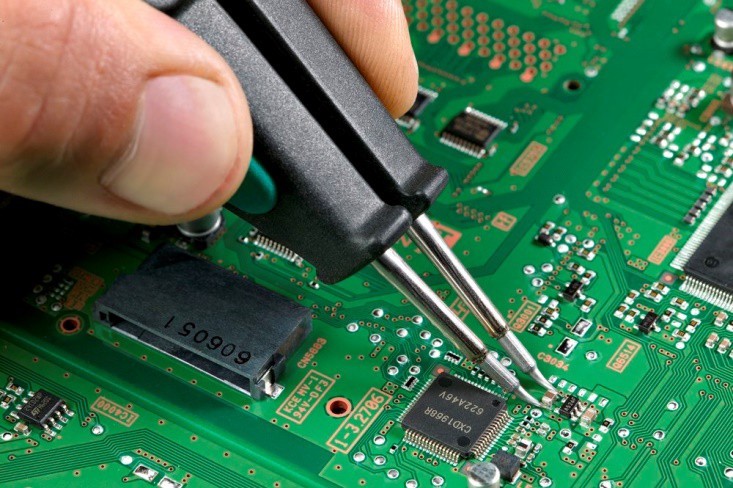
Board-level repairs (no power, Face ID fault, baseband issues, charging IC failure) require diagnosis under a microscope and micro-soldering. These are not same-day repairs. We provide a timeline after diagnosis — typically 1 to 3 business days for most faults, up to 5 days for complex IC replacements.

Quick Reference Table

Repair TypeTime
Screen replacement60–120 min
Battery replacement30–45 min
Charging port replacement45–60 min
Back glass replacement120–180 min
Motherboard repair1–5 days

Does the iPhone Model Affect Repair Time?

Slightly — but not dramatically. The biggest time variable is the repair type, not the specific model. An iPhone 16 Pro Max screen takes about 30 minutes longer than an iPhone 11 screen — not hours longer. The exception is motherboard repair, where time depends entirely on the specific fault.

Do I Need an Appointment?

No appointment needed. Walk-ins welcome at all 4 outlets daily 11am–9pm. We recommend WhatsApping us first at +65 9678 0203 to confirm your part is in stock before making the trip.

What If My Part Needs to Be Ordered?

For standard models this is rare. For unusual colour variants or regional configurations, sourcing adds 1–2 days. We’ll always tell you upfront — we won’t start a job we can’t finish same day without your agreement.

Ready to come in?

Westgate · AMK Hub · Bugis Village · Bedok Mall
Open daily 11am – 9pm · No appointment needed

💬 WhatsApp +65 9678 0203
(function(){var links=document.querySelectorAll(‘.cprs-toc-list a’),headings=[];links.forEach(function(a){var id=a.getAttribute(‘href’).replace(‘#’,”),el=document.getElementById(id);if(el)headings.push({el:el,a:a})});function onScroll(){var y=window.scrollY+140,cur=headings[0];headings.forEach(function(h){if(h.el.offsetTop<=y)cur=h});links.forEach(function(a){a.classList.remove('cprs-toc-active')});if(cur)cur.a.classList.add('cprs-toc-active')}window.addEventListener('scroll',onScroll,{passive:true});onScroll()})();

Selling Your iPhone in Singapore: Current Buy-Back Prices 2026

iPhone trade-in and buy-back prices in Singapore with cash

Selling iPhone in Singapore guide

Selling Your iPhone in Singapore: Current Buy-Back Prices 2026

Thinking about selling your iPhone? Smart move—iPhones hold their value better than any other smartphone brand.

But timing matters. Sell too early, and you lose potential use. Sell too late, and depreciation eats your profit. And if you don’t know current market rates, you might get lowballed by hundreds of dollars.

This guide gives you everything you need to sell your iPhone at the best price in Singapore.

Last updated: February 2026

💡 Quick Tip: iPhone 15 and 16 models retain 60-85% of their original value. iPhone 13 and older models are depreciating fast—sell before they hit the cliff. Check all iPhone selling prices.

Current iPhone Buy-Back Prices (February 2026)

Prices based on excellent condition, clean IMEI, 85%+ battery health.

iPhone 16 Series (2024)

Model 128GB 256GB 512GB 1TB
iPhone 16 Pro Max $1,900 $2,050 $2,200 $2,350
iPhone 16 Pro $1,600 $1,750 $1,900
iPhone 16 Plus $1,100 $1,250 $1,400
iPhone 16 $950 $1,050 $1,200

→ See detailed iPhone 16 prices by condition

iPhone 15 Series (2023)

Model 128GB 256GB 512GB 1TB
iPhone 15 Pro Max $1,450 $1,600 $1,750 $1,900
iPhone 15 Pro $1,200 $1,350 $1,500
iPhone 15 Plus $850 $950 $1,050
iPhone 15 $750 $850 $950

→ See detailed iPhone 15 prices by condition

iPhone 14 Series (2022)

Model 128GB 256GB 512GB
iPhone 14 Pro Max $1,150 $1,250 $1,400
iPhone 14 Pro $950 $1,050 $1,150
iPhone 14 $550 $650 $750
iPhone 13 $500 $600 $700

→ See detailed iPhone 14 prices by condition

How Condition Affects iPhone Value

The Problem: Most sellers think their “good” phone is actually “excellent.” This leads to disappointment when they get offers 20-30% lower than expected.

What’s Happening: Buyers grade phones strictly. What you consider a tiny scratch might drop you from “excellent” to “good” condition, reducing value by 10-15%.

Real-World Example: You think your iPhone 15 Pro Max with a “barely visible” screen scratch is excellent condition. Buyers see it as “good” and offer $1,350 instead of $1,600—you lose $250.

What to Do: Excellent (100%): Zero scratches, 85%+ battery. Good (85-90%): Minor body scratches, 80-84% battery. Fair (60-75%): Screen scratches, 75-79% battery. Poor (40-60%): Cracked screen/back, below 75% battery.

Perfect Timing: When to Sell

The Problem: You’re holding onto your iPhone thinking “I’ll sell it next month” but every month you wait, you lose $50-100 in value.

What’s Happening: iPhones depreciate steadily at 3-5% per month, with sharp drops right after new iPhone launches (September). The longer you wait, the more you lose.

Real-World Example: Your iPhone 16 Pro Max sells for $1,900 in August 2026. After the iPhone 17 launch in September 2026, it drops to $1,600. You lost $300 by waiting one month.

What to Do: Best time: July-August (before new iPhone announcement). Worst time: October-November (right after launch) and January-February (post-holiday glut). Sell NOW rather than waiting—every month costs you money.

Where to Sell in Singapore?

Option 1: Apple Trade-In

Pros: Convenient | Cons: Lowest prices (15-25% below market), credit only

Reality: iPhone 15 Pro Max worth $1,600 cash gets only ~$1,200 trade-in credit

Option 2: Carousell / Facebook

Pros: Potentially highest price | Cons: 10+ hours of work, scam risk, lowballers

Reality: You might get $100-200 more but spend days dealing with time-wasters

Option 3: Certified Phone Repairs SG (Recommended)

  • Fair prices: 90-95% of Carousell rates
  • Instant cash in 15-20 minutes
  • Safe transaction (no scams)
  • Buy ANY condition (cracked screens okay)
  • 3 locations across Singapore

📱 Get instant quote: WhatsApp +65 9678 0203

How to Sell (4 Simple Steps)

  1. Check your iPhone’s value in the iPhone selling prices above
  2. WhatsApp +65 9678 0203 with: model, storage, condition, battery health
  3. Get instant quote within 5-15 minutes
  4. Visit any location: Ang Mo Kio (Blk 703 #01-2533) | Bugis (Blk 269 Queen St #02-225) | WestGate (#03-K2)

Walk out with cash in 15-20 minutes

Open Daily: 11:00 AM – 9:00 PM

Important: Back up your data and sign out of Apple ID before visiting. Need help? See our complete data wiping guide.

Is iPhone Repair Worth It? Complete Cost vs Replace Guide Singapore 2026

Broken iPhone with calculator showing repair costs

📸 Featured Image: Broken iPhone with calculator

You’ve cracked your iPhone screen. Or maybe the battery dies by noon. Perhaps it won’t charge anymore. Now you’re facing the big question: should you repair it or just buy a new phone?

This is a genuine financial dilemma. iPhones aren’t cheap in Singapore—a new iPhone 15 Pro Max costs $2,199. But repairs aren’t free either. This complete guide will help you make the right decision with clear cost breakdowns, decision frameworks, and expert advice.

The Quick Decision Framework

Before diving into details, here’s the TL;DR decision framework:

✅ Repair Makes Sense When:

  • Phone is less than 3 years old
  • Single issue only (just battery OR just screen)
  • Repair cost under 30% of current phone value
  • Everything else works perfectly
  • You’re happy with current phone performance

❌ Replace Makes Sense When:

  • Phone is 4+ years old
  • Multiple issues (battery + screen + other problems)
  • Repair costs exceed 50% of phone’s current value
  • Performance is sluggish even before the issue
  • Model no longer gets iOS updates

Common iPhone Repairs: Costs vs Value

Screen Repair

Apple Official: $258-$598 depending on model
Third-Party: $150-400 for most models

Worth repairing? Yes, for most iPhones less than 4 years old. Screen repair is usually the most cost-effective repair.

Battery Replacement

Apple Official: $119
Third-Party: $60-120

Worth repairing? Absolutely yes! Battery replacement is one of the best value repairs. Makes phone feel brand new.

Charging Port Repair

Third-Party: $60-100

Worth repairing? Yes, simple and affordable fix.

Motherboard/Logic Board Repair

Third-Party: $200-500+ depending on issue

Worth repairing? Depends on phone age and issue complexity. Get free diagnostics first.

iPhone Model-Specific Repair Decisions

Let’s get specific. Here’s repair advice for each iPhone generation:

iPhone 15 / 15 Pro (2023) – Current Flagship

  • Current value: $1,400-2,200
  • Repair decision: Repair almost always worth it
  • Typical repairs: Screen $300-500, Battery $80-120
  • Verdict: Your phone is too new and valuable to not repair

iPhone 14 / 14 Pro (2022)

  • Current value: $1,000-1,800
  • Repair decision: Repair makes sense for single issues
  • Typical repairs: Screen $280-450, Battery $70-100
  • Verdict: Phone has years of life left, repair is smart

iPhone 13 / 13 Pro (2021)

  • Current value: $700-1,400
  • Repair decision: Repair worth it unless multiple issues
  • Typical repairs: Screen $250-380, Battery $60-90
  • Verdict: Still very capable, worth repairing

iPhone 12 / 12 Pro (2020)

  • Current value: $500-1,000
  • Repair decision: Depends on repair cost vs upgrade desire
  • Typical repairs: Screen $200-320, Battery $60-80
  • Verdict: Still solid phone, repair makes sense if you’re not itching to upgrade

iPhone 11 / 11 Pro (2019)

  • Current value: $300-600
  • Repair decision: Borderline—depends on issue
  • Typical repairs: Screen $150-250, Battery $60-80
  • Verdict: Battery replacement absolutely yes. Screen repair maybe. Motherboard repair probably not.

iPhone XS / XR / X (2017-2018)

  • Current value: $200-400
  • Repair decision: Only for cheap repairs
  • Typical repairs: Screen $150-220, Battery $50-70
  • Verdict: Battery replacement okay. Screen repair questionable. Consider upgrading instead.

iPhone 8 and Older (2017 and before)

  • Current value: $100-250
  • Repair decision: Not worth it unless minimal cost
  • Verdict: These iPhones are reaching end of life. Save money for an upgrade.

The Real Cost of “Just Buying New”

Let’s talk about what “buying new” actually costs in Singapore 2026:

  • iPhone 15 Pro Max: $2,199
  • iPhone 15 Pro: $1,849
  • iPhone 15: $1,299
  • iPhone 14: $1,149
  • iPhone SE: $719

Even the “budget” iPhone SE costs $719. That’s about what the iPhone 13 costs used in excellent condition. Would you rather:

  • Pay $150 to fix your iPhone 13’s screen and keep using it for 2 more years?
  • Pay $1,299 for a new iPhone 15 that offers only incremental improvements?

The math often favors repair—unless you genuinely want/need the new features.

Should You Trade In vs Repair?

Apple and phone shops offer trade-in programs. But damaged phones get drastically reduced trade-in values:

Example: iPhone 13 Pro Trade-In Value

  • Perfect condition: $700
  • Cracked screen: $200-300
  • Battery issues: $150-250
  • Multiple issues: $100 or rejected

Better strategy: Repair the screen for $250, then trade in for $700 instead of $250. You net $200 more.

The “Hidden” Benefits of Repairing

Beyond cost savings, repairing has advantages:

  1. Keep your data/setup: No transfer needed
  2. Familiar with your phone: Don’t need to relearn new interface
  3. Environmental: Less e-waste
  4. No setup hassle: Avoid hours of restoring from backup
  5. Keep accessories: Cases, screen protectors, MagSafe accessories all still fit

When You Should Definitely Upgrade Instead

Some situations clearly favor buying new:

  • Your iPhone is 5+ years old (iPhone 8 or older in 2026)
  • Multiple expensive repairs needed simultaneously (screen + battery + charging port = $400+)
  • Phone is getting iOS updates but runs slowly even after repair
  • You’ve already had the same part replaced twice
  • Repair cost exceeds 50% of phone’s current value
  • You genuinely need/want new features (better camera, 5G, etc.)

The Smart Middle Ground: Certified Used/Refurbished

There’s a third option: buy a certified used iPhone instead of brand new. In Singapore, you can get:

  • iPhone 14 Pro: $1,200-1,400 vs $1,849 new
  • iPhone 13: $600-800 vs $1,149 new
  • iPhone 12: $500-650 vs discontinued new

This can make sense if:

  • Your current phone is beyond economical repair
  • You want to upgrade but don’t need the absolute latest
  • You buy from reputable sellers with warranty

Final Decision Calculator

Use this simple formula:

Repair Cost ÷ Current Phone Value = Decision Factor

  • Under 30%: Repair is a no-brainer
  • 30-50%: Repair makes sense if you like your current phone
  • Over 50%: Consider upgrading instead

Example: iPhone 13 screen repair costs $250. Phone worth $800. That’s 31%—borderline but still reasonable to repair.

Conclusion: Repair Usually Wins for iPhones Under 4 Years

For most people with iPhones made in the last 4 years (iPhone 12 and newer in 2026), repair is the smart financial choice. The exceptions are when you face multiple expensive repairs simultaneously, or when you genuinely want to upgrade anyway.

Not Sure If Repair Is Worth It?

Get free diagnostics and an honest assessment. We’ll tell you if repair makes sense or if upgrading is smarter.

Screen Repair Info📱 WhatsApp: 9678 0203

iPhone Screen Repair

iPhone Screen Repair

Get the best and cheap iPhone screen repair

If you have been using an iPhone for a long while now, then you need iPhone screen repair as you should know about the way that your valuable little gadget is very touchy and weak. Being made of delicate materials that can break at the scarcest effect against a hard surface, your iPhone is profoundly inclined to damage. Truth be told, your iPhone’s glass screen is the touchiest part and consequently, it should be dealt with.

Much of the cases of iPhone damage, it is the glass screen of the iPhone that gets harmed or broke. The perfect answer for this is to go for a prompt iPhone repair fix at a decent, solid iPhone fix store. Things being what they are, presently the primary inquiry is the reason precisely the Apple iPhone screen fix is required and for what reason is it an absolute necessity for the eventual fate of your iPhone?

There are different sorts of an accident that may cause iPhone screen harm. That would require a quick fix of the crushed or broken iPhone screen by experienced phone screen repair pros that are ensured to deal with iPhone damage fixes.

Mostly, individuals harm the glass screen of their iPhone by dropping it on another hard surface accidentally. In such a case, the screen either creates web-like splits on its surface or gets crushed totally. The little bits of broken glass, whenever disregarded, typically get inside the gadget and cause harm to the whole interior hardware of the iPhone.

This may prompt changeless harm over the long haul. Subsequently, when the screen of your iPhone gets harmed because of any explanation, it gets basic to connect with an iPhone repair authority quickly for prompt split iPhone screen fix.

Why choose to repair over buying a new one?

Certified Phone Repair SG knows the brand iPhone is a status symbol too as it is a costly cellphone available in the market. Too much money is invested in buying a new phone and then if it screen gets to break it’s not possible for most people to buy another brand new iPhone as soon as possible.

The solution to such a problem is repairing it with an iPhone repair Singapore service in way less than the price you would be paying to buy a new one for the same. Repairing or replacing your iPhone screen is a quick and economical method of fixing your broken screen problem of your iPhone.

And moreover, if you went to an Apple store for this problem they would probably charge you more and maybe also recommend you to buy a new phone for the problem. On the other hand, if you ask yourself where to fix iPhone? Then they will not recommend a new one until it’s beyond repair and you don’t need to worry about many things. Contact certifiedphonerepairsg for such services.

Get easy iPhone screen repair service

Have you just dropped your new iPhone and shattered the “helicopter glass” screen? Don’t worry, you are not alone. Apple has created an even more fragile unit than before, with glass screens ‘s/surfaces on both. This article will go through some of the common issues with replacement and why you might not want to attempt this one on your own.

The disassembly is far more complicated than simply removing two screws and using a suction cup to repair the glass screen. This model requires many components including the battery, microphone, camera, etc. to be detached from the motherboard prior to accessing the connection screws for the glass screen and LCD. Once those are successfully removed, you must still remove 10 screws, 8 of which have washers, and then carefully pry out the glass screen/LCD unit.

In this process, several users have already reported that they have broken the cables connecting the glass screen to the motherboard.

The above description along with many more to come is one reason why the novice DIY should refrain from attempting this iPhone screen repair on their own. Contact certifiedphonerepairsg Singapore repairing services.

iPhone repair near me

Conclusion

There are various reasons why you ought to go for iPhone screen substitution instead of buying another iPhone. Be that as it may, the most important reason is the overwhelming cost engaged with obtaining another gadget. Purchasing another iPhone is a lot costlier than getting its screen replaced at a solid fix store.

These days, the greater part of the iPhone fixes stores in significant towns and urban areas offer iPhone LCD screen fix and substitution administrations at sensible costs. In this way, on the off chance that you have any issue with the screen of your iPhone, you can get it fixed. All you have to know is the ideal spot to go for screen substitution or learn more from certifiedphonerepairsg site.

iPhone Repair

iPhone Repair

iPhone repair in Singapore for cracked screen repair/replacement

iPhone repair helps you in maintaining the device which wakes you up, kicks you into the day’s tune, and keeps you updated. It catches your ideal minutes, associates you to the web, and keeps your preferred music library a catch away. That is all that an iPhone does which is more than most telephones out there can do. This is the reason an iPhone is a hot decision among all its opposition.

On the off chance that an iPhone has begun to give indications of failing or on the off chance that it has stopped working, again and again, that is the point at which the ball is in your court to spoil your iPhone. It is vital to take it to the iPhone repair Singapore. However, that doesn’t mean you have to spend a fortune on the fix. You can contact https://certifiedphonerepairsg.com iPhone fix which can give a quick and reasonable arrangement.

The main choice that rings a bell for phone repair may be the authentic Apple store. An Apple Store is a costly alternative as the experts there would settle on a substitution instead of a fix, and you would wind up paying for that. There are some Apple stores that even attempt to make you purchase another model rather than fixing the current one.

The extras that the Apple store gives are additionally valued exceptionally high. In the event that your iPhone isn’t under guarantee, the bill sum for the fix could cost you a great deal as the replacement at the Apple Store is fantastically overrated.

Why choose iPhone repair services

Where to fix iPhone? For a financially stable arrangement, picking a decent iPhone repair is beneficial. These spots rather than the Apple stores don’t endeavor to sell new demonstrate iPhones or shred proprietors off their cash. Rather, they attempt to cut down the fix bill by fixing any place conceivable as opposed to replacing aimlessly.

A few issues that a damaged iPhone may have can go from Volume controls to a product breakdown. Give certifiedphonerepairsg Singapore a chance in the event that your iPhone LCD is broken or harmed or spilling hues, you should surge it to the closest iPhone screen repair. They can rapidly supplant your LCD or simply the outside iPhone screen.

Why not repair the iPhone yourself?

You will discover instructional recordings on the internet. If you don’t mind being cautious. By and large, the individual who made the video of the fix might want to sell you the parts for significantly more than they are worth. For instance, the glass for the new version iPhone is less than what you can pay, likely not. On account of the iPhone, a few people are selling the glass alone.

Not many individuals can fix the iPhone by viewing a video. Professionals learn while being viewed by an accomplished expert for about two months. The iPhone inside is stuffed with fragile connectors.

Make one wrong move and you never again have a cellphone – you’ll have a paperweight since it is so natural to harm the motherboard, which is the core of the telephone. There are 18 screws to evacuate. Each must return in the ideal spot. In the event that one screw is set wrong, the telephone won’t work. Got to certifiedphonerepairsg tutorial for I phone repairs.

Conclusion

At last, we can say that buying and maintaining an iPhone is a tough task but it gets easy with certifiedphonerepairsg guide repair services which will help you in any kind of damage your cell phone has occurred. Whether its water damage, broken screen, or internal problem Contact Certified Phone Repair SG for best service regarding repairing of your iPhone.

Get the perfect solution of fixing the issues with iPhone Motherboard

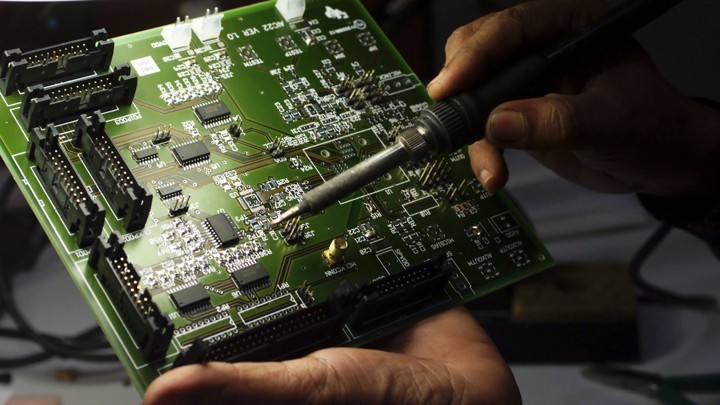
The motherboard is always a very important part of any mobile phones. Rather a phone is totally incomplete without a proper motherboard. Sometimes if you see that your Motherboard is not working properly then it can be a matter a great tension. However, in the following parts, we will try to find out the exact way of finding the issues and fixing the same. Further, we cannot imagine our life without a smartphone in hand. It is the best way to get in touch with the whole world. In short, smartphones have made people smarter and updated. But in some cases, some issues with smart phones make people worried and tensed. People in such a situation will always try to solve the matter, but at some point it is not possible to do so. In most of the cases, battery replacement a cracked iphone screen repair are some of the noted ones.

What to do if the Motherboard of smartphone malfunctions and how to repair the same?

As CPU is said to be the heart of the computer so in the same way Motherboard is the heart of a smartphone. In case of any issues it will not function easily. The circuit board of mobile holds various important parts in a mobile. To be very specific if the heart of a person stops, then he is declared as a dead one. In the same way, if the motherboard stops working, then the phone is declared to be a damaged one. In such a situation, it is very essential to move to a technician who is well equipped in this subject.

Is it impossible to fix your Motherboard?

The above-mentioned statement is true to some extent. In a case if you’re Motherboard fails to work properly, then you need to consult technicians. This is because the repairing tools require a good set of tools which may not be present with a common man. Apart from this, experience also matters a lot.

Apart from this, dedicated tools and workmanship are also equally required that can help in repairing the motherboard safely. So, it is always better to give such devices to an experienced technician or skilled people just like Certified Repairs.

Iphone Repair

What can be the cause of a faulty motherboard?

It is now absolutely clear that like human body smart phones also shows prior symptoms through which one can easily detect the problems of their phones. Now let us have a glimpse of some of the causes that can affect the motherboard.

Iphone Repair Singapore

Continuous use of mobile phones:

If you use mobile phones for a long time, then it becomes heated. This heat will remove the copper and aluminum materials that help to hold the parts. The issue mainly arises when the same lose contact with the motherboard. Most of the smartphones are very advanced in the present time. They will stop charging when it is fully charged. Apart from this, if you are a hardcore user of mobile phones then you will see that the phone gets heated even during the charging period.

Iphone Screen Repair

Damage through water:

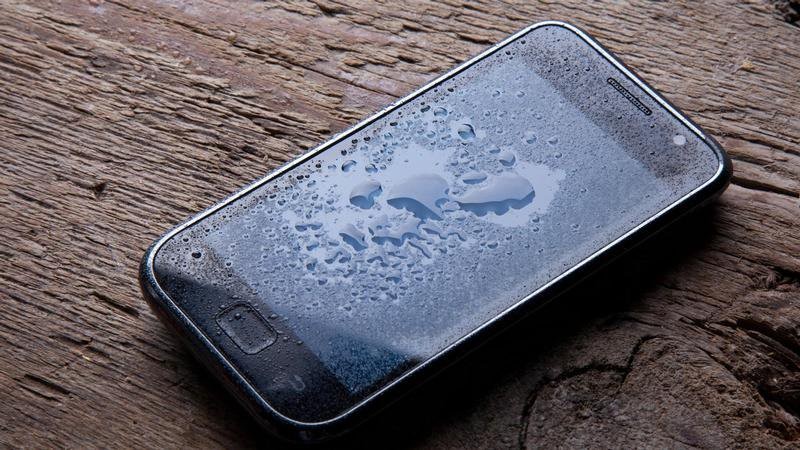
Water is the main enemy of a smartphone. Even a single drop of water is enough to destroy the phone immediately. The moment the motherboard comes in contact with water a spike in the current causes short-circuit. So, the best way to treat this problem is by switching off the phone immediately, it comes in contact with water. Then clean the phone with dry cloth.

Iphone Fix Singapore

Sudden fall of mobile phones:

At the same time, if your phone is dropped from a certain extent, then you will obviously notice damage on the motherboard. Even the screen can be damaged to a good extent. Although in some cases it has been noticed that the screen guard can help from damaging the screen.

Where To Fix Iphone

Faulty manufacturing:

Sometimes there may be some issues or negligence at the time of manufacturing that may lead to the damage of the phone after a certain time. The problem may mainly arise in case of engineering defects. If you are using a smartphone like Samsung and iPhone then you can observe the following defects of the same has been caused due to the negligence of the manufacturers.

Iphone Repair in Singapore

If you are using Note 4 then the eMMC can be one of the problems of manufacturing.

In case of iPhone 6 to 6S, it is noticed that soon after the software update the battery starts to drain quickly. The main reason for this is that the software may not be compatible with the battery.
The design of iPhone 6 Plus is so poor that it bends the device up to 7.2 times.

The touch issues of iPhone 7plus are very common as it is mainly caused due to the Touch IC malfunctioning of the motherboard.

In case of iPhone XS Max, the issue is mainly in case of water damage.

Rooting issue with Android phones:

Best Iphone Repair Service In Singapore

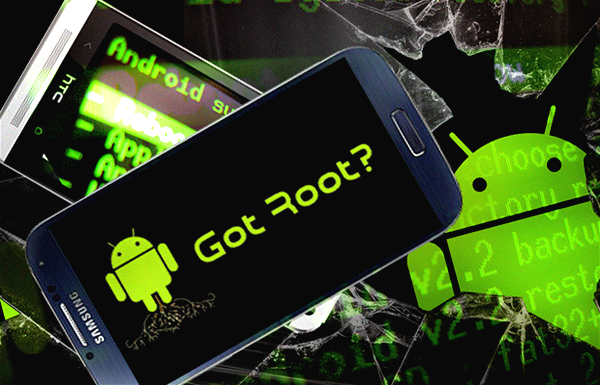
Rooting is also considered as one of the main problems of most of the smartphones. Like the other ones, Android also comes with an Operating System. The operating system has certain restrictions and limitations and so it can hamper the stability of the phone. Rooting is the process of removing such limitations and restrictions. Rooting is nice when everything works in a wonderful way, but the main problem arises in case of difficulties. In such a situation you cannot remove the CPU and buy a new one like a computer.

How it is possible to know whether the Motherboard is repairable?

If you notice any issues in the case of smartphones then it is always better to inform or get in touch with a skilled and experienced technician who can guide in the best possible way. If the same is found within the warranty period then the same is replaced by the company as soon as possible. In other words, check everything while buying a smartphone. If you feel any doubt then make it cleared from the company. Also, handle the phone very carefully. It is also better to visit the Phone Repair Shop for any issues.

Battery Replacement of Apple iPhone in Singapore

The phone’s battery has a shelf life. The software, display and the hardware of your phone can last up to almost 7 years. However, the battery’s shelf life is limited.

Exactly like the batteries of your car, the performance level drops after the usage of a few years. They become incapable of holding the charge and your phone drains very quickly.

A charging case or a power bank may help you sometimes; however, losing charge at a crucial moment might be frustrating for you.

Most of the users think that they need to replace the phone, but you can continue using the phone just by changing the battery.

Do you want get your iPhone’s battery replaced in Singapore?

The bad news is that the replacement of an iPhone’s battery has become quite expensive. The rates have almost doubled. Please check the rates below:

Ideas on how you may improve the battery life of your iPhone

Many times it’s just a few of your existing apps which drain out your battery. Here are some tips to help you retain your battery life without replacing it.

Updating IOS:

Keep your software always updated because old software may impact your battery life. Nowadays, Apple’s software updates don’t slow down your phone, so you may update your software without a second thought.

Reduce Brightness:

People often tend to use their phone with high brightness. That is not, of course not necessary at all. The difference between full brightness and medium brightness is your battery lasting for more 2-3 hours. Try to reduce the brightness when not required.

Keep the mobile data, Bluetooth, Wi-Fi, and airdrop turned off

All of the above mentioned, reduce your battery life as they are continuously looking for networks and other devices. When you switch on your phone, make sure to switch off those icons manually.

Sound and vibration modes:

When a phone is on vibration mode or on loud sound, it tends to use more battery charge. Try not to use the vibration mode and reduce the sounds of the notifications. This will help you to double up your battery life.

Keep the sync option turned off:

We keep the sync option on for many of the apps. One of them is the emails. If you get emails from an account which you do not use, turn off the sync feature. Or for any other app which asks you to sync your phone contacts, please deny the option. This way you should be able to save some of your battery life.

Delete apps which cause battery drain:

There are few apps which use a lot of your battery charge because it keeps playing in the background. Apps like Facebook, maps, LinkedIn should be closed when not in use. They keep refreshing themselves with every update that comes in, leading to battery drain.

iPhone Battery Replacement in Singapore – FAQ

What is the cost to get an iPhone battery replaced in Singapore?

The following table can give you a detailed overview.

Cost table of battery replacement at Apple service centers of Singapore

See Certified Phone Repair prices for iPhone Battery Replacement

• Does Apple replace batteries in store?

Yes, apple replaces batteries within the store. They have a team of qualified technicians at their service centers that get the job done with proficiency.

• Is it worth to get the apple battery replaced?

Once you get the battery replaced, you would be able to use the same phone for few more years, without investing in a new one. That way, it would be cost-effective. Just because of the battery, there is no point investing in a new phone.

• Where can I get my iPhone battery replaced?

iPhone batteries can be replaced at an authorized Apple service center or at the Apple store. It is better to go to the authorized dealers only.

• Is it possible to replace the iPhone battery at home by an individual

It would be absolutely risky to try to change the battery at home, as the process requires special tools. The technicians who perform the task is qualified with the special skill set, hence they would be able to do it flawlessly. Also, your warranty gets void if you open up your iPhone on your own.

• Does apple replace the battery for free?

They would certainly replace it for free only if it is under warranty and if the issue is due to a manufacturing defect. They will not entertain free replacement if your battery starts to drain due to everyday usage or any external wear and tear.

• How worth is it to replace the iPhone battery?

It is completely worth to get the battery replaced. By doing so you can prevent yourself from charging the phone every now and then and you don’t have to carry the phone case or the power bank everywhere.

• Is there is a chance to lose data when you replace iPhone battery?

Data and battery are two different components of your phone. Their work does not intersect each other. Hence, data does not get affected when you change your phone’s battery.

• How do I know when to replace the battery?

When you lose a charge every minute even when you are not using your phone is the best time to get your iPhone’s battery replaced. This is an indication that you should change your battery.

• Will my phone work faster after replacing the battery?

No. It’s not the phone that works faster; it’s the battery that lasts longer than before.

• What is the longevity of an iPhone’s battery?
iPhone batteries are said to last for 400 charges, which is calculated to be around 2 years of usage.

Checking your iPhone battery health

Replacement of iPhone battery at Singapore

An iPhone generally lasts for 3-4 years and gives hassle-free service. The crux is, you need to keep updating your phone’s software and change battery when required.

Certified Phone can replace the iPhone battery at a reasonable price.

Check the prices for iPhone Repair Singapore