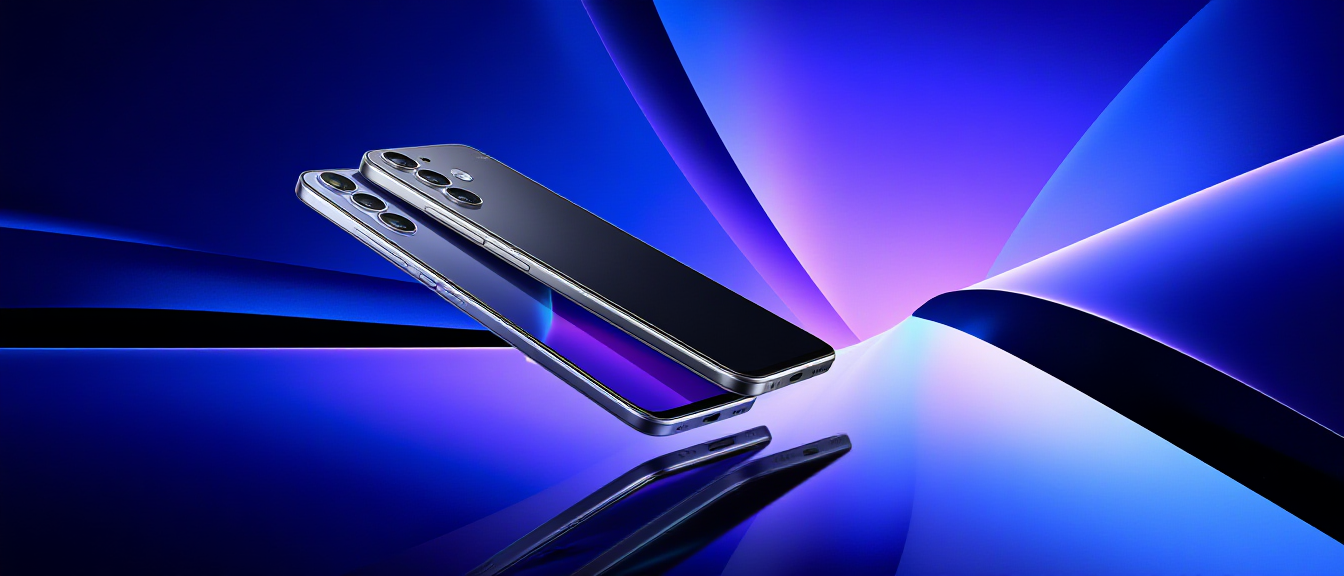
Samsung Galaxy Trade-In Guide: S23, S24, Z Fold & Flip Prices Singapore 2026

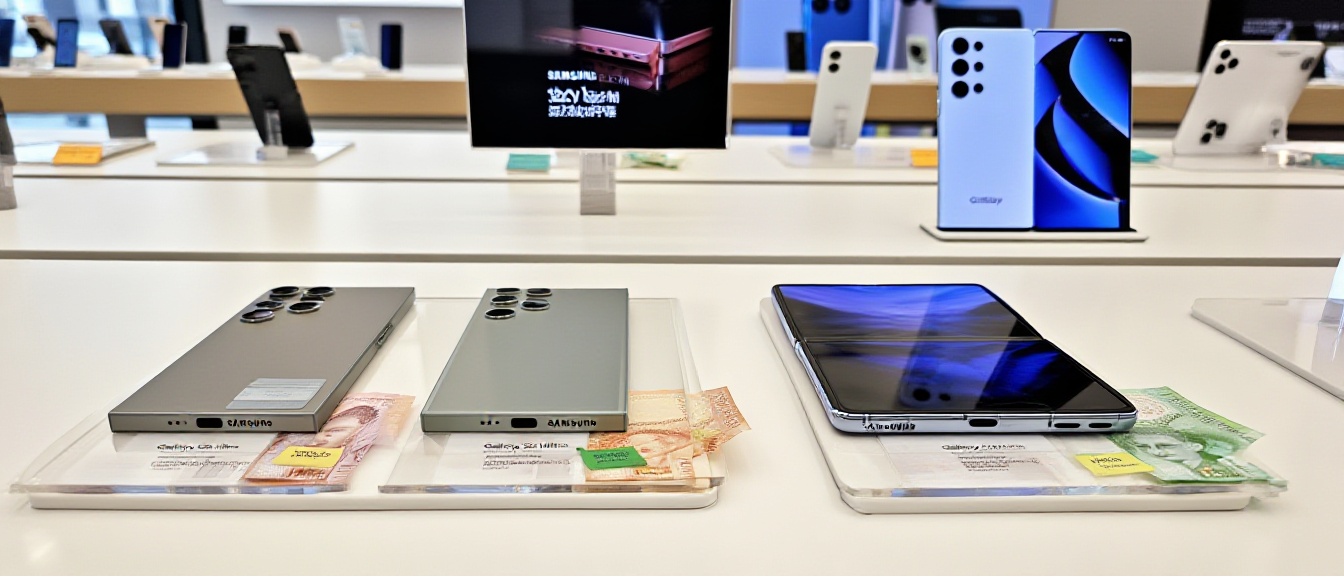
Samsung Galaxy phones with price tags and Singapore dollars for trade-in

Samsung Galaxy smartphones

Samsung Galaxy Trade-In Guide: S23, S24, Z Fold & Flip Prices Singapore 2026

Looking to sell your Samsung Galaxy phone? Smart decision to sell—but timing and condition matter more than you think.

Unlike iPhones with straightforward pricing, Samsung’s resale market is complex. Why? Multiple models, regional variations (Exynos vs Snapdragon), foldable complications, and pickier buyers.

This guide shows you exactly what your Samsung is worth in February 2026 and how to get top dollar.

Last updated: February 2026

Understanding Samsung Resale Value

Before we dive into specific prices, it’s important to understand what makes Samsung different from iPhone resale.

Samsung releases 20+ models per year compared to Apple’s 4. This floods the used market and accelerates depreciation. Samsung phones typically lose 40-50% of their value in the first year, while iPhones lose only 25-35%.

Additionally, Samsung buyers are extremely picky about condition—particularly AMOLED burn-in, Knox warranty status, and for foldables, screen protector and hinge condition.

💡 Quick Tip: Samsung flagships (S Ultra, Z Fold) retain value similar to mid-tier iPhones, but mid-range Samsung phones (A-series) depreciate extremely fast—often losing 50% value in just 6 months.

Current Samsung Galaxy Buy-Back Prices (February 2026)

Prices based on Singapore versions (Snapdragon processors), excellent condition, clean IMEI, fully functional.

Samsung Galaxy S24 Series (2024)

Model 256GB 512GB 1TB
S24 Ultra $1,250 $1,400 $1,550
S24+ $950 $1,050
S24 $700 $800

Samsung Galaxy S23 Series (2023)

Model 256GB 512GB 1TB
S23 Ultra $950 $1,050 $1,200
S23+ $700 $800
S23 $500 $600

Samsung Galaxy Z Fold Series

Model 256GB 512GB 1TB
Z Fold 6 (2024) $1,600 $1,750 $1,900
Z Fold 5 (2023) $1,250 $1,400 $1,550
Z Fold 4 (2022) $850 $950 $1,050

Samsung Galaxy Z Flip Series

Model 256GB 512GB
Z Flip 6 (2024) $900 $1,000
Z Flip 5 (2023) $700 $800
Z Flip 4 (2022) $450 $550

Value Killer #1: AMOLED Burn-In

The Problem: Your screen shows permanent ghost images of the status bar, keyboard, or navigation buttons. These shadows are visible when displaying white or gray backgrounds.

What’s Happening: AMOLED displays degrade unevenly. Pixels displaying the same image for extended periods (like status icons) wear faster than others, creating permanent discoloration. This is irreversible.

Real-World Example: You open a white webpage and see faint outlines of your keyboard keys ghosted into the display. Or status bar icons remain visible even when the status bar is hidden. This is burn-in.

What to Do: Display a pure white or gray fullscreen image to check for burn-in before selling. If visible, expect 20-30% value reduction. An S23 Ultra with noticeable keyboard burn-in sells for $700 instead of $950.

Value Killer #2: Knox Warranty Void

The Problem: Your phone shows “Knox Warranty: VOID (0x1)” because you rooted it or installed custom ROMs. This status is permanent and cannot be reversed.

What’s Happening: Knox is Samsung’s hardware security fuse. When tripped, it permanently signals that the phone’s security has been compromised. Buyers see this as a red flag, and many shops refuse to buy Knox-void phones entirely.

Real-World Example: You rooted your S24 Ultra to install custom apps. The phone works perfectly, but Knox shows void. Instead of selling for $1,250, you can only get $850—a permanent loss of $400.

What to Do: Check Knox status at Settings > About Phone > Knox Version. If it shows “0x1”, expect 30-40% value drop. Certified Phone Repairs SG still buys Knox-void phones at reduced prices, though many other shops refuse them.

⚠️ Warning: Before rooting your Samsung, understand that you’re permanently reducing resale value by hundreds of dollars. There is absolutely no way to reset or undo Knox warranty void status.

Value Killer #3: Foldable Screen Protector

The Problem: Your Z Fold or Z Flip’s factory screen protector is bubbling, peeling, or has been replaced with an aftermarket one. Buyers are extremely particular about protector condition.

What’s Happening: Factory screen protectors are precision-fitted. Aftermarket replacements are obvious to trained eyes. Buyers know replacement costs $80-120, and they worry about hidden screen damage underneath removed protectors.

Real-World Example: Your Z Fold 5’s factory protector developed slight bubbling at the crease. You replaced it with a third-party protector. Buyers immediately notice the difference and offer 5-10% less, assuming possible screen damage.

What to Do: Factory protector intact = full price. Aftermarket protector = -5%. No protector (exposed screen) = -15-20%. Bubbling/peeling = -10-15%. Unless severely damaged, leave the factory protector—buyers prefer original even if slightly worn.

Value Killer #4: Exynos vs Snapdragon

The Problem: Some Samsung phones use Exynos processors (mainly European models) while others use Snapdragon (Singapore, US models). Buyers strongly prefer Snapdragon versions.

What’s Happening: Snapdragon processors offer better performance, superior battery life, and better gaming capabilities. Exynos models are known for overheating issues and shorter battery life, making them less desirable.

Real-World Example: Two identical S24 Ultra 256GB phones—one with Snapdragon (Singapore model), one with Exynos (EU import). The Snapdragon version sells for $1,250, while the Exynos only fetches $1,100—a $150 difference for the same phone.

What to Do: Check your processor at Settings > About Phone > Processor. Singapore models use Snapdragon. If you have an Exynos variant, expect 10-15% lower resale value.

When to Sell Your Samsung Galaxy

Samsung’s predictable release schedule directly impacts used phone values. Timing your sale correctly can save you hundreds of dollars.

Galaxy S Series (February Launch)

Best time to sell: December to January (before the new model announcement)

Real Example – Galaxy S23 Ultra 256GB: January 2026 sells for $1,050. March 2026 (after S25 launch) drops to $850-900. Loss from waiting just 2 months: $150-200

Galaxy Z Fold/Flip (August Launch)

Best time to sell: June to July

Real Example – Galaxy Z Fold 5 512GB: July 2026 sells for $1,400. September 2026 (after Z Fold 7 launch) drops to $1,150. Loss from waiting: $250

Where to Sell in Singapore?

Option 1: Samsung Official Trade-In

Pros: Convenient | Cons: Lowest prices (30-40% below market), credit only

Reality: S24 Ultra worth $1,250 cash gets only ~$800 trade-in credit

Option 2: Carousell / Facebook

Pros: Potentially highest price | Cons: Wait 2-4 weeks, buyers extremely picky, more scams

Option 3: Certified Phone Repairs SG (Recommended)

  • Fair prices: 85-90% of Carousell (no waiting)
  • Instant cash in 15-20 minutes
  • Buy ANY condition (cracked, burn-in, Knox void)
  • Foldable specialists (proper evaluation)
  • Samsung Authorized Partners

📱 Get instant quote: WhatsApp +65 9678 0203

How to Sell (4 Simple Steps)

  1. Find your model’s value in the pricing tables above
  2. WhatsApp +65 9678 0203 with: model, storage, condition, any issues
  3. Get instant quote within 5-15 minutes
  4. Visit any location: Ang Mo Kio (Blk 703 #01-2533) | Bugis (Blk 269 Queen St #02-225) | WestGate (#03-K2)

Walk out with cash in 15-20 minutes

Open Daily: 11:00 AM – 9:00 PM
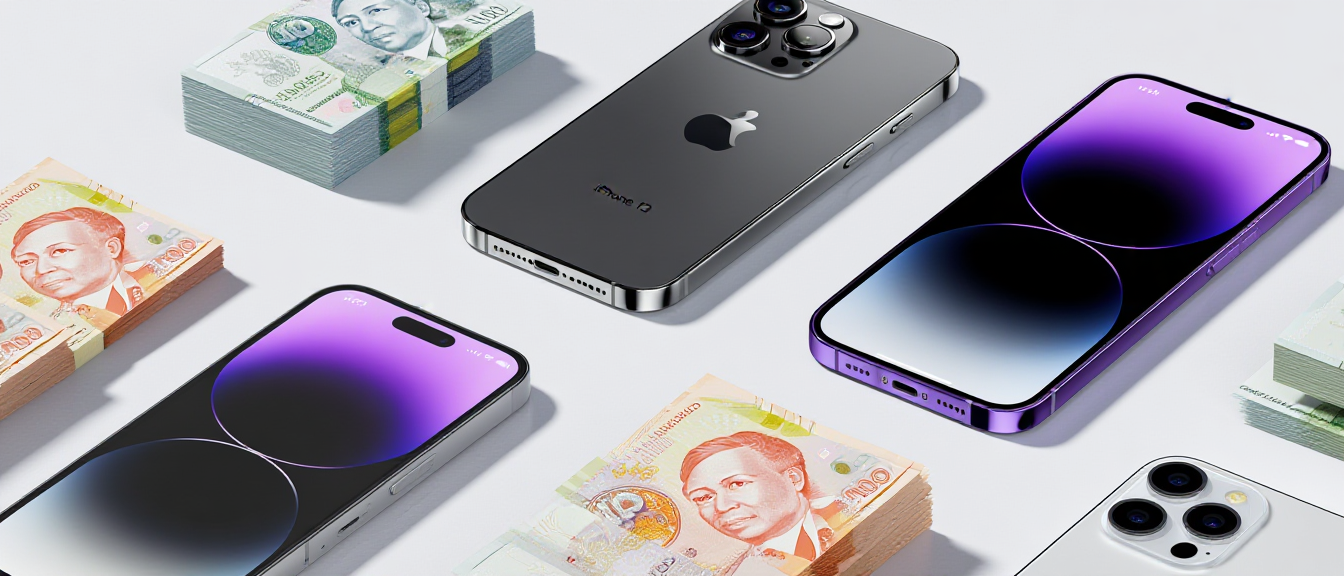
Selling Your iPhone in Singapore: Current Buy-Back Prices 2026

iPhone trade-in and buy-back prices in Singapore with cash

Selling iPhone in Singapore guide

Selling Your iPhone in Singapore: Current Buy-Back Prices 2026

Thinking about selling your iPhone? Smart move—iPhones hold their value better than any other smartphone brand.

But timing matters. Sell too early, and you lose potential use. Sell too late, and depreciation eats your profit. And if you don’t know current market rates, you might get lowballed by hundreds of dollars.

This guide gives you everything you need to sell your iPhone at the best price in Singapore.

Last updated: February 2026

💡 Quick Tip: iPhone 15 and 16 models retain 60-85% of their original value. iPhone 13 and older models are depreciating fast—sell before they hit the cliff. Check all iPhone selling prices.

Current iPhone Buy-Back Prices (February 2026)

Prices based on excellent condition, clean IMEI, 85%+ battery health.

iPhone 16 Series (2024)

Model 128GB 256GB 512GB 1TB
iPhone 16 Pro Max $1,900 $2,050 $2,200 $2,350
iPhone 16 Pro $1,600 $1,750 $1,900
iPhone 16 Plus $1,100 $1,250 $1,400
iPhone 16 $950 $1,050 $1,200

→ See detailed iPhone 16 prices by condition

iPhone 15 Series (2023)

Model 128GB 256GB 512GB 1TB
iPhone 15 Pro Max $1,450 $1,600 $1,750 $1,900
iPhone 15 Pro $1,200 $1,350 $1,500
iPhone 15 Plus $850 $950 $1,050
iPhone 15 $750 $850 $950

→ See detailed iPhone 15 prices by condition

iPhone 14 Series (2022)

Model 128GB 256GB 512GB
iPhone 14 Pro Max $1,150 $1,250 $1,400
iPhone 14 Pro $950 $1,050 $1,150
iPhone 14 $550 $650 $750
iPhone 13 $500 $600 $700

→ See detailed iPhone 14 prices by condition

How Condition Affects iPhone Value

The Problem: Most sellers think their “good” phone is actually “excellent.” This leads to disappointment when they get offers 20-30% lower than expected.

What’s Happening: Buyers grade phones strictly. What you consider a tiny scratch might drop you from “excellent” to “good” condition, reducing value by 10-15%.

Real-World Example: You think your iPhone 15 Pro Max with a “barely visible” screen scratch is excellent condition. Buyers see it as “good” and offer $1,350 instead of $1,600—you lose $250.

What to Do: Excellent (100%): Zero scratches, 85%+ battery. Good (85-90%): Minor body scratches, 80-84% battery. Fair (60-75%): Screen scratches, 75-79% battery. Poor (40-60%): Cracked screen/back, below 75% battery.

Perfect Timing: When to Sell

The Problem: You’re holding onto your iPhone thinking “I’ll sell it next month” but every month you wait, you lose $50-100 in value.

What’s Happening: iPhones depreciate steadily at 3-5% per month, with sharp drops right after new iPhone launches (September). The longer you wait, the more you lose.

Real-World Example: Your iPhone 16 Pro Max sells for $1,900 in August 2026. After the iPhone 17 launch in September 2026, it drops to $1,600. You lost $300 by waiting one month.

What to Do: Best time: July-August (before new iPhone announcement). Worst time: October-November (right after launch) and January-February (post-holiday glut). Sell NOW rather than waiting—every month costs you money.

Where to Sell in Singapore?

Option 1: Apple Trade-In

Pros: Convenient | Cons: Lowest prices (15-25% below market), credit only

Reality: iPhone 15 Pro Max worth $1,600 cash gets only ~$1,200 trade-in credit

Option 2: Carousell / Facebook

Pros: Potentially highest price | Cons: 10+ hours of work, scam risk, lowballers

Reality: You might get $100-200 more but spend days dealing with time-wasters

Option 3: Certified Phone Repairs SG (Recommended)

  • Fair prices: 90-95% of Carousell rates
  • Instant cash in 15-20 minutes
  • Safe transaction (no scams)
  • Buy ANY condition (cracked screens okay)
  • 3 locations across Singapore

📱 Get instant quote: WhatsApp +65 9678 0203

How to Sell (4 Simple Steps)

  1. Check your iPhone’s value in the iPhone selling prices above
  2. WhatsApp +65 9678 0203 with: model, storage, condition, battery health
  3. Get instant quote within 5-15 minutes
  4. Visit any location: Ang Mo Kio (Blk 703 #01-2533) | Bugis (Blk 269 Queen St #02-225) | WestGate (#03-K2)

Walk out with cash in 15-20 minutes

Open Daily: 11:00 AM – 9:00 PM
Important: Back up your data and sign out of Apple ID before visiting. Need help? See our complete data wiping guide.

How to Prepare Your Phone for Selling: Complete Checklist Singapore 2026

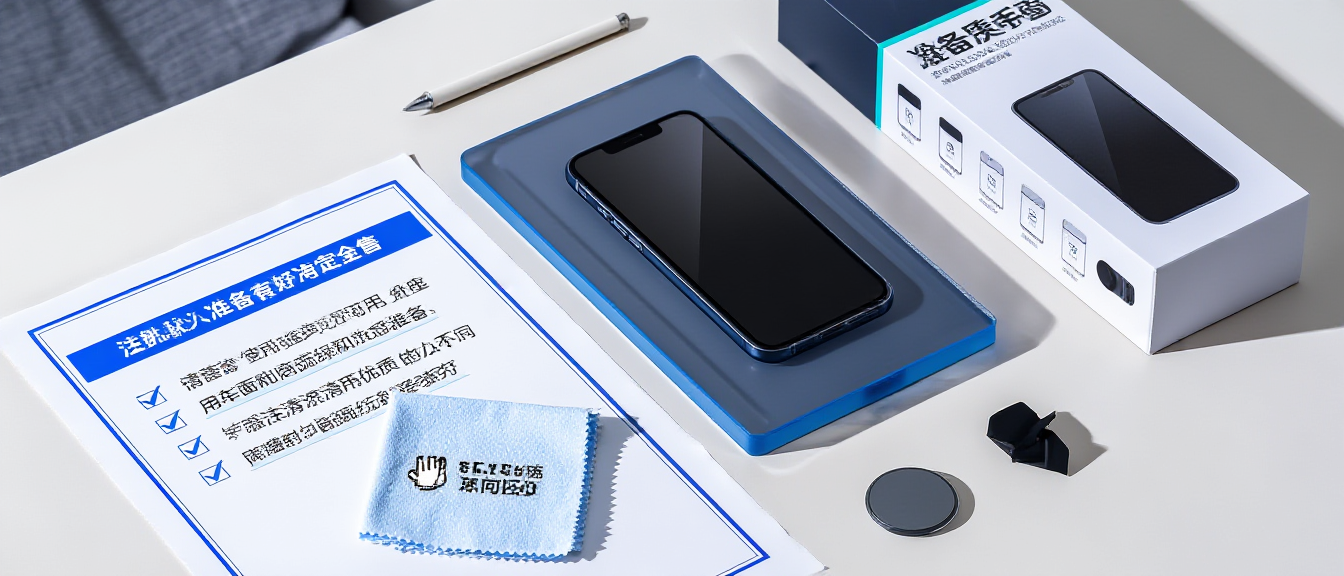
Phone preparation checklist for selling with cleaning supplies and accessories

Prepare phone for selling checklist

How to Prepare Your Phone for Selling: Complete Checklist

You’ve decided to sell your iPhone or Samsung Galaxy. Smart move—but before you hand it over to the next owner, there are critical steps you must take to protect your data, maximize resale value, and ensure a smooth transaction.

Skip even one of these steps, and you could: lose precious photos forever, have your banking apps accessed by strangers, get lowballed because of “hidden issues”, or face angry callbacks from buyers weeks later.

This is your complete pre-sale checklist. Follow it step-by-step.

Last updated: February 2026

⚠️ Warning: Factory resetting WITHOUT signing out first triggers Activation Lock (iPhone) or Factory Reset Protection (Android). The buyer won’t be able to use the phone. Do these steps IN ORDER.

Step 1: Back Up Everything

The Problem: You factory reset your phone, then realize you forgot to save your photos, WhatsApp chats, or important documents. Once wiped, data is gone forever.

What’s Happening: Cloud backups aren’t automatic for everything. Photos might sync to iCloud/Google Photos, but WhatsApp chats, app data, and custom settings require manual backup.

Real-World Example: You sell your iPhone, then realize your 2-year WhatsApp chat history with your late grandmother is gone forever because you forgot to back up WhatsApp separately from iCloud.

What to Do: iPhone: Settings > [Your Name] > iCloud > iCloud Backup > Back Up Now. Wait for “Last successful backup: Today.” Android: Settings > Google > Backup > Back Up Now. WhatsApp (both): WhatsApp > Settings > Chats > Chat Backup > Back Up.

Step 2: Sign Out of All Accounts (CRITICAL)

The Problem: You factory reset without signing out. The buyer gets stuck at a “Hello” screen demanding YOUR Apple ID or Google password. They can’t use the phone at all.

What’s Happening: Activation Lock (iPhone) and Factory Reset Protection (Android) are anti-theft features that require the original owner’s login to reactivate after a factory reset. If you reset without signing out first, the lock stays active.

Real-World Example: You sell your iPhone to someone on Carousell. Three days later, they call you furious because they can’t set it up—it’s asking for your Apple ID password. You now have to meet them again to unlock it.

What to Do: iPhone: Settings > [Your Name] > Sign Out (enter Apple ID password). Android: Settings > Accounts > Remove each Google/Samsung account. This MUST be done BEFORE factory reset.

Step 3: Remove SIM & Memory Card

The Problem: You sell your phone and realize your SIM card (with your phone number) or microSD card (with private photos) is still inside.

What’s Happening: SIM cards aren’t visible when the tray is closed. MicroSD cards hide in the same slot (Android). People forget to physically check before selling.

Real-World Example: You sell your Samsung Galaxy, and the buyer contacts you days later saying they found your SIM card with your number on it. They could have accessed your telco account or made calls under your name.

What to Do: Use the SIM ejector tool (or paperclip) to pop out the tray. Physically check BOTH sides of the tray—some phones have dual SIM + microSD slots.

Step 4: Check IMEI Status

The Problem: You try to sell your phone but get rejected because the IMEI is blacklisted (reported stolen or unpaid installment).

What’s Happening: If a phone was reported lost/stolen or still has unpaid installments to a telco, its IMEI gets blacklisted. Blacklisted phones can’t be activated on Singapore networks and have near-zero resale value.

Real-World Example: You bought a second-hand iPhone from someone online. Now you want to sell it, but shops reject it because the previous owner reported it stolen to claim insurance. You’re stuck with a useless phone.

What to Do: Dial *#06# to get your IMEI number. Check it at imei.info or imeicheck.com. Must show “Clean” status. If blacklisted, you can only sell for parts (very low value).

Step 5: Check Battery Health

The Problem: You think your battery is fine, but when the buyer tests it, they discover it’s at 75% health and demand a price reduction or walk away.

What’s Happening: Battery health directly affects resale value. Below 80% is considered degraded, and buyers expect 15-25% discount. Shops test this immediately, so you can’t hide it.

Real-World Example: You quote $1,200 for your iPhone 15 Pro based on online prices. The shop tests battery health—70%—and offers only $900. You wasted your time traveling there.

What to Do: iPhone: Settings > Battery > Battery Health. Check Maximum Capacity. Android: Download AccuBattery app, charge to 100%, check Health %. Know this BEFORE quoting prices.

Step 6: Gather Original Accessories

The Problem: You can’t find the original box or charging cable. You lose 10-20% of potential resale value.

What’s Happening: Buyers perceive “full set” (box + accessories) as better cared-for. Shops can resell complete sets at higher prices, so they pay you more.

Real-World Example: Two identical iPhone 15 Pro 256GB. One has the original box and cable—sells for $1,350. The other has no box—sells for $1,150. That’s a $200 difference.

What to Do: Include: Original box, charging cable, charging brick (if originally included), earphones (older iPhones), SIM ejector tool, warranty card. Don’t have the box? You’ll still get fair value, just slightly less.

Step 7: Clean Your Phone

The Problem: Your phone is covered in fingerprints, dust in the charging port, and smudges on the camera lens. It looks neglected even though it works perfectly.

What’s Happening: First impressions matter. A dirty phone makes buyers think it was poorly maintained, lowering their offer even if there’s no actual damage.

Real-World Example: You bring a perfectly functional iPhone to sell, but the screen has greasy fingerprints and the charging port is full of lint. The buyer offers $100 less because it “looks old.”

What to Do: Screen/back: microfiber cloth + tiny bit of isopropyl alcohol. Camera lens: gentle wipe. Charging port: wooden toothpick to remove lint. Speaker grills: soft brush. Takes 5 minutes, increases value.

Step 8: Factory Reset (FINAL STEP)

The Problem: You factory reset too early (before backing up or signing out), losing your data or triggering Activation Lock.

What’s Happening: Factory reset erases everything permanently. If done in the wrong order, you lose data or create problems for the buyer. This must be the LAST step.

Real-World Example: You factory reset first, then realize you never backed up your photos. They’re gone forever. Or you reset without signing out of Apple ID, and now the buyer can’t activate the phone.

What to Do: Only after completing ALL previous steps: iPhone: Settings > General > Transfer or Reset iPhone > Erase All Content and Settings. Android: Settings > System > Reset > Factory Data Reset. Wait for “Hello” screen.

Quick Checklist Summary

  • [ ] Back up to iCloud/Google Drive
  • [ ] Back up WhatsApp separately
  • [ ] Sign out of Apple ID / Google Account
  • [ ] Remove SIM card and memory card
  • [ ] Unpair smartwatches (if any)
  • [ ] Check IMEI status (must be clean)
  • [ ] Check battery health
  • [ ] Gather original box and accessories
  • [ ] Clean phone physically
  • [ ] Factory reset (LAST STEP)

Ready to Sell? Get Instant Cash

Now that your phone is properly prepared, sell it at Certified Phone Repairs SG:

  • Instant quote: WhatsApp +65 9678 0203
  • Fair market prices (90-95% of Carousell rates)
  • Cash in 15-20 minutes
  • 3 locations: Ang Mo Kio, Bugis, WestGate
  • We buy ANY condition (even cracked screens)

Open Daily: 11:00 AM – 9:00 PM

Sell Your Phone in Singapore: Complete Guide & Best Prices 2026

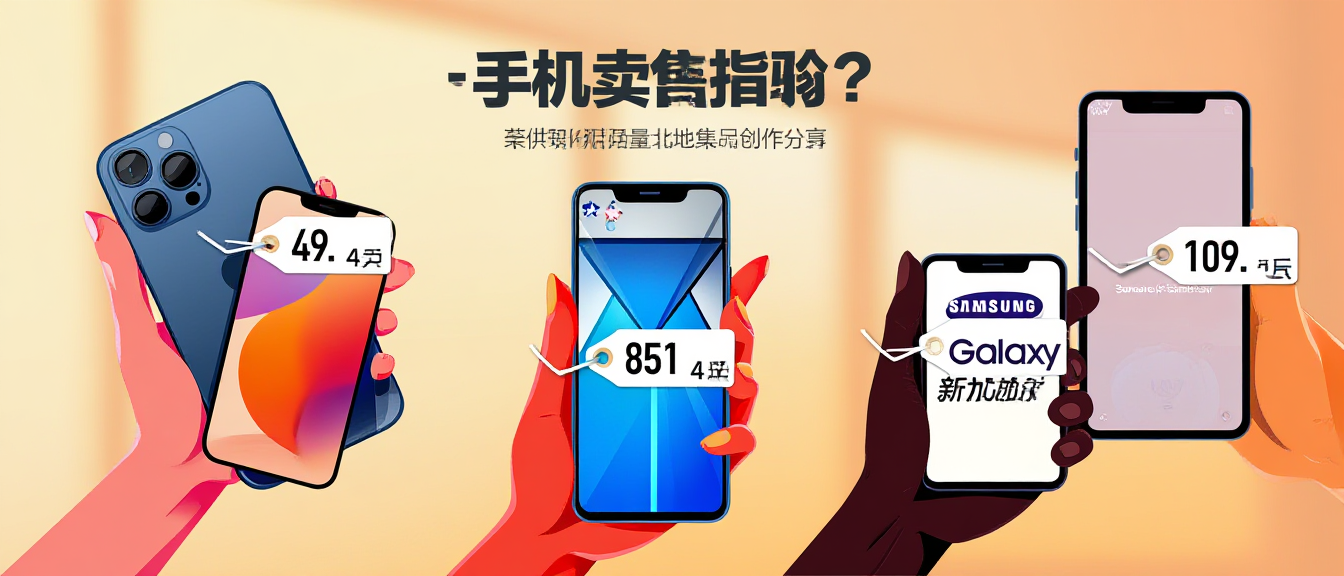
Smartphones with price tags and money for selling guide

Sell your phone Singapore guide

Sell Your Phone in Singapore: Complete Guide & Best Prices 2026

Looking to sell your old iPhone or Samsung? You’re in the right place. We offer competitive prices, instant quotes, and same-day cash payment for your used phones.

Whether you’re upgrading to the latest model or clearing out old devices, this guide helps you get the best value for your phone in Singapore.

Last updated: February 2026

💡 Quick Tip: iPhones retain 60-85% of their value in the first year. Samsung flagships retain 40-60%. Timing and condition matter—sell before depreciation accelerates. Check current iPhone prices.

Why Sell Your Phone to Certified Phone Repairs SG?

  • Best prices: 90-95% of Carousell rates (without the hassle)
  • Instant cash: Walk in, quoted, paid in 15-20 minutes
  • Safe transaction: Physical shops, no scam risk
  • Any condition: Cracked screens, low battery—we still buy
  • 3 locations: Ang Mo Kio, Bugis, WestGate
  • Data security: Professional wiping process

Current Buy-Back Prices (February 2026)

iPhone Prices (Excellent Condition)

Model Price Range
iPhone 16 Pro Max $1,900 – $2,350
iPhone 15 Pro Max $1,450 – $1,900
iPhone 14 Pro Max $1,150 – $1,550
iPhone 13 $500 – $700

Want detailed pricing by storage and model? See our complete iPhone pricing guide or check specific models: iPhone 16 | iPhone 15 | iPhone 14

Samsung Prices (Excellent Condition)

Model Price Range
Galaxy S24 Ultra $1,250 – $1,550
Galaxy Z Fold 6 $1,600 – $1,900
Galaxy S23 Ultra $950 – $1,200
Galaxy Z Flip 5 $700 – $800

Selling a foldable? See our Samsung pricing guide

How to Sell: 3 Simple Steps

The Problem: Selling on Carousell/Facebook takes days of haggling, meetups with strangers, and scam risks. You waste 10+ hours for an extra $100-200.

What’s Happening: Private selling seems lucrative, but hidden costs add up: transport to meetups, time responding to lowballers, risk of fake notes or PayNow screenshots, safety concerns meeting strangers.

Real-World Example: You list your iPhone 15 Pro for $1,400 on Carousell. After 2 weeks of haggling and 5 no-show meetups, you settle for $1,300. Total time spent: 12 hours. You earned $100-200 more than selling to a shop, but at $8-17/hour of your time.

What to Do: Step 1: WhatsApp +65 9678 0203 with phone model, storage, condition. Step 2: Visit any location (Ang Mo Kio, Bugis, WestGate). Step 3: Get quoted, accept, walk out with cash in 15-20 minutes.

What Affects Your Phone’s Value?

Condition Impact

  • Excellent: No scratches, 85%+ battery = 100% price
  • Good: Minor body scratches, 80-84% battery = 85-90% price
  • Fair: Screen scratches, 75-79% battery = 60-75% price
  • Poor: Cracked screen/back, below 75% battery = 40-60% price

Common Deductions

  • Cracked screen: -$100 to -$350 (depending on model)
  • Battery below 80%: -10% to -20%
  • No original box: -5% to -10%
  • Water damage: -50% or not accepted
  • Blacklisted IMEI: Cannot sell

Before You Sell: Quick Checklist

  • Back up to iCloud/Google Drive
  • Sign out of Apple ID / Google Account
  • Remove SIM and memory card
  • Check IMEI status (dial *#06#)
  • Check battery health
  • Gather original box and accessories
  • Clean phone physically
  • Factory reset (optional—we can do it)

Need detailed instructions? See our complete data wiping guide

Our 3 Convenient Locations

Ang Mo Kio (North)

Blk 703 Ang Mo Kio Ave 8, #01-2533
Near McDonald’s
Tel: +65 9678 0203

Bugis (Central)

Blk 269 Queen Street, #02-225
Tel: +65 9750 4333

WestGate (West)

#03-K2 (Outside Singtel)
Tel: +65 9678 0203

Open Daily: 11:00 AM – 9:00 PM

Ready to Sell Your Phone?

Get an instant quote now:

📱 WhatsApp: +65 9678 0203

🏪 Walk-in: Visit any of our 3 locations

Average transaction time: 15-20 minutes from quote to cash

Don’t let your old phone collect dust—turn it into cash today!

Selling Your Old Phone? How to Wipe Data Safely Before You Sell

How to safely wipe phone data before selling Singapore
.cprs-blog-wrap{font-family:-apple-system,BlinkMacSystemFont,’Segoe UI’,Helvetica,Arial,sans-serif;color:#1a1a1a;max-width:1100px;margin:0 auto;padding:0 16px} .cprs-blog-wrap *{box-sizing:border-box} .cprs-blog-header{border-left:4px solid #da291c;padding:24px 0 24px 24px;margin-bottom:40px} .cprs-blog-header .cprs-meta{font-family:’Courier New’,monospace;font-size:11px;letter-spacing:2px;text-transform:uppercase;color:#da291c;margin-bottom:10px} .cprs-blog-header h1{font-size:clamp(24px,4vw,36px);font-weight:700;line-height:1.2;margin:0 0 12px;color:#111} .cprs-blog-header .cprs-intro{font-size:17px;color:#555;line-height:1.8;margin:0;font-style:italic} .cprs-blog-layout{display:grid;grid-template-columns:1fr 240px;gap:48px;align-items:start} @media(max-width:860px){.cprs-blog-layout{grid-template-columns:1fr}.cprs-toc-sidebar{display:none}} .cprs-article h2{font-size:22px;font-weight:700;color:#111;margin:40px 0 14px;padding-bottom:8px;border-bottom:2px solid #f0f0f0} .cprs-article h3{font-size:17px;font-weight:700;color:#111;margin:24px 0 10px} .cprs-article h2:first-child{margin-top:0} .cprs-article p{font-size:16px;line-height:1.8;color:#333;margin:0 0 16px} .cprs-article ul,.cprs-article ol{padding-left:22px;margin:0 0 16px} .cprs-article li{font-size:16px;line-height:1.8;color:#333;margin-bottom:6px} .cprs-article strong{color:#111;font-weight:600} .cprs-tip{background:#f0f7ff;border-left:4px solid #2563eb;border-radius:0 8px 8px 0;padding:16px 20px;margin:24px 0} .cprs-tip .cprs-tip-label{font-family:’Courier New’,monospace;font-size:10px;letter-spacing:2px;text-transform:uppercase;color:#2563eb;font-weight:700;margin-bottom:6px} .cprs-tip p{margin:0;font-size:14px;color:#1e3a6e;line-height:1.6} .cprs-warn{background:#fff7ed;border-left:4px solid #f97316;border-radius:0 8px 8px 0;padding:16px 20px;margin:24px 0} .cprs-warn .cprs-warn-label{font-family:’Courier New’,monospace;font-size:10px;letter-spacing:2px;text-transform:uppercase;color:#c2410c;font-weight:700;margin-bottom:6px} .cprs-warn p{margin:0;font-size:14px;color:#7c2d12;line-height:1.6} .cprs-steps{margin:20px 0 24px} .cprs-step{display:flex;gap:16px;margin-bottom:16px;align-items:flex-start} .cprs-step-num{flex-shrink:0;width:32px;height:32px;background:#da291c;color:#fff;border-radius:50%;display:flex;align-items:center;justify-content:center;font-weight:700;font-size:14px;margin-top:2px} .cprs-step-body strong{display:block;font-size:15px;color:#111;margin-bottom:4px} .cprs-step-body p{margin:0;font-size:14px;color:#555;line-height:1.6} .cprs-toc-sidebar{position:sticky;top:24px} .cprs-toc{background:#fafafa;border:1px solid #e5e7eb;border-radius:10px;padding:20px} .cprs-toc-title{font-family:’Courier New’,monospace;font-size:10px;letter-spacing:2px;text-transform:uppercase;color:#9ca3af;font-weight:700;margin:0 0 14px} .cprs-toc-list{list-style:none;padding:0;margin:0} .cprs-toc-list li{margin-bottom:2px} .cprs-toc-list a{display:block;font-size:13px;color:#6b7280;text-decoration:none;padding:6px 10px;border-radius:6px;border-left:2px solid transparent;line-height:1.4;transition:all 0.15s ease} .cprs-toc-list a:hover,.cprs-toc-list a.cprs-toc-active{color:#da291c;background:#fff5f5;border-left-color:#da291c;font-weight:600} .cprs-cta{background:#111;color:#fff;border-radius:12px;padding:32px;margin-top:48px;display:flex;justify-content:space-between;align-items:center;gap:24px;flex-wrap:wrap} .cprs-cta h3{margin:0 0 6px;font-size:20px;color:#fff} .cprs-cta p{margin:0;font-size:14px;color:#9ca3af;line-height:1.5} .cprs-cta a{flex-shrink:0;background:#25d366;color:#000;text-decoration:none;font-weight:700;font-size:14px;padding:12px 24px;border-radius:50px;white-space:nowrap}
Data & Privacy Guide · 5 min read · Updated April 2026

How to Wipe Your Phone Data Safely Before You Sell or Repair It

In Singapore, your phone contains your PayNow, SingPass, banking apps, photos and years of messages. Here’s how to wipe it completely and safely — before it leaves your hands.

Why a Normal Factory Reset Isn’t Always Enough

Most people assume a factory reset deletes everything. On modern iPhones and most recent Android phones, a properly performed reset does make data unrecoverable for practical purposes. But there are important steps to take before the reset to make sure it’s truly complete — including unlinking accounts, removing SIM cards, and disabling anti-theft features that would lock the next owner out.

Before anything else: back up

Back up all your data before wiping. Once you factory reset, data recovery is extremely difficult. Make sure your photos, contacts, WhatsApp chats and app data are backed up first.

How to Wipe an iPhone Completely

1
Back up to iCloud or your computer

Settings → [Your Name] → iCloud → iCloud Backup → Back Up Now. Or connect to your Mac/PC and back up via Finder or iTunes.

2
Sign out of iCloud (this disables Activation Lock)

Settings → [Your Name] → Sign Out. This is critical — if you skip this, the next owner cannot use the phone. Enter your Apple ID password when prompted.

3
Remove your SIM card

Use the SIM ejector tool to remove your SIM. Don’t leave your SIM in a phone you’re selling or handing over.

4
Erase all content and settings

Settings → General → Transfer or Reset iPhone → Erase All Content and Settings. The phone will restart and show the setup screen — it’s now clean.

Activation Lock

If you skip signing out of iCloud before erasing, Activation Lock remains active. The next owner will be prompted for your Apple ID and password at setup — and without it, the phone is unusable. Always sign out first.

How to Wipe an Android Phone Completely

1
Back up your data

Settings → Google → Backup → Back up now. Also back up WhatsApp chats separately: WhatsApp → Settings → Chats → Chat Backup.

2
Remove accounts

Settings → Accounts. Remove your Google account and any Samsung/Xiaomi/OPPO accounts. This prevents Factory Reset Protection (FRP) from locking the next user.

3
Remove SIM card

Eject your SIM before handing the phone over.

4
Factory reset

Settings → General Management (Samsung) or System → Reset Options (others) → Factory Data Reset. Confirm and wait for the phone to restart.

Factory Reset Protection (Android)

Similar to iPhone’s Activation Lock, FRP locks the phone to your Google account after a reset if you don’t remove accounts first. Always remove your Google account before resetting — otherwise the next owner cannot set up the phone.

Before Handing Your Phone for Repair

When bringing your phone to a repair shop, a full factory reset is not necessary — and usually not desirable, since you want to test the repair with your data. Instead:

  • Back up first — in case something unexpected happens during repair
  • Disable Touch ID / Face ID if concerned — you can re-enable after the repair
  • Change your passcode temporarily — use a simple 4-digit code for the repair visit, then change it back
  • Remove payment cards from Apple Pay / Google Pay — if you’re concerned, these can be removed in Settings and re-added after
Our policy

We need your passcode to test screen functions (touch, Face ID, sensors) after repair. We do not access your personal apps, photos or messages — we only test the repaired components.

Common Questions

Does factory reset delete everything permanently?

On modern iPhones (with encryption enabled by default), yes — data is encrypted and the key is discarded, making recovery practically impossible. On Android, encryption is also enabled by default on most recent phones, making a factory reset effectively permanent for practical purposes.

What about WhatsApp messages?

WhatsApp chats are stored locally and in your Google/iCloud backup. Back them up before resetting. After you set up your new or wiped phone, you can restore them during WhatsApp setup.

I forgot to sign out of iCloud before resetting. What now?

If you still have the phone: sign in to iCloud on the setup screen using your Apple ID and password, then go through the sign-out process. If you no longer have the phone, sign into icloud.com → Find My → select the device → Erase and Remove from Account.

Questions about repair and data safety?

WhatsApp us before you come in — we’re happy to walk you through exactly what we need and what we don’t touch.
Westgate · AMK Hub · Bugis Village · Bedok Mall · 11am–9pm daily

💬 WhatsApp +65 9678 0203
(function(){var links=document.querySelectorAll(‘.cprs-toc-list a’),headings=[];links.forEach(function(a){var id=a.getAttribute(‘href’).replace(‘#’,”),el=document.getElementById(id);if(el)headings.push({el:el,a:a})});function onScroll(){var y=window.scrollY+140,cur=headings[0];headings.forEach(function(h){if(h.el.offsetTop<=y)cur=h});links.forEach(function(a){a.classList.remove('cprs-toc-active')});if(cur)cur.a.classList.add('cprs-toc-active')}window.addEventListener('scroll',onScroll,{passive:true});onScroll()})();