

Face ID Not Working After Screen Repair — Here’s Why and What Can Be Done

Face ID not working after iPhone screen repair Singapore
iPhone Repair Guide · 6 min read · Updated April 2026

Face ID Not Working After Screen Repair — Here’s Why and What Can Be Done

You picked up your repaired iPhone and Face ID is gone. It’s one of the most common questions we get. Here’s the full explanation of why this happens, when it can be fixed, and when it can’t.

How Face ID Actually Works

Face ID uses a TrueDepth camera system housed in the notch or Dynamic Island at the top of the screen. It projects 30,000 infrared dots onto your face, reads the pattern with an infrared camera, and processes that data through a dedicated neural engine chip.

The critical detail: the Face ID module is cryptographically paired to your specific iPhone’s logic board at the factory. This pairing cannot be re-done by any third-party repairer — not even Apple’s own Genius Bar technicians using standard tools. It is a security measure built into iOS at the hardware level.

Why Face ID Stops Working After Screen Repair

There are two distinct scenarios:

Scenario 1: The Face ID flex cable was damaged during repair

The Face ID module connects to the logic board via a delicate flex cable that runs through the top of the screen assembly. During screen replacement, this cable must be carefully disconnected and reconnected. If the cable is torn, kinked or the connector is damaged during the repair, Face ID fails.

This is repairable — as long as the Face ID module itself is intact and the damage is only to the cable or connector.

Scenario 2: The Face ID module was replaced or disturbed

If the Face ID module itself (the dot projector and infrared camera assembly) was replaced with a new unit, Face ID will not work. Because the module is paired to the logic board at the factory, a new module cannot be paired by any third-party service — it simply isn’t recognised.

Apple’s pairing restriction

Apple introduced this hardware-level pairing as a security feature to prevent unauthorised Face ID spoofing. Even Apple’s own out-of-warranty repair service replaces the entire device rather than just the Face ID module, because the pairing cannot be transferred.

Can Face ID Be Fixed After Screen Repair?

It depends entirely on what’s wrong:

If the cable was damaged or disconnected: Yes — the original Face ID module can be reconnected or the cable replaced, and Face ID will work normally again.

If the Face ID module itself was replaced: No — there is no third-party fix for this. Face ID will not work with a non-paired module.

If Face ID was already faulty before the screen repair: The screen repair cannot fix a pre-existing Face ID fault.

How to check before your repair

Before any screen repair, test Face ID thoroughly and tell the technician if it’s working. We note the pre-repair condition of all features — including Face ID — so there’s no ambiguity about what was working before we started.

How We Handle Face ID During Screen Repair

During every screen replacement, we transfer the original Face ID module intact from your old screen to the new one. The module is not replaced — only moved. This is why Face ID continues working after screen repairs done correctly.

The transfer requires careful handling of the Face ID flex cable, which is extremely delicate on iPhone X through iPhone 16 models. We take extra time on this step because rushing it is how Face ID gets damaged.

After every screen repair, we test Face ID before handing the phone back. If there’s any issue, we tell you immediately and identify the cause before you leave.

What About Touch ID After Screen Repair?

Touch ID on older iPhones (iPhone 8 and below) works differently. The Home button’s Touch ID sensor is paired to the logic board — but the pairing is less restrictive. If the original Home button is preserved during repair, Touch ID continues working. Replacing the Home button with a third-party part disables Touch ID.

On newer iPads and MacBooks with Touch ID in the top button, the same principle applies — the original button must be preserved.

Common Questions

Face ID stopped working after I got my screen repaired somewhere else. Can you fix it?

Bring it in for a free assessment. If the Face ID flex cable was damaged, we may be able to repair or reconnect it. If the module itself was replaced or the chip is damaged, it cannot be restored by any third party. We’ll give you an honest assessment of what’s possible.

Will Apple fix Face ID if a third-party shop broke it?

Apple’s policy is that any prior third-party repair may void the relevant component warranty. In practice, if Face ID was broken by a third-party repair, Apple will typically offer a full device replacement (at out-of-warranty cost) rather than a targeted repair.

My Face ID says “Face ID is not available” after screen repair. What does this mean?

This message means iOS cannot detect the Face ID module at all — either the module is disconnected, the flex cable is damaged, or the module has been replaced with a non-paired unit. A hardware inspection is needed to determine the cause.

How can I avoid this happening?

Choose a repair shop that explicitly tests and preserves the Face ID module during screen replacement. Ask them before the repair whether they transfer the original Face ID assembly. We do — and we test it after every repair before you pay.

Face ID issue after repair elsewhere?

Bring it in for a free assessment — we’ll tell you exactly what’s wrong and what’s possible.
Westgate · AMK Hub · Bugis Village · Bedok Mall · 11am–9pm daily
💬 WhatsApp +65 9678 0203

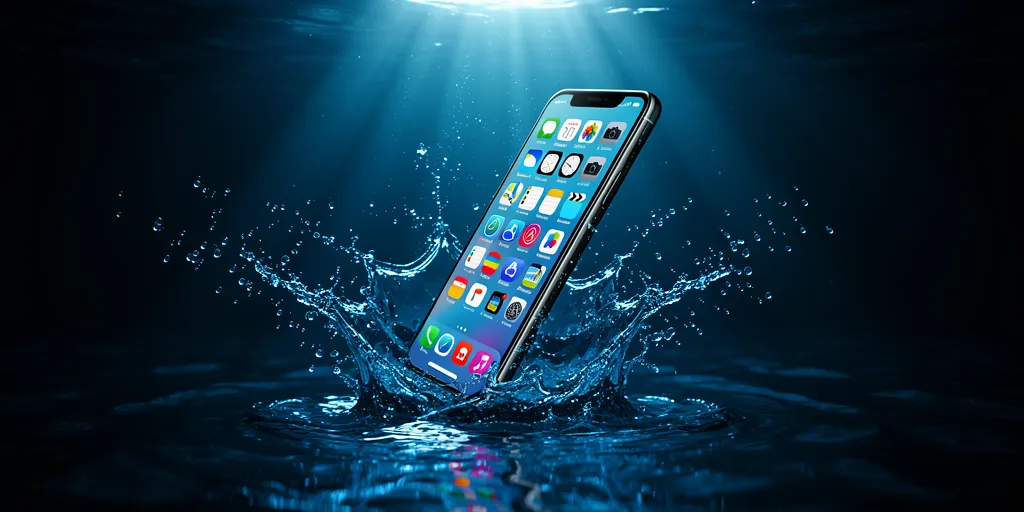
Dropped Your Phone in Water? Do These 5 Things in the Next 10 Minutes

Phone dropped in water - what to do immediately Singapore
Water Damage Guide · 5 min read · Updated April 2026

Dropped Your Phone in Water? Do These 5 Things in the Next 10 Minutes

The moment your phone hits water, every second counts. What you do in the next few minutes determines whether your phone survives or not. Here’s exactly what to do — and what not to do.

The First 5 Things to Do Immediately

1
Get it out of the water immediately

Every additional second submerged increases water ingress. Grab it now.

2
Power it off immediately

If the phone is still on, turn it off right now. Water and live electricity cause short circuits that permanently damage the logic board. Do not wait to “check if it still works” — turn it off first.

3
Remove the SIM card and any case

Open the SIM tray and remove the card. Take off any case. These trap moisture against the phone body and slow drying.

4
Dry the outside thoroughly

Use a clean dry cloth or tissue. Gently pat the screen, ports and edges dry. Do not rub — this can push water further into ports.

5
Bring it to a repair shop — don’t wait overnight

The first few hours are critical. Corrosion on the logic board starts within hours of water exposure. Professional cleaning with isopropyl alcohol removes water and inhibits corrosion far more effectively than drying at home.

Do NOT do these

Don’t charge it — water in the charging port plus electricity causes immediate short circuit damage.
Don’t put it in rice — rice is a myth. It does not absorb water from inside the phone. It wastes time while corrosion progresses.
Don’t use a hair dryer — heat can damage internal components and push water further inside.
Don’t press buttons repeatedly — this pumps water further into the phone.

Does My Phone’s IP Rating Protect It?

IP67 and IP68 ratings mean the phone has been tested for water resistance under controlled conditions — typically fresh water at a specific depth for 30 minutes. In real-world conditions, this protection is less reliable than it sounds.

IP ratings do not cover: salt water (beach, ocean), chlorinated water (pool), soapy water (sink), drops under pressure (shower), or phones with worn seals from being dropped or repaired.

An IP68 phone dropped in a swimming pool or the sea is at real risk of water damage despite its rating. IP ratings also degrade over time — a 2-year-old IP68 phone has significantly less water resistance than when it was new.

Singapore-specific risk

Heavy rain during Singapore’s monsoon season catches many people off guard. Pockets, bags and even “water-resistant” cases are not reliably waterproof in a sudden downpour. Treat your phone as unprotected in heavy rain regardless of IP rating.

What Happens Inside a Water-Damaged Phone

Water itself doesn’t always destroy a phone immediately. The real damage comes from what happens next:

Short circuits occur when water bridges connections on the logic board while the phone is powered on. This can permanently damage chips that are impossible to repair.

Corrosion begins within hours as minerals in the water react with metal contacts on the board. Tap water, sea water and pool water all contain minerals that accelerate corrosion. Even after the phone dries out, corrosion continues spreading under components.

Delayed failure is very common. A phone may seem fine after getting wet, then fail completely days or weeks later as corrosion progresses invisibly. This is why professional cleaning immediately after water exposure is so important — even if the phone appears to be working.

What Professional Water Damage Treatment Involves

At our workshop, water damage treatment involves disassembly, ultrasonic cleaning of the logic board with isopropyl alcohol, inspection under magnification for corrosion, and reassembly with testing. This process removes the minerals and residue that cause delayed corrosion failure.

The success rate depends heavily on how quickly you bring the phone in and what type of water it was exposed to. Fresh water treated within a few hours has a high success rate. Salt water or pool water treated the same day is more challenging. Any phone left overnight without treatment has a significantly lower chance of full recovery.

Common Questions

My phone still works after getting wet. Do I still need to bring it in?

Yes — strongly recommended. Corrosion progresses invisibly inside the phone. Many phones that “seem fine” fail completely within 1 to 4 weeks of water exposure due to advancing corrosion. Professional cleaning immediately after exposure prevents this.

I dropped my phone in the toilet. Is it salvageable?

Often yes, if treated quickly. Toilet water is generally not salt water or chlorinated, so the corrosion risk is similar to tap water. Power it off immediately, do not charge it, and bring it in as soon as possible.

My phone dropped in the sea / pool. Is it salvageable?

Harder but possible if treated within hours. Salt water and chlorinated water are significantly more corrosive than fresh water. These cases require immediate professional treatment — do not leave it overnight.

How long does water damage repair take?

Initial assessment is done same day. Full cleaning and repair typically takes 2 to 4 hours depending on severity. We’ll give you a timeline after diagnosis.

Water damage? Come in now

Time is critical — the sooner you bring it in, the better the outcome.
Westgate · AMK Hub · Bugis Village · Bedok Mall · 11am–9pm daily
💬 WhatsApp +65 9678 0203

Why Is My Phone Battery Draining So Fast? 6 Causes and When to Replace It

Phone battery draining fast - when to replace battery Singapore
Battery Guide · 5 min read · Updated April 2026

Why Is My Phone Battery Draining So Fast? 6 Causes and When to Replace It

Your phone used to last all day. Now it barely gets through lunch. Here’s exactly why phone batteries drain faster over time — and a clear test to tell whether yours needs replacing.

How Phone Batteries Degrade

All phone batteries are lithium-ion. Every charge cycle — from low to full — permanently reduces the battery’s maximum capacity by a tiny amount. After 300 to 500 cycles (roughly 1 to 2 years of daily charging), most batteries are at 80% of their original capacity or below.

At 80% capacity, a phone that originally lasted 12 hours now lasts around 9 to 10 hours. At 70%, you’re looking at 8 hours. The degradation accelerates as the battery ages further.

Check your battery health right now

iPhone: Settings → Battery → Battery Health & Charging. Below 80% — replace it.
Android: Dial *#*#4636#*#* → Battery Information. Or use the AccuBattery app for a detailed health reading.

6 Reasons Your Battery Drains Fast

1. Natural degradation

The most common cause. Every battery has a finite lifespan. If your phone is more than 18 months old and draining noticeably faster, degradation is the most likely cause.

2. Screen brightness too high

The display is the single biggest battery drain on any phone. Auto-brightness helps, but many people override it and run at maximum brightness all day — especially in Singapore’s bright outdoor conditions.

3. Background app refresh

Apps running in the background constantly checking for updates, messages and location data drain battery silently. Check which apps are using the most background battery and restrict the ones you don’t need.

4. Poor signal areas

When your phone is in a weak signal area — basement carparks, certain MRT stations, older buildings — it constantly boosts its radio power trying to maintain a connection. This drains battery 2 to 3 times faster than normal.

5. Extreme temperatures

Singapore’s heat accelerates battery degradation over time and reduces capacity temporarily in the short term. Leaving your phone in direct sunlight or a hot car regularly will age the battery significantly faster.

6. Swollen battery

A swollen battery has undergone a chemical reaction that causes it to physically expand. Capacity drops sharply and the phone may shut off randomly. This is a safety issue — a swollen battery needs immediate replacement.

Signs of a swollen battery

Screen or back panel lifting slightly from the frame. Phone feels thicker than usual. Battery percentage jumps erratically. Immediate replacement required — do not charge a swollen battery overnight.

When Should You Replace the Battery?

  • iPhone battery health is below 80%
  • Phone doesn’t last through a full working day on a single charge
  • Battery percentage drops suddenly — e.g. from 30% to 5% with no warning
  • Phone shuts off before reaching 0%
  • Phone gets unusually warm during normal use or charging
  • Any sign of physical swelling

Tips to Make Your Battery Last Longer

Keep charge between 20% and 80%. Lithium-ion batteries degrade faster when regularly charged to 100% or run down to 0%. Most phones now have an optimised charging setting that slows charging above 80% overnight — turn it on.

Avoid wireless charging for daily use. Wireless charging generates more heat than wired, which accelerates battery degradation over time. Use wired charging for daily top-ups and wireless occasionally.

Use Low Power Mode proactively. On iPhone, Low Power Mode reduces background activity significantly. Turning it on at 50% instead of waiting for the 20% warning extends your daily battery life noticeably.

Turn off Always-On Display. On Samsung and other Android phones with always-on displays, this feature alone can account for 10 to 15% of daily battery drain.

Common Questions

How long should a phone battery last before needing replacement?

On average, 18 to 24 months of daily use before noticeable degradation. Heavy users who charge twice daily may see it sooner. Light users who charge once every two days may get 3 years or more.

Will replacing the battery make my phone feel like new?

If battery degradation is the main issue, yes — significantly. A new battery restores full capacity and eliminates unexpected shutdowns and percentage jumps. Combined with a software update, many customers tell us their phone feels noticeably faster after a battery replacement.

Is it worth replacing the battery on an older phone?

Generally yes, if the rest of the phone works well. A battery replacement is far cheaper than a new phone and extends the useful life of your device by 1 to 2 years. The calculation changes if your phone is very old and slow due to an outdated processor.

How long does a battery replacement take?

30 to 45 minutes at any of our 4 outlets. Walk in — no appointment needed.

Get your battery replaced today

30–45 minutes. Grade A battery. 60-day warranty.
Westgate · AMK Hub · Bugis Village · Bedok Mall · 11am–9pm daily
💬 WhatsApp +65 9678 0203

Cracked Screen vs Broken LCD — What’s the Difference and Which Do You Have?

Cracked phone screen - glass vs LCD display damage Singapore
Phone Repair Guide · 6 min read · Updated April 2026

Cracked Screen vs Broken LCD — What’s the Difference and Which Do You Have?

Your phone took a hit. The screen looks damaged — but is it just the outer glass, or is the display underneath broken too? The answer changes everything about your repair. Here’s how to tell exactly what you’re dealing with.

Your Screen Has Two Layers

Most people think of their phone screen as one piece of glass. In reality it has two distinct layers stacked together:

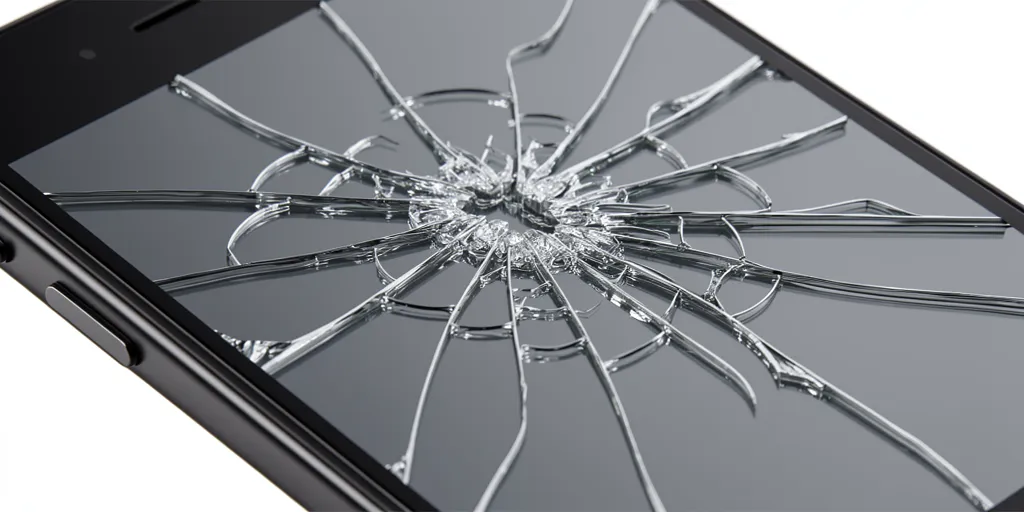
The outer glass (digitiser) — the hard protective layer you touch every day. When this cracks, you see spider web patterns or chips at the edges. The phone often still works fine.

The display panel (LCD or AMOLED) — the layer that actually produces the image. When this breaks, you see black spots, coloured bleed, lines across the screen, or nothing at all.

Understanding which layer is damaged is the most important factor in your repair.

Signs It’s Just the Outer Glass

  • Spider web cracks visible but the screen still shows a clear image
  • Touch still works normally across the whole screen
  • No black patches, colour bleed or lines on the display
  • Crack is localised to one corner or edge
  • Everything functions normally — just looks bad
The test

Turn your brightness all the way up and look at the screen in a dark room. If the image is clear and uniform with no dark patches, your display is likely intact — only the glass is cracked.

Signs the Display Is Broken

  • Black patch or ink bleed spreading from the crack
  • Coloured horizontal or vertical lines across the screen
  • Half the screen is dark or completely black
  • Display shows strange colours or flickering
  • Touch is unresponsive in certain areas
  • Screen goes black but phone still vibrates and receives calls
Don’t wait

If you see ink bleed or black spreading from a crack, the display layer is failing. Using the phone with pressure on a cracked display can make the damage spread further — repair sooner rather than later.

Does It Matter Whether You Have LCD or AMOLED?

Yes — the display technology affects how damage looks and what replacement involves.

LCD screens rely on a backlight. When the LCD layer cracks, you typically see white or coloured patches where the liquid crystals have leaked. The backlight may still glow but show a blotchy image.

AMOLED screens have individual pixels that emit their own light. When an AMOLED layer cracks, you typically see a dark black patch spreading from the impact point — because the damaged pixels simply turn off.

Can You Repair Just the Glass Without Replacing the Display?

On older phones with non-laminated displays, a glass-only repair was possible and significantly cheaper. On all modern smartphones from 2019 onwards, the glass and display are fused together in a single laminated assembly — meaning a display replacement is required even if only the glass is visibly cracked.

If a repair shop quotes you a “glass-only repair” on a modern iPhone, Samsung or Vivo at a suspiciously low price, ask them to clarify what they’re replacing. Some shops use lower-grade non-laminated replacement assemblies, which results in a visible gap between the glass and display, reduced colour accuracy and worse touch response.

What we do

We replace the full laminated assembly with Grade A parts — same resolution, touch sensitivity and brightness as your original screen. No visible gaps, no quality compromise.

What Should You Do Now?

1
Apply a screen protector or tape over the crack

This prevents glass fragments from cutting your finger and stops dust and moisture entering through the crack.

2
Back up your data immediately

If the display is failing, it could go completely black at any time. Back up via iCloud, Google or a cable before that happens.

3
Bring it in for a free assessment

We’ll check both layers, confirm exactly what needs replacing and give you a fixed quote before any work starts.

Common Questions

My screen is cracked but everything works fine. Do I still need to repair it?

Not urgently — but sooner is better. A cracked outer glass has no structural integrity and the display underneath is now vulnerable. A second drop, even a minor one, is much more likely to destroy the display completely. A crack that costs $80 to fix today could become a $200 repair next week.

The crack is tiny. Will it spread?

Glass cracks do spread, especially with heat cycles (Singapore’s weather doesn’t help) and repeated pressure from daily use. A small corner crack can spread across the full screen within weeks.

Can I use my phone with a cracked screen?

Yes, but there are risks. Sharp glass edges can cut your finger. Dust and moisture enter through the crack and can cause display or board damage over time. If touch is affected, using the phone becomes frustrating and potentially unsafe.

How long does a screen repair take?

60 to 90 minutes for most models. Walk in to any of our 4 outlets — no appointment needed.

Free screen assessment

Walk in to any outlet — we’ll check your screen and confirm exactly what needs replacing before any work starts.
Westgate · AMK Hub · Bugis Village · Bedok Mall · 11am–9pm daily
💬 WhatsApp +65 9678 0203

OPPO, Vivo & Redmi Screen Repair Singapore — Complete Guide 2026

OPPO Vivo Redmi Screen Repair Singapore - Phone Technician at Work
Android Repair Guide · 10 min read · Updated April 2026

OPPO, Vivo & Redmi Screen Repair Singapore — Complete Guide 2026

Everything you need to know about repairing OPPO, Vivo and Redmi phones in Singapore — AMOLED vs LCD displays, in-display fingerprint sensors, fast charging after repair, model-by-model pricing and exactly what to expect at the shop.

OPPO, Vivo or Redmi — What’s the Difference?

All three brands are part of the same BBK Electronics group and dominate the mid-range Android market in Singapore. Despite sharing a parent company, they are separate brands with distinct designs, software and repair considerations.

OPPO
Reno · Find X · A-series

Known for SUPERVOOC ultra-fast charging, Hasselblad camera partnerships and the Reno series. Find X is OPPO’s flagship with 2K curved AMOLED.

See OPPO repairs →
Vivo
X-series · V-series · Y-series

Known for slim designs, ZEISS optics on the X-series and FlashCharge fast charging. The V-series is Singapore’s most repaired Vivo line.

See Vivo repairs →
Redmi
Note series · Xiaomi sub-brand

Xiaomi’s value-focused brand. The Redmi Note series is one of Singapore’s most popular Android lines for its large AMOLED display and competitive price.

See Redmi repairs →

AMOLED vs LCD — Why It Matters for Your Repair

The single biggest factor in your screen repair cost is whether your phone has an AMOLED or LCD display.

Display TypeFound OnFingerprintRepair Cost
AMOLED (curved)OPPO Find X, Reno Pro, Vivo X/V ProIn-displayHigher
AMOLED (flat)OPPO Reno, Vivo V-series, Redmi Note ProIn-displayMid
IPS LCDOPPO A-series, Vivo Y budget, Redmi standardSide-mountedLower
Not sure which display your phone has?

Look at your screen in a dark room. AMOLED blacks are completely dark. LCD blacks appear as a dim glow. Or WhatsApp us your model number and we’ll confirm immediately.

In-Display Fingerprint — Will It Work After Repair?

OPPO, Vivo and Redmi mid-range and flagship phones use optical in-display fingerprint sensors that work by shining light through the AMOLED panel. When we replace the screen with a Grade A AMOLED panel, the in-display fingerprint sensor continues to work normally. You may be prompted to re-register your fingerprints after repair.

Important

The in-display fingerprint sensor only works on AMOLED panels. If your phone has a side-mounted fingerprint sensor, it is part of the power button and completely unaffected by screen replacement.

Fast Charging After Battery Replacement

OPPO, Vivo and Redmi all use proprietary fast charging. Our Grade A batteries are rated for each model’s original charging spec.

BrandStandardMax Speed
OPPOSUPERVOOCUp to 100W+ (Find X)
VivoFlashChargeUp to 120W (X-series)
RedmiHyperChargeUp to 120W (Note 13 Pro+)

Screen Repair Prices

Model TypeDisplayApprox. Price
OPPO Find X / Vivo X flagship2K Curved AMOLED$120–$160
OPPO Reno Pro / Vivo V ProCurved AMOLED 120Hz$90–$120
OPPO Reno / Vivo V / Redmi Note ProFlat AMOLED 120Hz$70–$100
OPPO Reno older / Redmi NoteFlat AMOLED 90Hz$60–$80
OPPO A-series / Vivo Y / RedmiIPS LCD$50–$70
Get an exact quote

WhatsApp us your model name at +65 9678 0203. All prices include labour, parts and 60-day warranty.

What to Expect at the Shop

  • Walk in, no appointment needed — 4 outlets island-wide, open 11am–9pm daily
  • Free assessment first — screen, touch, fingerprint and charging checked before quoting
  • Fixed price upfront — what you’re quoted is what you pay
  • 45–90 minutes repair time — flat AMOLED 45–60 mins, curved 60–90 mins
  • Post-repair testing — full touch, fingerprint, camera and charging test before handback
  • 60-day warranty — covers any defect in the replacement screen

Common Questions

My OPPO Reno screen is cracked but touch still works — should I replace it?

Yes. A cracked screen has compromised structural integrity and can fail suddenly from a second impact. Cracks also let dust and moisture in. Replacing sooner is cheaper than waiting for the display to fail completely.

Will my Vivo V40 Pro curved display look the same after repair?

Grade A curved AMOLED panels match the original spec closely — same resolution, brightness and colour profile. In side-by-side comparison the difference is minimal.

My Redmi Note 13 Pro+ flickers after a drop — screen or board?

Flickering after a drop is almost always the screen or connector, not the board. Bring it in for a free assessment — we confirm the fault before any work is done.

Can you repair models not listed on your website?

Yes — WhatsApp us your exact model number. We stock parts for all common models from 2021 onwards.

Book a repair today

Westgate · AMK Hub · Bugis Village · Bedok Mall
Open daily 11am – 9pm · No appointment needed

💬 WhatsApp +65 9678 0203

How Long Does iPhone Repair Take in Singapore? (By Repair Type)

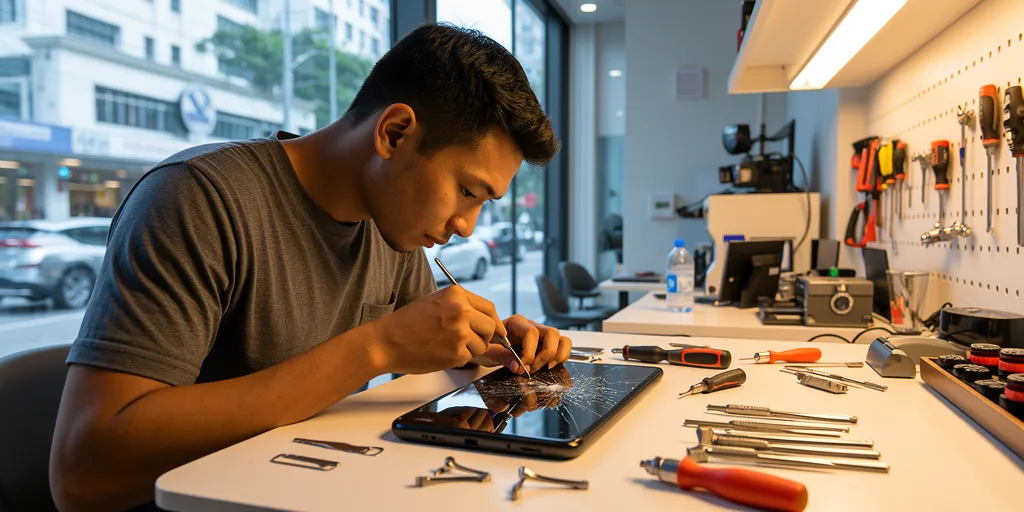
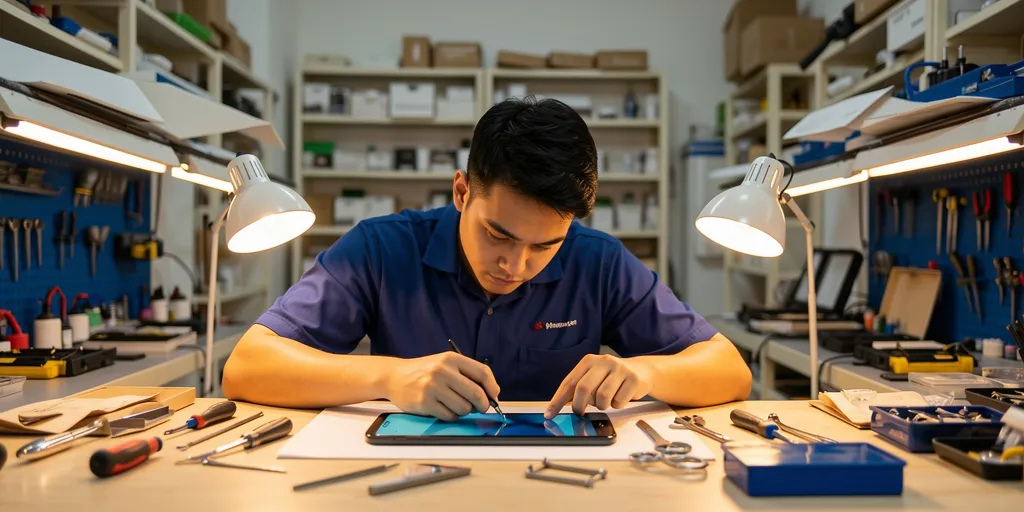
iPhone screen repair time Singapore - technician at work
.cprs-blog-wrap{font-family:-apple-system,BlinkMacSystemFont,’Segoe UI’,Helvetica,Arial,sans-serif;color:#1a1a1a;max-width:1100px;margin:0 auto;padding:0 16px} .cprs-blog-wrap *{box-sizing:border-box} .cprs-blog-header{border-left:4px solid #da291c;padding:24px 0 24px 24px;margin-bottom:40px} .cprs-blog-header .cprs-meta{font-family:’Courier New’,monospace;font-size:11px;letter-spacing:2px;text-transform:uppercase;color:#da291c;margin-bottom:10px} .cprs-blog-header h1{font-size:clamp(24px,4vw,36px);font-weight:700;line-height:1.2;margin:0 0 12px;color:#111} .cprs-blog-header .cprs-intro{font-size:17px;color:#555;line-height:1.8;margin:0;font-style:italic} .cprs-blog-layout{display:grid;grid-template-columns:1fr 240px;gap:48px;align-items:start} @media(max-width:860px){.cprs-blog-layout{grid-template-columns:1fr}.cprs-toc-sidebar{display:none}} .cprs-article h2{font-size:22px;font-weight:700;color:#111;margin:40px 0 14px;padding-bottom:8px;border-bottom:2px solid #f0f0f0} .cprs-article h3{font-size:17px;font-weight:700;color:#111;margin:24px 0 10px} .cprs-article h2:first-child{margin-top:0} .cprs-article p{font-size:16px;line-height:1.8;color:#333;margin:0 0 16px} .cprs-article ul,.cprs-article ol{padding-left:22px;margin:0 0 16px} .cprs-article li{font-size:16px;line-height:1.8;color:#333;margin-bottom:6px} .cprs-article strong{color:#111;font-weight:600} .cprs-article table{width:100%;border-collapse:collapse;font-size:14px;margin:16px 0 24px} .cprs-article th{background:#111;color:#fff;padding:10px 14px;text-align:left;font-weight:700} .cprs-article td{padding:10px 14px;border-bottom:1px solid #e5e7eb;color:#333} .cprs-article tr:nth-child(even) td{background:#f8fafc} .cprs-tip{background:#f0f7ff;border-left:4px solid #2563eb;border-radius:0 8px 8px 0;padding:16px 20px;margin:24px 0} .cprs-tip .cprs-tip-label{font-family:’Courier New’,monospace;font-size:10px;letter-spacing:2px;text-transform:uppercase;color:#2563eb;font-weight:700;margin-bottom:6px} .cprs-tip p{margin:0;font-size:14px;color:#1e3a6e;line-height:1.6} .cprs-warn{background:#fff7ed;border-left:4px solid #f97316;border-radius:0 8px 8px 0;padding:16px 20px;margin:24px 0} .cprs-warn .cprs-warn-label{font-family:’Courier New’,monospace;font-size:10px;letter-spacing:2px;text-transform:uppercase;color:#c2410c;font-weight:700;margin-bottom:6px} .cprs-warn p{margin:0;font-size:14px;color:#7c2d12;line-height:1.6} .cprs-toc-sidebar{position:sticky;top:24px} .cprs-toc{background:#fafafa;border:1px solid #e5e7eb;border-radius:10px;padding:20px} .cprs-toc-title{font-family:’Courier New’,monospace;font-size:10px;letter-spacing:2px;text-transform:uppercase;color:#9ca3af;font-weight:700;margin:0 0 14px} .cprs-toc-list{list-style:none;padding:0;margin:0} .cprs-toc-list li{margin-bottom:2px} .cprs-toc-list a{display:block;font-size:13px;color:#6b7280;text-decoration:none;padding:6px 10px;border-radius:6px;border-left:2px solid transparent;line-height:1.4;transition:all 0.15s ease} .cprs-toc-list a:hover,.cprs-toc-list a.cprs-toc-active{color:#da291c;background:#fff5f5;border-left-color:#da291c;font-weight:600} .cprs-cta{background:#111;color:#fff;border-radius:12px;padding:32px;margin-top:48px;display:flex;justify-content:space-between;align-items:center;gap:24px;flex-wrap:wrap} .cprs-cta h3{margin:0 0 6px;font-size:20px;color:#fff} .cprs-cta p{margin:0;font-size:14px;color:#9ca3af;line-height:1.5} .cprs-cta a{flex-shrink:0;background:#25d366;color:#000;text-decoration:none;font-weight:700;font-size:14px;padding:12px 24px;border-radius:50px;white-space:nowrap}
iPhone Repair · 5 min read · Updated April 2026

How Long Does iPhone Repair Take in Singapore? (By Repair Type)

Screen, battery, charging port, back glass — here’s exactly how long each iPhone repair takes. Quick reference table included for all repair types from iPhone 11 to iPhone 16 Pro Max.

Screen Repair — 60 to 120 Minutes

Screen repair is our most common repair. Time varies slightly by model as newer iPhones have more components integrated into the display assembly — True Tone data, proximity sensors, and Face ID flex cables all require careful handling.

iPhone 11, 12, 13 series: 60–90 minutes
iPhone 14, 15, 16 series: 90–120 minutes

The extra time on newer models is due to Dynamic Island alignment and True Tone calibration steps. You can wait at any outlet — most customers grab food from the mall while they wait.

Battery Replacement — 30 to 45 Minutes

Battery replacement is the fastest common repair. The battery module is accessible without full disassembly on all iPhone models from iPhone 11 onwards.

All models iPhone 11 to iPhone 16 Pro Max: 30–45 minutes

Good to know

The battery adhesive pull tabs require careful removal. Rushing this step risks tearing the connector or damaging the logic board — we never rush it.

Charging Port Replacement — 45 to 60 Minutes

The charging port (Lightning on iPhone 14 and below, USB-C on iPhone 15 and 16) requires moderate disassembly. The port flex cable runs through the bottom of the phone and connects to the logic board.

All models iPhone 11 to iPhone 16 Pro Max: 45–60 minutes

Before you book

We always try cleaning the port first at no charge. Sometimes lint or debris is the entire problem — no replacement needed.

Back Glass Replacement — 120 to 180 Minutes

Back glass is the most time-consuming repair because full disassembly is required. The back panel is adhered with strong adhesive and must be removed carefully to avoid damaging internal components.

All models iPhone 11 to iPhone 16 Pro Max: 120–180 minutes

Motherboard / Logic Board Repair — 1 to 5 Days

Board-level repairs (no power, Face ID fault, baseband issues, charging IC failure) require diagnosis under a microscope and micro-soldering. These are not same-day repairs. We provide a timeline after diagnosis — typically 1 to 3 business days for most faults, up to 5 days for complex IC replacements.

Quick Reference Table

Repair TypeTime
Screen replacement60–120 min
Battery replacement30–45 min
Charging port replacement45–60 min
Back glass replacement120–180 min
Motherboard repair1–5 days

Does the iPhone Model Affect Repair Time?

Slightly — but not dramatically. The biggest time variable is the repair type, not the specific model. An iPhone 16 Pro Max screen takes about 30 minutes longer than an iPhone 11 screen — not hours longer. The exception is motherboard repair, where time depends entirely on the specific fault.

Do I Need an Appointment?

No appointment needed. Walk-ins welcome at all 4 outlets daily 11am–9pm. We recommend WhatsApping us first at +65 9678 0203 to confirm your part is in stock before making the trip.

What If My Part Needs to Be Ordered?

For standard models this is rare. For unusual colour variants or regional configurations, sourcing adds 1–2 days. We’ll always tell you upfront — we won’t start a job we can’t finish same day without your agreement.

Ready to come in?

Westgate · AMK Hub · Bugis Village · Bedok Mall
Open daily 11am – 9pm · No appointment needed

💬 WhatsApp +65 9678 0203
(function(){var links=document.querySelectorAll(‘.cprs-toc-list a’),headings=[];links.forEach(function(a){var id=a.getAttribute(‘href’).replace(‘#’,”),el=document.getElementById(id);if(el)headings.push({el:el,a:a})});function onScroll(){var y=window.scrollY+140,cur=headings[0];headings.forEach(function(h){if(h.el.offsetTop<=y)cur=h});links.forEach(function(a){a.classList.remove('cprs-toc-active')});if(cur)cur.a.classList.add('cprs-toc-active')}window.addEventListener('scroll',onScroll,{passive:true});onScroll()})();